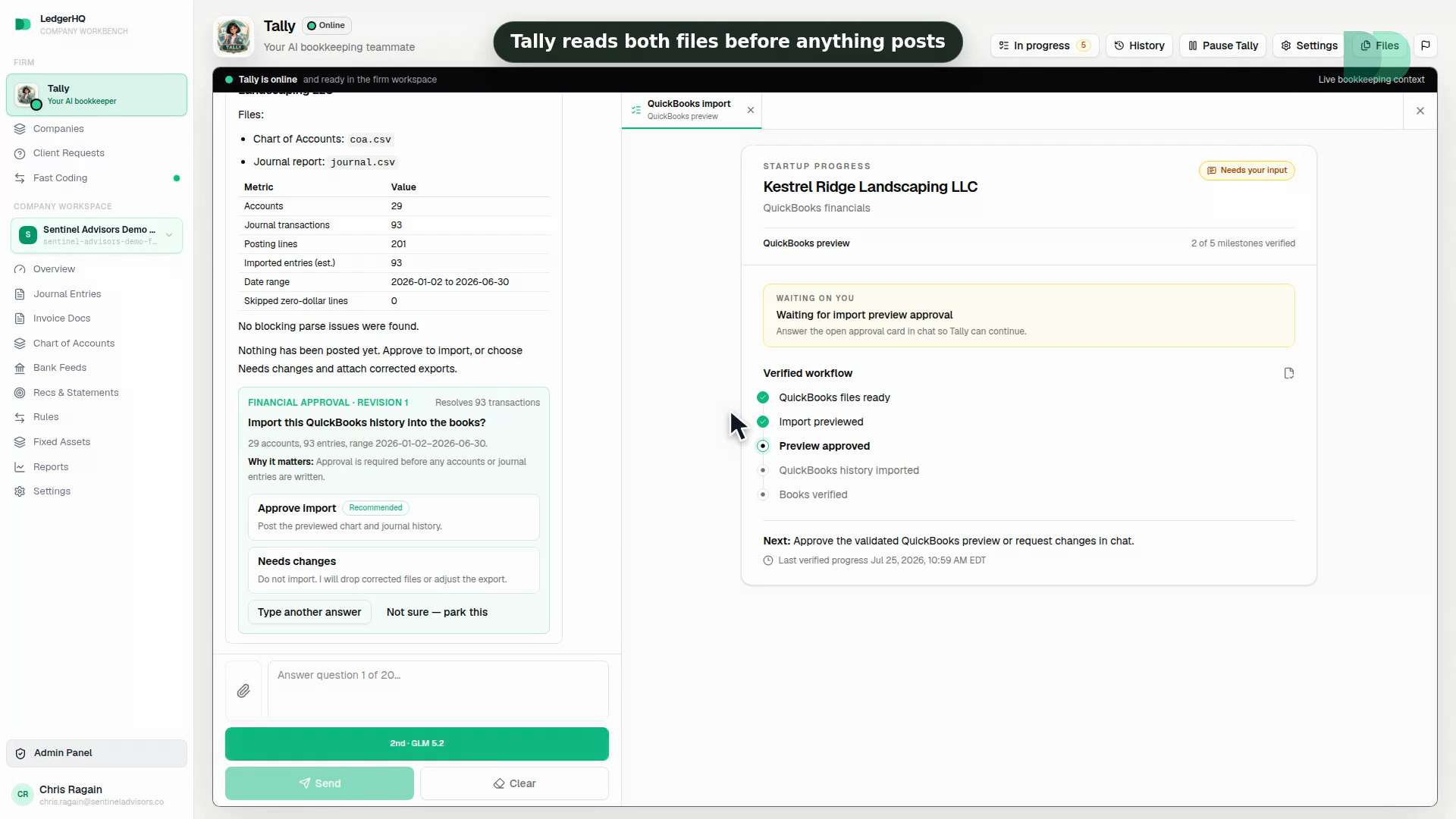
Two Files, One Preview
The Chart of Accounts and Journal CSV exports are the financial source. Nothing posts until you approve the preview.
 LedgerHQ
Leaving QuickBooks
Bring your chart, history, and financials. Review the result before anything posts.
Only $20 per month · Tally's AI use is includedTally, migrating
She moves the books. The numbers match.

QuickBooks

LedgerHQ
QuickBooks
$264,180.00
LedgerHQ
—
Tally has moved 0 of 5 — your part is connecting QuickBooks.
The Chart of Accounts and Journal CSV exports are the financial source. Nothing posts until you approve the preview.
Replacing existing books requires an explicit, current confirmation, so a re-upload cannot quietly wipe reviewed data.
Run a company here for a month while QuickBooks keeps running. Nothing forces you to cancel anything on a schedule.
Watch a company move
The exports, the preview, the verification. Decide from watching it rather than from our promises.
3 min 52 secSee every walkthrough
Inside LedgerHQ
Your history comes across as two CSV files, you see exactly what will post before it posts, and the one part nobody can automate — reconnecting the bank logins — is the same Plaid connection you would do on any new system. That is the whole job.
How It Works
The work stays connected inside the same books, ready for you to review.
The clean way across
Your history moves in a visible sequence.
You see the books before they post, then reconnect banks from the cutoff forward.
Two exports
Preview
Verify
Import
Reconnect banks
QuickBooks exports
Chart of Accounts.csv
126 accounts
Journal Report.csv
18,492 lines
LedgerHQ preview
Alder Point Interiors
The Difference
See what stays on your plate today and what LedgerHQ takes over.
Questions, Answered
Yes. LedgerHQ imports the QuickBooks Chart of Accounts and Journal report CSV exports, shows you the resulting books before anything posts, and then connects bank accounts through Plaid from a cutoff date you choose. Move one company first if you want proof, then bring the rest.
The import itself is two exports, an upload, and a preview review. The work that takes time is verifying the resulting books against QuickBooks at the cutoff and reconnecting the bank accounts. Move one company first if you want proof, then bring the rest.
No, and no product can transfer them. Bank connections are re-established in LedgerHQ through Plaid after the accounting history and cutoff are reviewed.
The import moves accounting history. It does not copy QuickBooks settings, attachments, payroll records, bank connections, or third-party app integrations.
Only $20 per month
No contracts. Tally's AI use is included.
Start Free