Prior Balances Carry Forward
A completed reconciliation becomes the opening point for the next period, so nobody re-establishes it monthly.
 LedgerHQ
Bank reconciliation
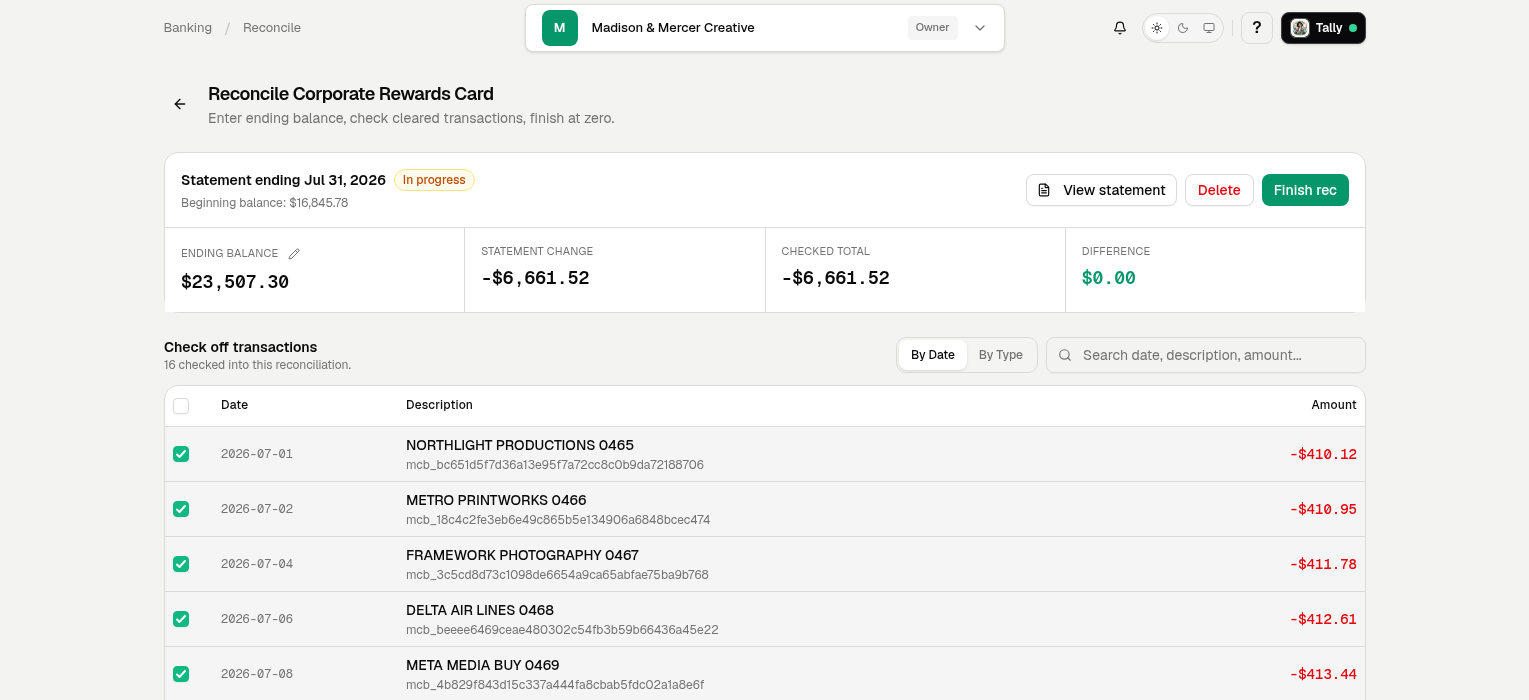
Tally reads the statement, matches the activity, and works the difference to zero.
Only $20 per month · Tally's AI use is includedTally, reconciling
She ticks and ties it for you.
Tally is matching
Statement balance
$31,465.00
Checked total
$0.00
Difference
$31,465.00
Every checkmark is Tally matching a statement line to the ledger. She works the difference to zero.
A completed reconciliation becomes the opening point for the next period, so nobody re-establishes it monthly.
Uploaded and Plaid-supplied statement PDFs live with the account and are read for balances and coverage.
Tally builds the worksheet, works the matching, finishes the accounts she can, and chases down a difference that will not close.
Watch a real reconciliation
Unedited. The statement is read, the worksheet builds, and the account finishes at $0.00.
4 min 59 secSee every walkthrough
Inside LedgerHQ
The next reconciliation opens on the prior completed ending balance. Imported books can establish a reviewed starting point from a statement or a manual baseline.
How It Works
The work stays connected inside the same books, ready for you to review.
Statement to zero
Every cleared item moves the difference.
Tally keeps the statement and ledger in view until they agree.
July statement
Operating Checking ••••3308
Statement
$48,620.14
Cleared ledger
$36,140.14
Difference
$12,480.00
Ready for the statement
The Difference
See what stays on your plate today and what LedgerHQ takes over.
Questions, Answered
It can do most of one. In LedgerHQ, Tally reads the statement, carries the prior balance forward, matches eligible posted activity, and can complete supported reconciliations, leaving genuine differences and unusual items for a person to resolve.
Yes. Stored statements run through statement extraction, with review notes raised when the extraction needs a human look.
Yes. The prior completed reconciliation's ending balance becomes the next period's starting balance.
The account stays open. LedgerHQ keeps the difference visible until the missing activity or adjustment is understood, rather than letting the period close over it.
Only $20 per month
No contracts. Tally's AI use is included.
Start Free