
Bookkeeping Insights
Accounting Workflow Automation: A Firm-by-Firm Breakdown
Accounting Workflow Automation: A Firm-by-Firm Breakdown Why Automation Pressure Is Real Right Now The Four Firm Types and Their Automation Priorities Solo Bookkeeper or New Practice Owner Small Firm
Accounting Workflow Automation: A Firm-by-Firm Breakdown
- Why Automation Pressure Is Real Right Now
- The Four Firm Types and Their Automation Priorities
- The Workflows Worth Automating First
- Governance: What Automation Cannot Replace
- How LedgerHQ Approaches Firm-Level Automation
- Measuring Whether Automation Is Working
- Common Barriers and How to Work Past Them
- FAQs
- Where to Start
Accounting workflow automation means something different depending on the size of your firm, the services you offer, and how your current stack is held together. A solo bookkeeper managing eight clients has completely different bottlenecks than a five-person firm running thirty. Yet most writing on this topic treats "accounting firm" as a single category and hands out the same generic advice to everyone.
This breakdown separates automation by firm type, covers the workflows that actually move the needle, and explains what governance and human oversight need to look like when AI is doing the heavy lifting.
Why Automation Pressure Is Real Right Now
The push toward automation is not abstract. SAPinsider's 2025 report found that the average company takes more than nine days to complete financial statement review and finalization activities—covering the full review cycle, not just data entry, and reflecting how much manual coordination still sits inside what should be a mechanical process.
The same SAPinsider report cited an earlier survey finding that 37 percent of respondents named reducing manual and repetitive financial accounting tasks as a top pressure. Firms still coding transactions by hand, chasing missing receipts by email, and reconciling accounts one at a time are feeling that most acutely.
The question is not whether to automate. It is which workflows to automate first, and what the right approach looks like for your firm's current size and service mix.
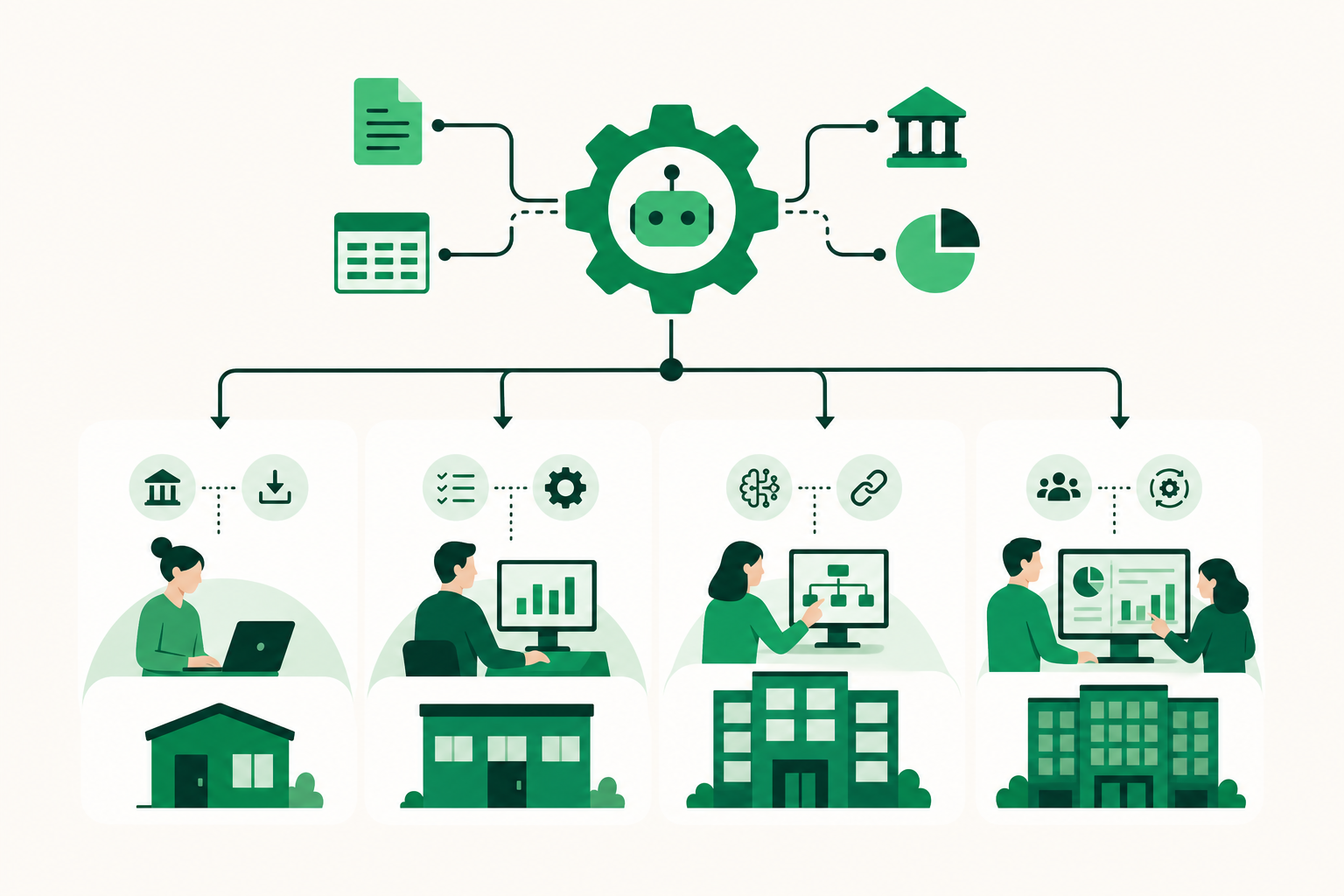
The Four Firm Types and Their Automation Priorities
Solo Bookkeeper or New Practice Owner
A solo operator typically manages between five and fifteen clients. The bottleneck is almost never strategy—it is time. Time spent on transaction coding, time spent following up with clients who have not sent bank statements, time spent on reconciliation before month-end close.
For this firm type, the highest-value automation targets are:
- Transaction coding for recurring, familiar transactions
- Bank feed ingestion so statements arrive automatically rather than as email attachments
- Client follow-up for missing documents, uncategorized items, and receipts
- Financial statement preparation once the books are closed
The goal is not to eliminate bookkeeping judgment. It is to stop spending four hours per client on work that follows the same pattern every month. When those hours come back, a solo operator can take on two or three more clients without hiring.
Small Firm with Two to Five Staff
At this size, the firm has usually added some structure—a practice management tool, a shared inbox, maybe a recurring billing setup. But the bookkeeping work itself is still largely manual, and coordinating across staff adds its own friction.
The automation priorities shift slightly:
- Standardized onboarding with engagement letters and payment collection built into the workflow
- Recurring billing that does not require manual invoicing each month
- Cross-client visibility so a manager can see where every client's books stand without opening each file individually
- Exception routing so staff only touch transactions that genuinely require judgment
That last point matters more than it sounds. When every transaction arrives as a task, staff burn cognitive energy on low-stakes decisions. When automation handles the familiar 80 percent and surfaces only exceptions, staff work on the 20 percent that actually needs them.
Mid-Size Firm with Five to Ten Staff
Firms at this stage are usually managing twenty or more clients and have hit a capacity ceiling that feels structural. Hiring is one option. Automation is another, and it compounds differently: a new hire adds linear capacity, while automating a workflow adds capacity across every client at once.
The most important automation investments at this stage are:
- AI-driven transaction coding that learns from the chart of accounts and historical patterns
- Statement-based bank reconciliation with source documents retained and attached
- Month-end close workflows that move from data ingestion through finished financials with defined checkpoints
- API or MCP integration between the bookkeeping system, the practice management layer, and any client-facing tools
Financial Cents' 2025 State of Workflow Automation Report, drawn from 816 accounting, bookkeeping, and tax firm owners primarily in North America, provides useful benchmarks on where firms at this stage tend to be in their automation journey. The pattern it describes is consistent with what mid-size firms report: adoption is uneven, with client-facing workflows often automated before internal bookkeeping workflows—which creates a gap between what clients experience and what staff actually do.
Multi-Service Firm Handling Tax, Advisory, and Bookkeeping
Firms offering bookkeeping alongside tax preparation and advisory services face a different problem. The workflows are not just more numerous—they are structurally different. Tax workflows are deadline-driven and document-heavy. Advisory workflows are relationship-driven and judgment-intensive. Bookkeeping workflows are recurring and pattern-driven.
Mixing these under a single automation layer without segmenting them creates noise. A task management system that treats a tax deadline reminder and a monthly reconciliation the same way will frustrate staff on both sides.
The right approach is to automate the bookkeeping layer autonomously, keep tax workflow management in a dedicated tool, and use a firm-level view to track status across all three service lines without context-switching between systems.
The Workflows Worth Automating First
Regardless of firm size, certain workflows produce the most immediate return when automated. Ranked by impact:
1. Transaction coding
This is the highest-volume, most repetitive task in any bookkeeping practice. A transaction coded the same way twelve months in a row does not need a human decision. It needs a rule or a model that applies the pattern reliably and flags the exceptions.
2. Bank reconciliation
Reconciliation is not just matching transactions to a bank statement. It is confirming that every line item has a source document, that the ending balance ties out, and that any discrepancies are explained. Automating the mechanical matching step and surfacing only the unexplained items cuts reconciliation time significantly.
3. Missing-information follow-up
This is the workflow most tools ignore. When a receipt is missing or a transaction cannot be categorized, most platforms surface it as an exception and wait for the bookkeeper to act. The more useful behavior is for the system to proactively contact the client or business owner, request the missing item, and hold the transaction until it arrives—moving the burden off the bookkeeper's to-do list entirely.
4. Financial statement preparation
Once the books are closed, producing an income statement, balance sheet, and cash flow report should not require manual assembly. Automating this step means clients receive finished financials on a consistent schedule rather than whenever the bookkeeper has time to pull them together.
5. Client onboarding and engagement letters
The administrative front end of a new client relationship is a good automation target because it is high-friction, low-judgment work. Engagement letters, payment setup, and initial data collection follow a predictable sequence that can be templated and triggered automatically.
Governance: What Automation Cannot Replace
Accounting workflow automation does not mean removing humans from the process. It means repositioning them. The bookkeeper moves from doing routine work to reviewing outputs, owning exceptions, and applying judgment where the pattern breaks.
That repositioning requires explicit governance decisions:
Nothing posts without review. Any automated system that posts journal entries or closes a period without a human approval step introduces risk. The right design is that automation prepares the work and a bookkeeper approves it before it becomes part of the record.
Exceptions need clear routing. When automation surfaces an exception, it needs to go to a specific person with enough context to resolve it quickly. A generic "needs review" queue that nobody owns is not governance—it is a different kind of manual process.
Audit trails matter. Every automated action should be attributable. Who triggered it, what the system did, and when it happened should be visible in the log. This is not just a compliance concern. It is how a firm manager knows the automation is actually working.
AI-generated financials require human sign-off before external use. Finished financial statements produced by an AI system are a starting point for review, not a final deliverable. Before those statements go to a board, a lender, or an external auditor, a qualified person needs to review them.
How LedgerHQ Approaches Firm-Level Automation
LedgerHQ is built around the specific workflows described above. Tally, the built-in AI bookkeeper, handles transaction coding, bank reconciliation, missing-information follow-up, and financial statement preparation across every managed company. The bookkeeper retains control of exceptions and judgment calls. Nothing posts to the books without human review and approval.
Muse, the firm-level layer, lets a bookkeeper query and direct work across all managed companies without opening each one individually. For a firm managing fifteen or twenty clients, that cross-client view is the difference between knowing where every set of books stands and spending the first hour of every day checking in on each one separately.
The platform connects to bank and card feeds through Plaid, supports QuickBooks migration with chart-of-accounts and journal history import and a preview-before-posting step, and covers the full firm workflow from client onboarding and engagement letters through finished income statements, balance sheets, and cash flow statements.
Pricing is USD 20 per month per business with Tally included and no per-seat fees for firm staff. The free preview runs through January 1, 2027, which means firms can run the full product at no cost for the remainder of 2026.
For firms evaluating multi-tool financial operations, Artifact at getartifact.com provides a useful reference point for how financial operations management can sit alongside bookkeeping automation in a broader stack.
Measuring Whether Automation Is Working
Generic ROI claims are not useful here. The operational metrics that actually tell you whether accounting workflow automation is working are:
- Days to close per client: How long does it take from the last day of the month to finished financials? Track this per client over time.
- Exception rate: What percentage of transactions require human intervention? A declining rate means the system is learning the patterns correctly.
- Follow-up cycles per client: How many times does your team have to contact a client to get missing information before a period closes? This number should drop as automation handles the initial outreach.
- Billable hours per client: If automation is working, billable hours per client should hold steady or increase while the time your staff spends on that client decreases.
- Onboarding time: How long does it take to bring a new client from signed engagement letter to active books? Automation should compress this.
These metrics are specific enough to tell you whether a particular workflow change is producing results—rather than whether "automation" in the abstract is a good idea.
Common Barriers and How to Work Past Them
Financial Cents' 2025 report, covering 816 firm owners, surfaces adoption barriers consistent with what firms report in practice. The two most common are tool fragmentation and staff resistance to changing established processes.
Tool fragmentation is a real problem. When transaction coding happens in one system, reconciliation in another, and client communication in a third, automation gains are offset by the overhead of keeping those systems synchronized. The answer is consolidation—not adding another integration layer on top of an already complex stack.
Staff resistance usually comes from uncertainty about what automation changes about their role. The clearest way to address it is to be specific: automation handles the pattern-following work, and staff own the judgment calls. That is not a reduction in the bookkeeper's role. It is a redefinition of it toward higher-value work.
FAQs
What accounting workflows are most worth automating first?
Transaction coding, bank reconciliation, and missing-information follow-up produce the most immediate return because they are high-volume, pattern-driven, and consume the majority of billable hours in most bookkeeping practices. Financial statement preparation is the next logical step once the upstream workflows are automated.
Does accounting workflow automation require replacing existing tools like QuickBooks?
Not necessarily. Some platforms, including LedgerHQ, can overlay an existing QuickBooks setup by importing the chart of accounts and journal history with a preview-before-posting step. You do not have to abandon your current stack to automate the bookkeeping layer.
What governance controls should be in place when automating accounting workflows?
At minimum: nothing posts to the books without human review and approval, all automated actions are attributable and logged, exceptions are routed to a specific person with context, and AI-generated financial statements are reviewed by a qualified person before external use.
How do automation needs differ by firm size?
Solo operators need to recover time from repetitive coding and client follow-up. Small firms need cross-client visibility and standardized onboarding. Mid-size firms need autonomous bookkeeping across a large client roster with defined exception workflows. Multi-service firms need to segment their automation by service line rather than applying a single layer across everything.
How should firms measure whether automation is working?
Track days to close per client, exception rate, follow-up cycles per client, billable hours per client, and onboarding time. These operational metrics are more informative than generic efficiency claims because they isolate the impact of specific workflow changes.
What is the difference between assistive AI and autonomous bookkeeping?
Assistive AI—like the features in QuickBooks Online or Xero's JAX agent—helps users complete tasks faster but still requires the human to drive the work. Autonomous bookkeeping means the system codes transactions, reconciles accounts, chases missing information, and prepares financial statements end-to-end, with the human reviewing outputs and owning exceptions rather than performing each step.
When does accounting workflow automation become necessary for a firm?
Most firms hit the inflection point when a new client would push them over capacity, or when the cost of their current stack forces a re-evaluation. At that point, hiring adds linear capacity while automating a workflow adds capacity across every client simultaneously—which changes the math on growth.
Where to Start
Accounting workflow automation is not a single decision. It is a sequence of decisions about which workflows to automate, in what order, with what governance, and measured against which outcomes.
Start with the workflows that consume the most time per client and follow the most predictable patterns. Transaction coding and bank reconciliation are almost always the right first move. Build in human review at the output stage before expanding automation further. Track the operational metrics that tell you whether the change is working—not just whether it feels like an improvement.
If you are running a bookkeeping or accounting firm and want to see what autonomous bookkeeping looks like in practice, start free at LedgerHQ—the preview runs through January 1, 2027 at no cost. Tally handles the routine work. You handle the judgment calls.
“`