
Bookkeeping Insights
AI Financial Statements: How Firms Produce Them Faster
What "AI Financial Statements" Actually Means The Workflow That Produces Finished Statements Faster Step 1: Transaction Coding Without Manual Review Step 2: Bank Reconciliation Across Every Account Step 3: Missing-Information Follow-Up Step 4: Statement Preparation Managing Multiple Clients Without Opening Each One What Human Review Still Covers QuickBooks Migration and Existing Stacks Security, Data Use, […]
- What "AI Financial Statements" Actually Means
- The Workflow That Produces Finished Statements Faster
- Managing Multiple Clients Without Opening Each One
- What Human Review Still Covers
- QuickBooks Migration and Existing Stacks
- Security, Data Use, and Infrastructure
- API and Agent Access for Firms Building Custom Workflows
- Pricing and Getting Started
- Frequently Asked Questions
- The Practical Upside for Firms
Producing finished financial statements used to mean hours of transaction coding, chasing missing receipts, reconciling accounts, and then assembling the income statement, balance sheet, and cash flow statement by hand. For firms managing ten, twenty, or thirty client companies, that process repeats every month. AI financial statements change the sequence by handling the routine work automatically, so the bookkeeper steps in for judgment calls rather than data entry.
Here's how the AI-driven workflow actually runs, where human review still belongs, and what firms need in place to make it work at scale.
What “AI Financial Statements” Actually Means
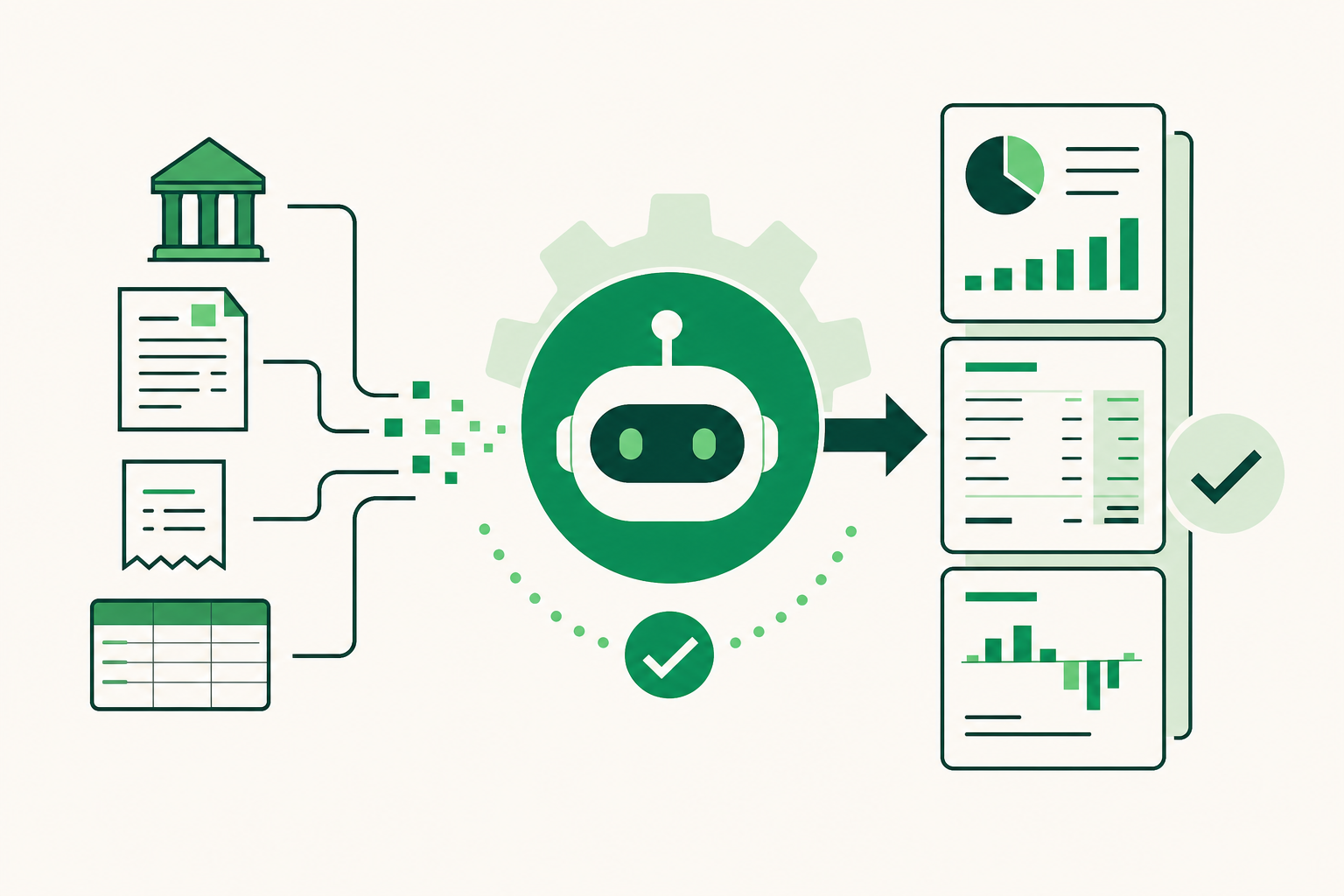
The phrase gets used loosely. To be precise: an AI financial statement is not a report generated by asking a chatbot to summarize numbers. It's a finished income statement, balance sheet, or cash flow statement produced at the end of a bookkeeping workflow where an AI handled the upstream steps—categorizing transactions, posting journal entries, reconciling bank accounts, and flagging exceptions for human review.
The output looks identical to one a bookkeeper produced manually. The difference is how many hours it took to get there.
Most accounting software stops well short of this. QuickBooks Online and Xero import bank transactions and then wait. A human still has to code every transaction, resolve every discrepancy, and build the statement. QuickBooks AI (Intuit Intelligence) offers suggestions and answers questions, but it doesn't run the bookkeeping workflow autonomously. Xero's JAX agent creates tasks and responds to queries, but it doesn't close books end-to-end.
The gap between "AI-assisted" and "AI-completed" is where firm capacity lives.
The Workflow That Produces Finished Statements Faster
Step 1: Transaction Coding Without Manual Review
The first bottleneck in any month-end close is transaction coding. For a firm with twenty clients, that's thousands of line items per month—most of them familiar: the same vendors, the same expense categories, the same payroll entries.
An AI bookkeeper that learns from stored bank statements and prior coding patterns can handle familiar transactions without prompting. Tally, the AI bookkeeper built into LedgerHQ, codes familiar transactions and posts routine journal entries automatically. Bookkeepers see exceptions, not the full queue.
Step 2: Bank Reconciliation Across Every Account
Reconciliation is the second major time sink. Matching transactions to bank statements, identifying discrepancies, and clearing the difference takes focused attention even when nothing is wrong—and longer when something is.
Tally performs reconciliation work against Plaid-connected bank and card feeds, which means the incoming data is already structured and current. The bookkeeper reviews what didn't reconcile cleanly rather than working through every account from scratch.
Step 3: Missing-Information Follow-Up
Financial statements can't close if information is missing. A client forgot to send a receipt. A vendor invoice is unclear. A transaction has no obvious home in the chart of accounts.
Most firms handle this through email, which means the bookkeeper tracks it manually and follows up repeatedly. Tally follows up on missing information as a named part of its workflow—the bookkeeper handles the responses, not the follow-up queue.
Step 4: Statement Preparation
Once transactions are coded, accounts are reconciled, and exceptions are resolved, the income statement, balance sheet, and cash flow statement are ready to produce. Because the upstream work is complete and reviewed, statement preparation becomes a final step rather than a diagnostic one.
Tally prepares finished financial statements as part of the same workflow. The bookkeeper reviews and approves; the client receives current books.
Managing Multiple Clients Without Opening Each One
The workflow above describes a single client company. For a firm managing twenty or thirty companies, the real question isn't whether the workflow is efficient for one client—it's whether the bookkeeper can see what needs attention across all of them without opening each file individually.
That's where Muse, LedgerHQ's cross-company query layer, fits. A bookkeeper can ask Muse what needs attention across every managed company and direct work from a single view. No switching between files. No manual status tracker. The firm's attention goes to the work that actually needs it.
This matters most at month-end, when every client's close is in motion at the same time and the bottleneck is the bookkeeper's attention, not the software's capability.
What Human Review Still Covers
AI financial statements don't mean the bookkeeper disappears. They mean the bookkeeper's time shifts.
Routine transactions, standard reconciliations, and familiar journal entries run without intervention. The bookkeeper handles exceptions: an unusual transaction with no clear category, a discrepancy that doesn't resolve automatically, a judgment call about how to classify something under a client's specific chart of accounts.
In LedgerHQ, nothing posts without the bookkeeper's review on items that require it. Company-scoped permissions mean every action is attributable. The bookkeeper retains control of the work that requires professional judgment.
The division of labor is straightforward: the AI handles volume, the bookkeeper handles decisions.
QuickBooks Migration and Existing Stacks
A firm considering AI-driven financial statements doesn't necessarily have to abandon its existing setup. LedgerHQ imports chart-of-accounts and journal history from QuickBooks with a preview-before-posting step, so historical data carries over and the bookkeeper can review exactly what will be imported before anything changes.
A White Glove migration option covers a single business or an entire firm's client roster. For firms with twenty or thirty clients on QuickBooks, that removes the migration burden that would otherwise make switching impractical.
QuickBooks Plus rose to $140 per month and Advanced to $340 per month in August 2026. For firms paying per-client QuickBooks seats, the math on consolidation changes significantly.
Security, Data Use, and Infrastructure
Firms handling client books have legitimate questions about where data goes and how it's used.
Bank connections in LedgerHQ run through Plaid, which has completed a SOC 2 Type II audit. The platform runs on Railway, which has also completed a SOC 2 Type II audit. LedgerHQ has not yet completed its own SOC 2 audit—worth noting if your firm has specific compliance requirements.
Customer books are never used to train models. Data from a client's company stays scoped to that company, and company-scoped permissions prevent people or agents from accessing companies they're not authorized for.
API and Agent Access for Firms Building Custom Workflows
For firms that want to go further, LedgerHQ exposes a REST API, OpenAPI, and MCP access. These connect with named agents including Codex, Claude, Muse, Hermes, and GrokBot. A firm building a custom reporting workflow, an internal dashboard, or an automated delivery process can connect to the same underlying data Tally works from.
The native iPhone app provides access on the go—useful for firm owners who aren't always at a desk when a client question comes in.
Pricing and Getting Started
LedgerHQ is currently available as a free preview through January 1, 2027. A payment card is collected at signup, and billing begins January 1, 2027 at $20 per month per business, with Tally AI included. The first six bank accounts per business are included; each additional account costs $1 per month. There are no contracts.
For context, Botkeeper's reported platform fee starts at $1,000 per month before per-license costs. Digits ranges from $65 to $250 per month per business and requires leaving your existing stack. LedgerHQ works with existing QuickBooks data and Plaid-connected accounts.
Explore the platform at ledgerhq.ai.
Frequently Asked Questions
What are AI financial statements?
AI financial statements are finished income statements, balance sheets, and cash flow statements produced at the end of a bookkeeping workflow where an AI handled the upstream steps: transaction coding, journal entries, bank reconciliation, and missing-information follow-up. The bookkeeper reviews exceptions and approves the output before it's finalized.
Does AI replace the bookkeeper when producing financial statements?
No. AI handles the high-volume routine work—coding familiar transactions, reconciling accounts, following up on missing information. The bookkeeper handles exceptions, judgment calls, and final review. The division of labor shifts, but professional oversight remains.
How does Tally produce finished financial statements?
Tally codes transactions from Plaid-connected bank and card feeds, posts routine journal entries, performs reconciliation work, follows up on missing information, and prepares the income statement, balance sheet, and cash flow statement. Bookkeepers review exceptions before anything posts.
Can a firm use LedgerHQ without leaving QuickBooks?
Yes. LedgerHQ imports chart-of-accounts and journal history from QuickBooks with a preview-before-posting step. Firms don't have to abandon their current setup. A White Glove migration option is available for single businesses or entire firm rosters.
How does Muse help with multi-client financial statement production?
Muse is a cross-company query and work-direction layer. It lets a bookkeeper ask what needs attention across every managed company and direct work from a single view, without opening each client file individually—particularly useful at month-end when multiple clients are closing at the same time.
Is LedgerHQ SOC 2 certified?
Not yet. Railway, which hosts the platform, and Plaid, which handles bank connections, have each completed SOC 2 Type II audits. LedgerHQ has not yet completed its own SOC 2 audit.
What does LedgerHQ cost?
The platform is free to use through January 1, 2027. After that, billing begins at $20 per month per business with Tally AI included. The first six bank accounts per business are included; additional accounts are $1 per month each. There are no contracts.
The Practical Upside for Firms
The firms that benefit most from AI financial statements are the ones already at capacity—managing twenty or thirty clients, doing the bookkeeping work themselves or with a small team, unable to take on new business without hiring. When routine work runs automatically and exceptions surface rather than hide, the same headcount can serve more clients and close books faster.
That's not a promise about a specific outcome. It's a description of what changes when the workflow shifts from manual to exception-only. The bookkeeper's time goes to the work that actually requires a bookkeeper.