
Bookkeeping Insights
Automated Bank Reconciliation: What Firms Get Wrong First
What Automated Bank Reconciliation Actually Involves The First Mistake: Automating Matching Before Fixing the Feed The Second Mistake: Treating Exception Handling as an Afterthought The Third Mistake: Weak Audit Trails The Fourth Mistake: Automating Reconciliation in Isolation What Good Sequencing Looks Like How LedgerHQ Handles This Sequence A Note on Match-Rate Claims Conclusion Frequently Asked […]
- What Automated Bank Reconciliation Actually Involves
- The First Mistake: Automating Matching Before Fixing the Feed
- The Second Mistake: Treating Exception Handling as an Afterthought
- The Third Mistake: Weak Audit Trails
- The Fourth Mistake: Automating Reconciliation in Isolation
- What Good Sequencing Looks Like
- How LedgerHQ Handles This Sequence
- A Note on Match-Rate Claims
- Conclusion
- Frequently Asked Questions
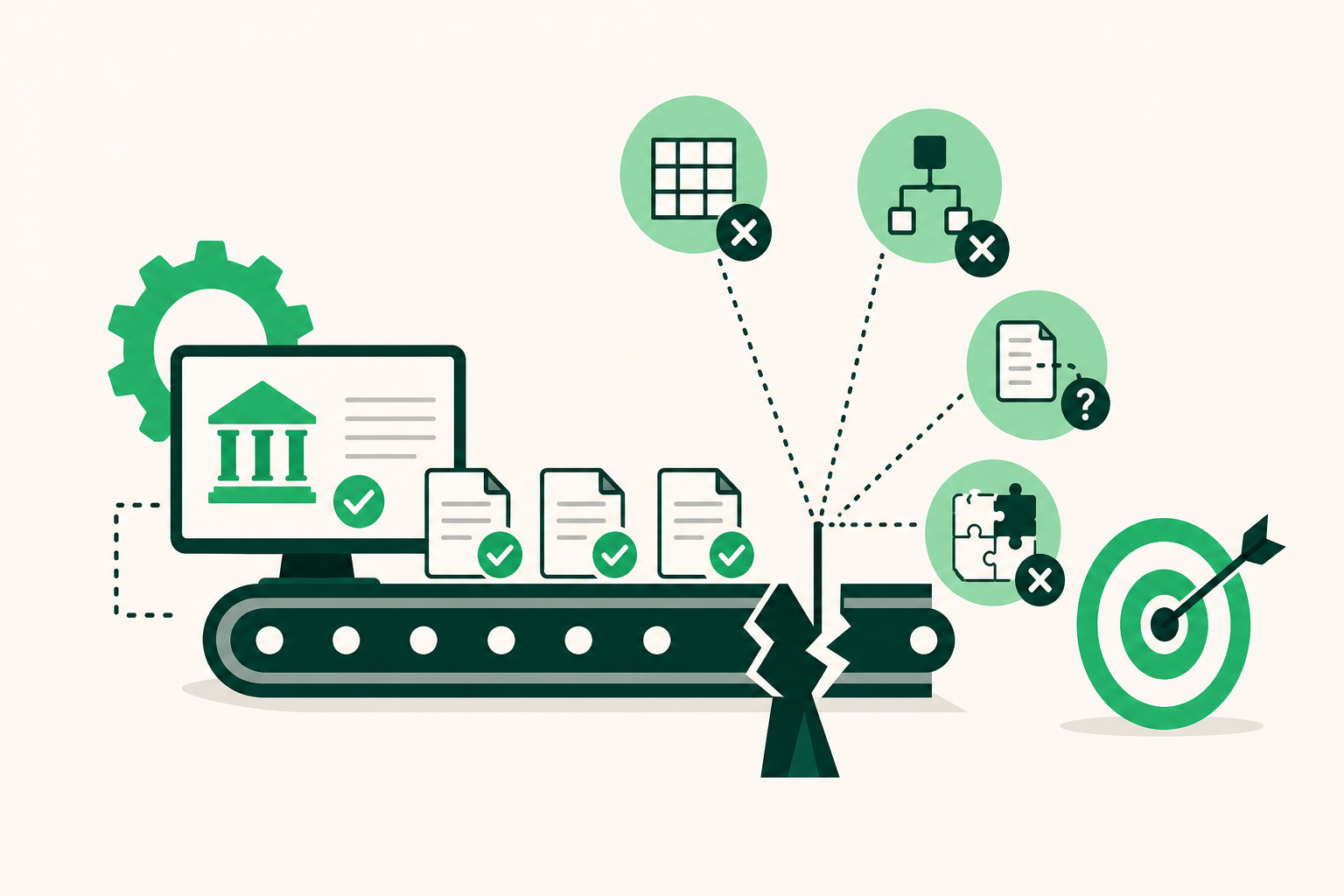
Automated bank reconciliation sounds like a solved problem. Connect a bank feed, let the software match transactions, close the books faster. Firms try it, hit a wall two weeks in, and end up doing half the work manually anyway. The automation didn't fail because the technology was wrong. It failed because the firm automated the wrong step first.
This is written for bookkeeping-firm owners and working bookkeepers who have already tried some form of automation and found the results disappointing, or who are about to implement it and want to avoid the most common sequencing mistakes.
What Automated Bank Reconciliation Actually Involves
Before getting into what goes wrong, it helps to be precise about what the term actually covers, because it gets used loosely.
Manual reconciliation means pulling a bank statement, matching each line to a transaction in the accounting file, investigating anything that doesn't match, and signing off that the two records agree. Time-consuming and error-prone at volume, especially when a firm is managing 15 or 20 client companies at once.
Automated bank reconciliation replaces some or all of that sequence with software. At the basic end, that means importing bank feeds and auto-matching transactions against existing ledger entries. At the more complete end, the system ingests the feed, codes unfamiliar transactions using pattern recognition or AI, flags exceptions for human review, and posts only after a bookkeeper approves.
The gap between those two descriptions is where most firms run into trouble.
The First Mistake: Automating Matching Before Fixing the Feed
The most common sequencing error is jumping straight to matching logic before the incoming data is clean and consistent.
Bank feed data is messier than it looks. Vendor names appear differently across institutions. A payment to a contractor shows up as "ACH TRANSFER 7734" at one bank and "JOHN SMITH CONSULTING" at another. Duplicate imports happen when a feed reconnects after a dropped session. Timing differences between when a transaction clears and when it posts create false mismatches that clog the exception queue.
When firms automate matching on top of a noisy feed, the match rate looks fine in the first week because the software is catching the obvious ones. By week three, the exception queue has grown to the point where the bookkeeper is spending more time on exceptions than they saved on matching. The automation created a new bottleneck rather than eliminating the old one.
The right sequence: stabilize the feed first, then build matching rules, then handle exceptions.
Stabilizing the feed means verifying that the connection is pulling complete data, that duplicate transactions are being filtered, and that the chart of accounts is clean enough to give the matching logic somewhere sensible to put each transaction. It's unglamorous work, but skipping it is the single most reliable predictor of a failed reconciliation rollout.
The Second Mistake: Treating Exception Handling as an Afterthought
Most automation tools are designed to celebrate their match rate. The marketing emphasizes how many transactions the system handles automatically. What gets less attention is what happens to the ones it doesn't.
In a firm managing 20 client companies, even a high match rate leaves a meaningful number of unmatched transactions every month. If the exception workflow is a passive queue that someone checks when they remember to, those transactions age. Aged exceptions become reconciliation gaps. Reconciliation gaps become a problem at tax time or, worse, during a client audit.
The firms that get the most out of automated bank reconciliation design the exception workflow before they turn the automation on. That means deciding who reviews exceptions for each client, how quickly they need to be resolved, and what happens when information is missing on the client's side.
That last point matters more than most firms expect. A large share of reconciliation exceptions exist not because the software couldn't match the transaction, but because the bookkeeper doesn't have enough information to code it correctly. The client bought something unusual, paid an unfamiliar vendor, or split a payment across categories without documenting it. The automation surfaces the gap, but resolving it requires reaching out to the client.
If that outreach is manual and ad hoc, the exception queue never actually clears. Proactive, structured missing-information follow-up isn't a nice-to-have feature in a reconciliation workflow. It's a load-bearing part of the system.
The Third Mistake: Weak Audit Trails
Automation speeds up reconciliation. It also makes it harder to answer "why was this transaction coded this way?" after the fact, unless the system was designed to record that answer.
Rules-based matching systems typically log that a rule fired, but not why the rule was written that way or who approved it. AI-assisted matching systems may produce a confident match without any human-readable explanation. When a client's accountant or an auditor asks about a specific transaction six months later, "the system matched it" is not a useful answer.
Firms that implement automated bank reconciliation without building in attributable activity logging tend to discover this problem at exactly the wrong moment. The fix is to require that every posting decision, whether made by a human or approved by one, carries a timestamp, a user attribution, and enough context to reconstruct the reasoning.
This isn't just about audit risk. It's about being able to improve the system over time. If you can't see why a transaction was coded incorrectly, you can't correct the underlying rule or pattern. The audit trail is also the feedback loop.
The Fourth Mistake: Automating Reconciliation in Isolation
Bank reconciliation doesn't happen in isolation. It sits in the middle of a workflow that starts with transaction coding and ends with financial statement preparation. Automating reconciliation without connecting it to those adjacent steps creates handoff problems.
The most common version: a firm automates matching inside QuickBooks but still manually codes transactions before the match runs, and still manually prepares financials after the reconciliation closes. The automation saves some time in the middle, but the bottlenecks at either end remain. The firm is now running a hybrid workflow that's harder to manage than a fully manual one, because the handoffs between automated and manual steps require careful coordination.
The more effective approach is to automate the full sequence: feed ingestion, transaction coding, reconciliation, exception resolution, and financial statement preparation. Each step feeds the next. Errors caught early don't propagate. The bookkeeper's attention stays on judgment calls and exceptions rather than being spread across every routine transaction.
In its 2024 report, the International Journal of Business and Economics Insights surveyed 186 finance and accounting professionals involved in reconciliation work and found that workflow efficiency was most strongly associated with Automation Capability, at a correlation of 0.62. That figure points to something practitioners already know intuitively: partial automation produces partial results. The efficiency gains come from covering the full workflow, not from automating one step while leaving the rest manual.
What Good Sequencing Looks Like
Whether you're implementing automated bank reconciliation for the first time or re-implementing after a failed attempt, here is a practical sequence that avoids the mistakes above.
Step 1: Clean the chart of accounts. Before connecting any feed, make sure the chart of accounts is structured in a way that gives the matching logic clear targets. Ambiguous or redundant accounts are a primary cause of miscoding.
Step 2: Establish a stable feed connection. Connect the bank and card feeds and monitor them for a week before turning on any matching rules. Confirm that data is complete, that duplicates are being handled, and that the feed reconnects cleanly after any interruption.
Step 3: Build matching rules for high-volume, low-ambiguity transactions. Payroll, rent, known recurring vendors, and utility payments are good starting points. These are transactions where the coding is predictable and the risk of a wrong match is low.
Step 4: Design the exception workflow before it fills up. Decide who handles exceptions for each client, set a resolution target, and build the missing-information follow-up process into the workflow rather than leaving it as a manual task.
Step 5: Add AI-assisted coding for the long tail. Once the high-confidence rules are running cleanly, use AI-assisted matching for transactions that don't fit a simple rule. Review suggestions before they post; nothing should hit the ledger without human sign-off.
Step 6: Connect reconciliation to financial statement preparation. Once reconciliation is running reliably, make sure the output feeds directly into income statement, balance sheet, and cash flow statement preparation. This is where the time savings become visible to clients.
How LedgerHQ Handles This Sequence
LedgerHQ is built around the idea that reconciliation is one step in a continuous workflow, not a standalone task. Tally, the built-in AI bookkeeper, ingests bank and card feeds through Plaid, codes familiar transactions, reconciles accounts, and flags exceptions for bookkeeper review. Nothing posts without human sign-off, which means the audit trail is built into the design rather than bolted on afterward.
The missing-information follow-up that most firms handle ad hoc is a named feature in Tally's workflow. When a transaction can't be coded without additional context, Tally requests that information from the client directly, rather than leaving it in a passive queue for the bookkeeper to chase manually.
Muse, the second AI layer, lets a bookkeeper query and direct work across all managed companies without opening each one individually. For a firm managing 15 or 20 client companies, that single-view capability changes how exceptions get triaged. Instead of logging into each client's file to check the queue, the bookkeeper sees the full picture in one place and can prioritize accordingly.
Pricing is $20 per business per month with Tally included and no contract. The free preview runs through January 1, 2027.
A Note on Match-Rate Claims
Vendor marketing for bank reconciliation tools frequently leads with match-rate percentages. "95 percent of transactions matched automatically" sounds compelling. The number is almost always real, but it measures the easy part of the problem.
A 95 percent match rate on 500 monthly transactions leaves 25 exceptions. Across 20 client companies, that's 500 exceptions per month. At five minutes each, that's more than 40 hours of exception work every month — close to a full-time job. The match rate tells you how much work the automation handles. The exception resolution workflow tells you whether the remaining work is actually manageable.
When evaluating any reconciliation tool, ask how exceptions are surfaced, who is responsible for resolving them, and what happens when missing information needs to come from the client. Those answers matter more than the headline figure.
Conclusion
The firms struggling with automated bank reconciliation aren't struggling because the technology doesn't work. They're struggling because they automated in the wrong order, skipped the exception workflow design, or treated reconciliation as an isolated task rather than one step in a connected process.
Fix the feed before building matching rules. Design the exception workflow before the queue fills up. Build in attributable activity logging from the start. And automate the full sequence from coding through financial statements, not just the matching step in the middle.
If your firm is hitting a capacity ceiling on reconciliation work, LedgerHQ handles the full workflow from feed ingestion through finished financials, with human sign-off at every posting decision.
Frequently Asked Questions
What is automated bank reconciliation?
Automated bank reconciliation uses software to match bank and card feed transactions against ledger entries, code unfamiliar transactions, flag exceptions, and confirm that the bank balance and book balance agree — without requiring a bookkeeper to perform each step manually. The degree of automation ranges from basic feed import and matching to AI-assisted coding and full end-to-end reconciliation.
What is the most common mistake firms make when automating bank reconciliation?
Automating the matching step before stabilizing the data feed. Noisy or inconsistent feed data produces a growing exception queue that quickly consumes more time than the matching automation saves. Cleaning the chart of accounts and verifying feed reliability before turning on matching rules prevents this.
Why does exception handling matter so much in reconciliation automation?
Even a high match rate leaves a meaningful number of unmatched transactions in a firm managing multiple client companies. If the exception workflow is passive or ad hoc, those transactions age and become reconciliation gaps. Designing a structured exception resolution process — including proactive client follow-up for missing information — is as important as the matching logic itself.
How does AI-assisted matching differ from rules-based matching?
Rules-based matching fires on exact or near-exact patterns, such as a known vendor name or a fixed recurring amount. AI-assisted matching can handle transactions that don't fit a simple rule by drawing on patterns across historical coding decisions. AI matching is more flexible but requires human review before posting to ensure the suggested coding is correct.
What should a good audit trail include for reconciliation transactions?
Every posting decision should carry a timestamp, a user attribution identifying who approved it, and enough context to reconstruct why the transaction was coded that way. This supports both external audit requests and internal feedback loops that improve the matching logic over time.
Does automating bank reconciliation require leaving QuickBooks?
Not necessarily. Some platforms, including LedgerHQ, import from QuickBooks and connect via Plaid without requiring a ledger migration. The chart of accounts and journal history can be brought over with a preview-before-posting step, so existing data is preserved. Whether to migrate or continue using QuickBooks alongside an automation layer depends on the firm's workflow and cost structure.
When is automated bank reconciliation ready to scale across multiple client companies?
A reconciliation workflow is ready to scale when the feed is stable, the exception queue is resolving within a defined timeframe, the audit trail is attributable, and the output connects reliably to financial statement preparation. Scaling before those conditions are met multiplies the existing problems rather than eliminating them.