
Bookkeeping Insights
Automated Bookkeeping: What Gets Automated and What Does Not
title: Automated Bookkeeping: What Gets Automated and What Does Not description: A clear breakdown of which bookkeeping tasks software handles end-to-end and where human judgment is still required. da
title: Automated Bookkeeping: What Gets Automated and What Does Not
description: A clear breakdown of which bookkeeping tasks software handles end-to-end and where human judgment is still required.
date: 2025-07-14
updated: 2025-07-14
author: LedgerHQ
category: bookkeeping-automation
Automated Bookkeeping: What Gets Automated and What Does Not
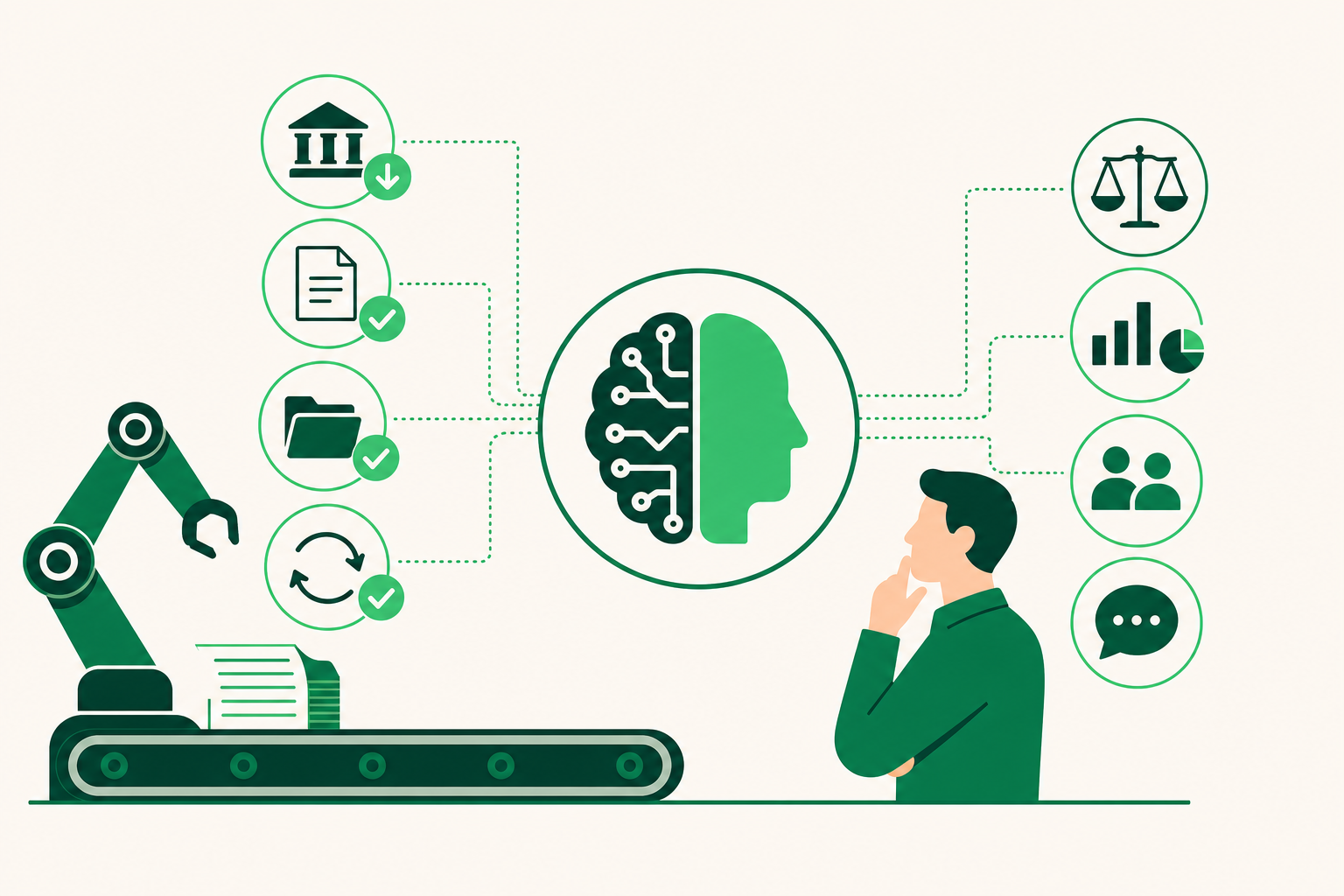
Automated bookkeeping handles high-volume, pattern-based tasks: bank feed imports, transaction categorization, OCR receipt capture, duplicate detection, and routine reconciliation. It does not replace human judgment on complex tax treatment, strategic financial decisions, client advisory work, or any entry where context and professional accountability matter. The split is about pattern versus judgment, not effort versus ease. Understanding that boundary is what makes automation actually work for a bookkeeping firm.
What Is Automated Bookkeeping?
Automated bookkeeping uses software to handle transaction data without manual entry at each step. Bank feeds pull transactions directly from financial institutions. Rules and machine learning assign categories. Reconciliation matches are suggested or posted automatically. The human role shifts from data entry to review, exception handling, and judgment calls.
This is different from traditional bookkeeping, where a person manually enters each transaction, pulls statements, and codes every line. The volume problem in traditional bookkeeping is real: a firm with 20 clients, each averaging 200 transactions per month, faces thousands of manual entries before any review work begins. Automation handles that volume.
The distinction that matters most is between static bank rules and agentic AI workflows. Static rules match a transaction description to a category you defined in advance. Agentic AI workflows go further: the software reasons across multiple data points, flags anomalies, follows up on missing information, and posts entries with a confidence score attached. A study by Unisinos University and Dell Inc. found that 10 out of 10 users agreed a machine-learning-based accounting automation service was easy to use. That ease of adoption is part of why, in a QuickBooks Tech Survey, around 98% of accountants reported using AI and accounting automation tools to assist clients in the past year.
Both findings come with caveats. The Unisinos/Dell study is a small sample. The QuickBooks figure is vendor-published research, not independent data. The adoption rate is real; the depth of that adoption varies widely across firms.
Which Bookkeeping Tasks Can Be Fully Automated?
The tasks below clear the automation bar: high volume, consistent pattern, and low cost of a missed error when a review layer catches it.
Bank feed import and transaction ingestion. Software connects directly to checking, savings, and credit card accounts and pulls transactions in near real time. No manual CSV exports, no copy-paste. This is table stakes for any modern accounting software and is the foundation every other automation step builds on.
Transaction categorization. AI categorization learns from a client's recurring transaction history. After two to three months of training on recurring transactions, modern accounting software reaches 85 to 90% categorization accuracy. That figure is not an out-of-the-box promise. It improves as the system sees more of the same vendors, amounts, and patterns. The remaining transactions are exceptions that go to a human reviewer.
OCR receipt and invoice capture. Tools like Dext extract data from receipts, invoices, and bank statements using optical character recognition (OCR) and AI, then sync that data to the general ledger. According to CurateSuite, Dext maintains an accuracy rate of 95% or higher for clean PDF invoices, though this drops for photographed or handwritten documents. Hubdoc performs a similar function and is included with paid Xero plans, though per curatesuite.com and aimadefor.com it has weaker extraction for complex line items compared to Dext.
Duplicate detection. AI-powered duplicate detection cross-matches multiple transaction data points simultaneously. Ken from Finance reports that this approach catches over 99% of duplicates. Manual duplicate review on a high-volume client account takes real time; automated detection makes it a background process.
Invoice processing cost reduction. According to benchmarks from Ardent Partners and Parseur, AI automation reduces invoice processing costs from a high manual-average cost per invoice down to a fraction of that figure. At 500 invoices per month across a firm's client base, that gap is significant.
Routine bank reconciliation. Software matches bank statement lines against general ledger entries and flags unmatched items. Deposits in transit and outstanding checks are identified automatically. A human still reviews the flagged exceptions and approves the final reconciliation, but the matching work itself is automated.
Document storage and retrieval. Dext's Vault stores original documents for at least ten years, per dext.com. This matters for audit trails and client record requests.
QuickBooks handles bank feed integration, AI-powered categorization, and reporting queries through its natural language assistant, Intuit Assist. It protects data with 256-bit encryption and multi-factor authentication, per quickbooks.intuit.com. Botkeeper takes a similar approach, posting high-confidence transactions directly to the ledger and routing low-confidence items to human reviewers, per curatesuite.com. Note that per curatesuite.com and ledgerhq.ai, Botkeeper was reported to have shut down in February 2026.
What Automated Bookkeeping Software Still Cannot Do
The tasks below require human judgment. No current AI system handles them end-to-end without professional oversight, and the cost of an error in these areas is not recoverable by a review layer alone.
Complex tax treatment. Deciding whether an expense is deductible, how to classify a mixed-use asset, or whether a transaction triggers a specific tax rule requires knowledge of current law and the client's full financial picture. Software can flag a transaction as potentially complex. It cannot make the call.
Revenue recognition and accrual judgment. Determining when revenue is earned under accrual accounting, especially for multi-period contracts or subscription arrangements, involves professional judgment. The pattern is not always in the data.
Strategic financial decisions. Cash flow forecasting, pricing decisions, and capital allocation require context that lives outside the general ledger. A bookkeeper or accountant who understands the client's business makes these calls. Software surfaces the numbers; it does not interpret what they mean for the client's next quarter.
Client advisory work. Explaining a variance, recommending a change in entity structure, or walking a client through a difficult financial period requires communication, trust, and professional accountability. This is the work that grows a bookkeeping practice. It cannot be automated.
Entries with ambiguous context. When a transaction could reasonably belong to two or three categories depending on facts the software cannot see, a human has to decide. The AI will assign a category, but the bookkeeper is responsible for whether that category is correct.
According to Financial Cents data cited by LedgerHQ, 90% of practitioners agree that human judgment becomes more important as AI adoption increases. The honest read on that figure: automation handles volume, and volume reduction frees up time for the judgment work that actually requires a trained professional. The two are not in competition. They divide the work at the pattern-versus-judgment line.
How to Set Up Automated Bookkeeping: A Step-by-Step Workflow
Getting automation right depends on sequencing. Connecting a bank feed before you have a clean chart of accounts, or enabling AI categorization before you've identified which transactions need manual rules, creates more cleanup work than it saves. Follow these steps in order.
-
Identify eligible tasks using the three-question test. For each task in your current workflow, ask: Is the volume high? Does it follow a consistent pattern? Is the cost of a missed error recoverable by a review layer? If all three answers are yes, the task is a candidate for automation. If any answer is no, keep a human in that step.
-
Connect all relevant accounts via bank feeds. Link every checking, savings, and credit card account to the automation platform. QuickBooks supports direct bank feed integration for this step, pulling transactions in near real time. Do not rely on manual CSV imports as a bridge; they introduce version gaps and break reconciliation continuity.
-
Enable AI categorization and pre-trained reconciliation matches. Turn on the software's categorization engine and let it run against 60 to 90 days of transaction history before you judge its accuracy. Categorization accuracy for recurring transactions reaches 85 to 90% after two to three months of training, so the first month is a calibration period, not a finished product.
-
Build plain-English rules for complex or recurring transaction logic. Some transactions will not categorize correctly on their own. Marketplace fee splits, intercompany transfers, and owner draws are common examples. Write explicit rules for these cases inside the software. Clear rule logic reduces the exception queue and makes the reviewer's job faster.
-
Use reviewer mode to audit AI-posted entries. Most platforms surface a confidence score and the specific rule or pattern that drove each posting. Work through the low-confidence queue first. Check that the category matches the transaction context, not just the vendor name. After 90 days of consistent review, the exception rate on recurring transactions should be well under the initial calibration-period rate.
A note on QuickBooks migrations specifically: if you are moving an existing client from QuickBooks Online (QBO) to a new platform, confirm that the receiving system supports chart-of-accounts import and journal history import with a preview-before-posting step. Posting a full history import without a preview pass is one of the most common sources of reconciliation errors in platform migrations.
Automation setup is not a one-time event. Revisit the rule set quarterly. New vendors, new transaction types, and client business changes all create categorization drift. A 30-minute quarterly audit of the exception log keeps accuracy stable.
The Operational Benefits of Automated Bookkeeping
The time savings from automation are real, but the numbers depend on what you are measuring. The clearest case is invoice processing. According to benchmarks from Ardent Partners and Parseur, AI automation reduces invoice processing costs from a high manual-average cost per invoice down to a fraction of that figure. For a firm processing 400 invoices per month across its client base, that gap represents thousands of dollars in recovered labor cost annually.
Speed improvements show up at the financial statement level too. In a 2025 case study published in MDPI, an AI agent integrating GPT with no-code tools reduced the average execution time for vertical analysis of income statements by nearly 75%. That figure comes from a single case study, not a broad sample, but the direction is consistent with what practitioners report: analysis tasks that took hours now take minutes.
The less-discussed benefit is error reduction. Manual data entry introduces transcription errors that compound through the month. Automated bank feeds and OCR capture eliminate most of that entry layer. The errors that remain are judgment errors, which a trained bookkeeper is better positioned to catch than a data-entry process.
For a bookkeeping firm, the operational case for automation is about what staff time goes toward. Data entry volume is a ceiling on client capacity. Reducing that volume through automation shifts time toward exception review and client communication, which is where a trained bookkeeper adds the most value.
When Should a Bookkeeping Firm Consider an AI Bookkeeper Operating System?
Standalone automated bookkeeping software handles individual tasks well. The gap appears when a firm manages multiple clients and needs those tasks to run across all of them, consistently, without opening each client file one by one.
That is the problem an AI bookkeeper operating system addresses. LedgerHQ is a bookkeeper operating system that runs a bookkeeping practice end-to-end, with a built-in AI bookkeeper called Tally handling transaction coding, bank reconciliation, missing-information follow-up, and financial statement preparation across every managed company. A second AI layer called Muse is designed to let a bookkeeper query and direct work across managed companies.
The platform connects to bank and card feeds through Plaid and supports QuickBooks migration with chart-of-accounts and journal history import and a preview-before-posting step. It covers the full firm workflow from client onboarding and engagement letters through finished income statements, balance sheets, and cash flow statements. Bookkeepers retain control of exceptions and judgment calls.
For firms evaluating whether this model fits their workflow, the AI bookkeeper operating system overview covers the full feature set and how Tally and Muse divide the work in practice. The LedgerHQ + Tally tier is $0 per month; the LedgerHQ and LedgerHQ Pro tiers are each $20 per month.
Choosing the Right Automated Bookkeeping Software for Your Needs
Match the tool to the scope of the problem. For transaction categorization and bank reconciliation at the client level, QuickBooks covers the core workflow. For document capture, Dext handles receipts and invoices with strong PDF accuracy; Hubdoc is a lower-cost alternative for simpler documents. For firms managing multiple clients end-to-end, a firm-level operating system handles what single-task tools cannot. A practical starting point is the AI bookkeeping software comparison for firms at LedgerHQ.
Prices and plan limits verified as of October 2026.
FAQs
What is the difference between static bank rules and agentic AI workflows in bookkeeping?
Static bank rules match a transaction description to a category you defined in advance. If the vendor name matches, the rule fires. Agentic AI workflows reason across multiple data points at once: amount, vendor, date, prior patterns, and context flags. They can follow up on missing information, assign confidence scores, and route exceptions to a human reviewer. Static rules are faster to set up; agentic workflows handle more complexity without manual rule maintenance.
How accurate is AI at categorizing transactions compared to a human bookkeeper?
Categorization accuracy improves with each month of transaction history the system processes. Novel vendors, split transactions, and ambiguous entries still fall to a human reviewer. A trained bookkeeper reviewing AI-posted entries catches the remaining exceptions faster than doing all entry manually, but the AI does not match human judgment on edge cases.
Can automated bookkeeping software handle payroll?
Payroll processing involves tax withholding calculations, multi-jurisdiction compliance, and filing deadlines with personal liability exposure for errors. Current automated bookkeeping software does not handle payroll end-to-end without human oversight. Some platforms integrate with dedicated payroll tools, but the compliance judgment, especially for multi-state payroll, remains a human responsibility. Bookkeeping automation and payroll automation are separate problem sets with different risk profiles.
Is AI bookkeeping software secure enough for sensitive financial data?
Security depends on the specific platform and its infrastructure. QuickBooks uses 256-bit encryption and multi-factor authentication, per quickbooks.intuit.com. For platforms built on third-party infrastructure, the relevant question is whether that infrastructure has completed a SOC 2 Type II audit. Evaluate each platform's infrastructure claims specifically rather than accepting a general "bank-level security" assertion.
What happens when an AI bookkeeper makes a categorization error?
The error posts to the general ledger and flows into financial statements until a human catches and corrects it. This is why reviewer mode and confidence scoring matter. Most platforms flag low-confidence postings for human review before they finalize. A bookkeeper working through the exception queue regularly, especially in the first 90 days of a new client setup, catches most errors before they affect month-end close. The liability for a posted error remains with the bookkeeper, not the software.
Conclusion
Automated bookkeeping handles the pattern-based, high-volume work: bank feed imports, transaction categorization, OCR capture, duplicate detection, and routine reconciliation. It does not handle complex tax treatment, strategic decisions, client advisory work, or entries where the context lives outside the data. That boundary is fixed by the nature of the tasks, not by the current state of the software.
If you are evaluating where to start, run the three-question test on your current workflow: volume, pattern, and cost of error. The tasks that pass all three are safe to automate now. For the tasks that do not, the goal is to free up enough time through automation that you can give those judgment calls the attention they require.