
Firm operations
Bank Feeds That Break: Reconnects, Duplicates, and Keeping the Books Moving
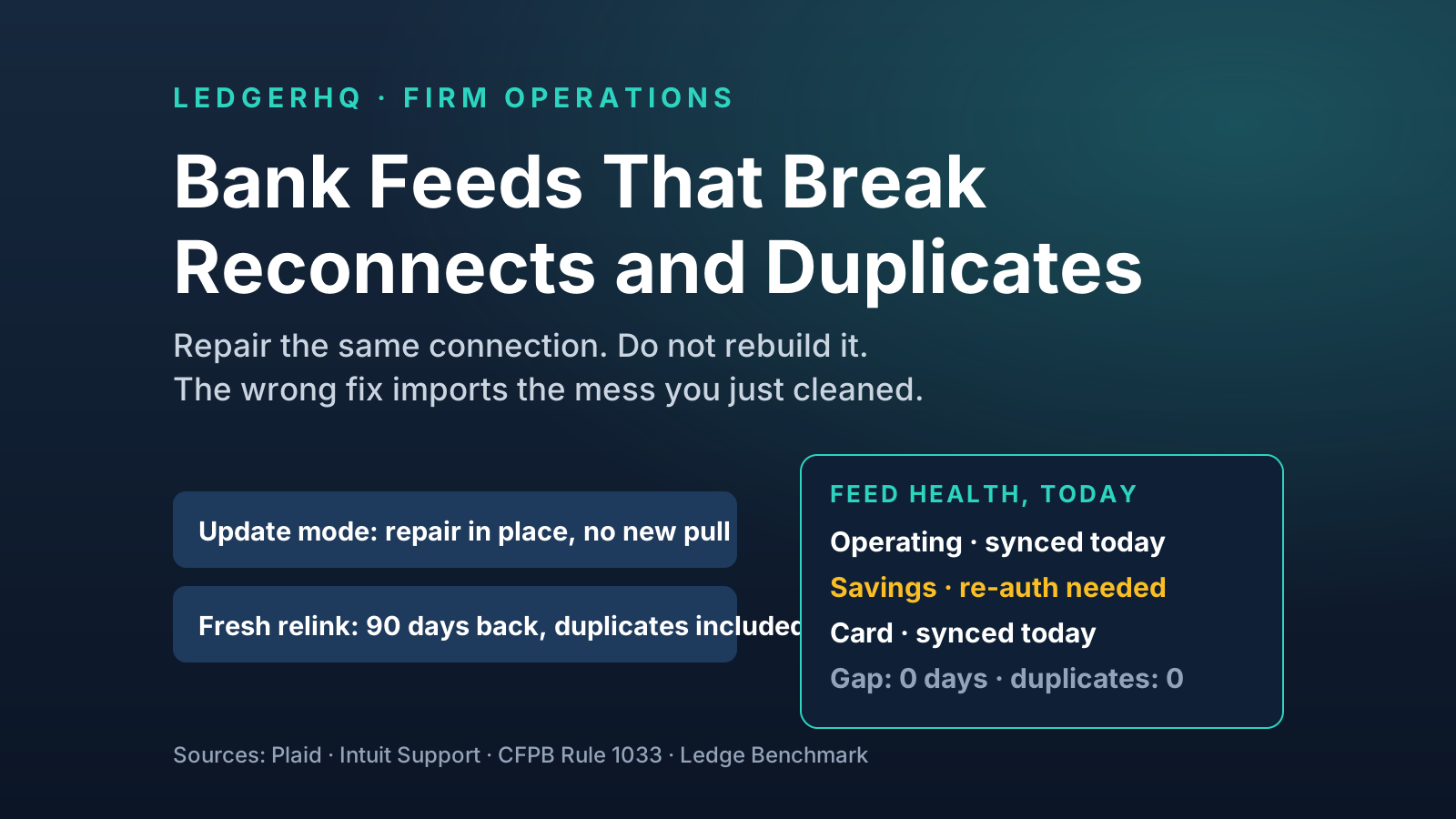
Every bank feed breaks. The damage comes from the repair: disconnecting and relinking re-pulls months of posted transactions as duplicates. Repair in place, pull the gap only, and run the weekly feed-health cadence that keeps month-end moving.
The short answer
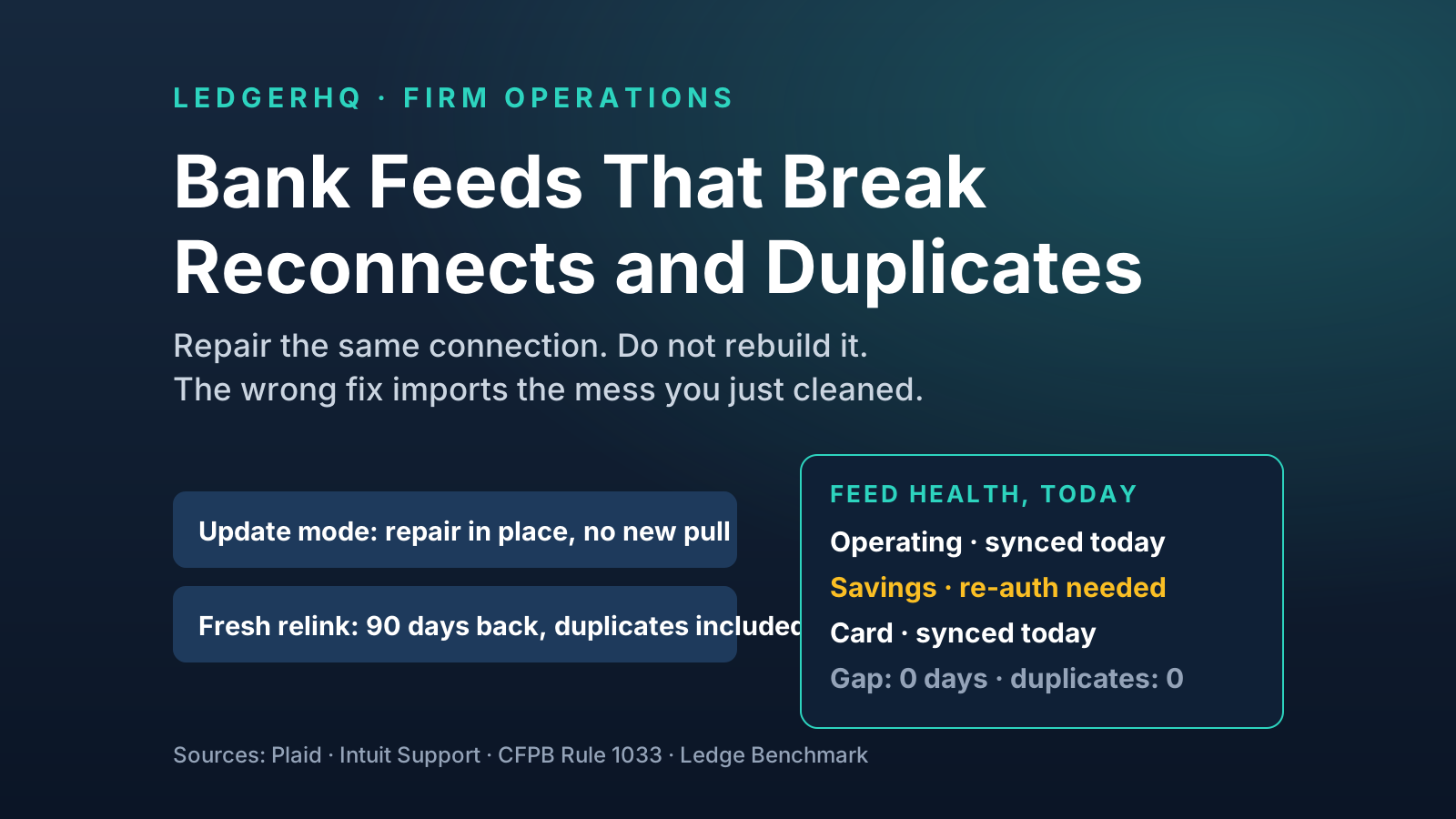
Every bank feed breaks. Passwords change, banks rebuild their login pages, a multi-factor prompt sits unanswered, a merger renames the institution. None of that is the real problem. The real problem is what happens next, because the most common repair — disconnect the account and link it again from scratch — is also the most destructive one. A fresh link does not know where the old feed stopped. It pulls its default lookback window, often 90 days, and delivers hundreds of transactions that are already coded, already matched, and already reconciled, straight back into the review queue as apparent new activity. Fix the feed wrong and you have not restored the books. You have doubled them.
The discipline that prevents this is simple to state and rarely practiced. First, name the failure before touching the connection: a login-required break, an interrupted MFA flow, a bank-side change, a silent gap, a duplicate overlap, and a genuinely dead connection are six different problems with six different repairs. Second, repair the existing connection in place whenever the platform offers a re-authentication path — in the aggregator world this is literally called update mode — because a repaired connection resumes where it stopped and creates no overlap. Third, if a new pull is unavoidable, pull the gap only: note the last good date before you start, and set the import window to start after it, even if that means choosing a zero-day forward-only option and uploading the missing days from a statement file by hand. Fourth, never close a month on a stale feed, and never treat the feed as the record — the bank statement is the record, and reconciliation to the statement is what proves the feed delivered everything exactly once.
This article works through each of those points with the evidence behind them: what the aggregators and the accounting platforms themselves document about reconnects and duplicates, the arithmetic of a single bad relink, the firm-scale math that turns six broken feeds a month into a blown close week, and the weekly five-minute cadence that keeps feed problems small, boring, and early.
Why feeds break: it is structural, not personal
Bookkeepers tend to experience a broken feed as an annoyance aimed at them personally, usually discovered at the worst moment. It helps to understand that breakage is built into how bank data moves.
A bank feed is not a pipe the bank built for your accounting software. In most cases it is a chain: the bank exposes the account through its own online banking or a developer interface, an aggregator such as Plaid, MX, or Yodlee maintains a connection to that institution, and your bookkeeping platform consumes the aggregator's feed. Every link in that chain can change independently. The bank rotates its security model. The client changes their password — as they should — and does not tell you. The bank posts a notice inside online banking that a human must acknowledge before data flows again. The aggregator's connector for that institution falls behind a bank website change. The institution gets acquired and its accounts migrate to a new platform with a new name.
The support documentation of the platforms themselves reads like a catalog of exactly these causes. Wave's help center, for its Plaid-powered connections, lists the recurring triggers plainly: an updated bank username stops imports until the connection is re-authorized; a notification waiting on the bank's website blocks Plaid until it is cleared; a new multi-factor authentication method can break the flow; and if the bank is no longer supported, the honest answer is manual upload. None of these are software bugs in the bookkeeping platform. They are the predictable friction of asking thousands of institutions, each with its own security posture, to keep a data tap open indefinitely.
Regulation is slowly changing the underlying plumbing, which is worth understanding because it changes what "a good connection" means over the next few years. The Consumer Financial Protection Bureau finalized its Personal Financial Data Rights rule under Section 1033 of Dodd-Frank in October 2024. The rule's design requires covered institutions to make consumer financial data available through a developer interface and moves the market away from credential-sharing and screen scraping toward token-based, revocable API access — the kind of connection that tends to survive a password change because it was never holding the password. The original rule phased compliance in by institution size, starting with the largest providers, with the smallest covered institutions last and institutions under 850 million dollars in assets exempt. Bookkeepers should also know the honest caveat: the rule was challenged in court the month it was finalized, and in 2025 the CFPB itself told the court the rule was unlawful and began a reconsideration process, so the timetable is contested even though the direction — API-based, token-based connections replacing scraped ones — is the direction every major aggregator is already building toward. Plaid's own documentation notes that OAuth connections, the token-based kind, generally stay connected longer than credential-based ones.
In other words: feeds will keep breaking for years, but they will break less often, and more recoverably, as token-based connections replace credential-based ones. The firm's job in the meantime is not to prevent breakage. It is to make breakage cheap.
The six failure modes
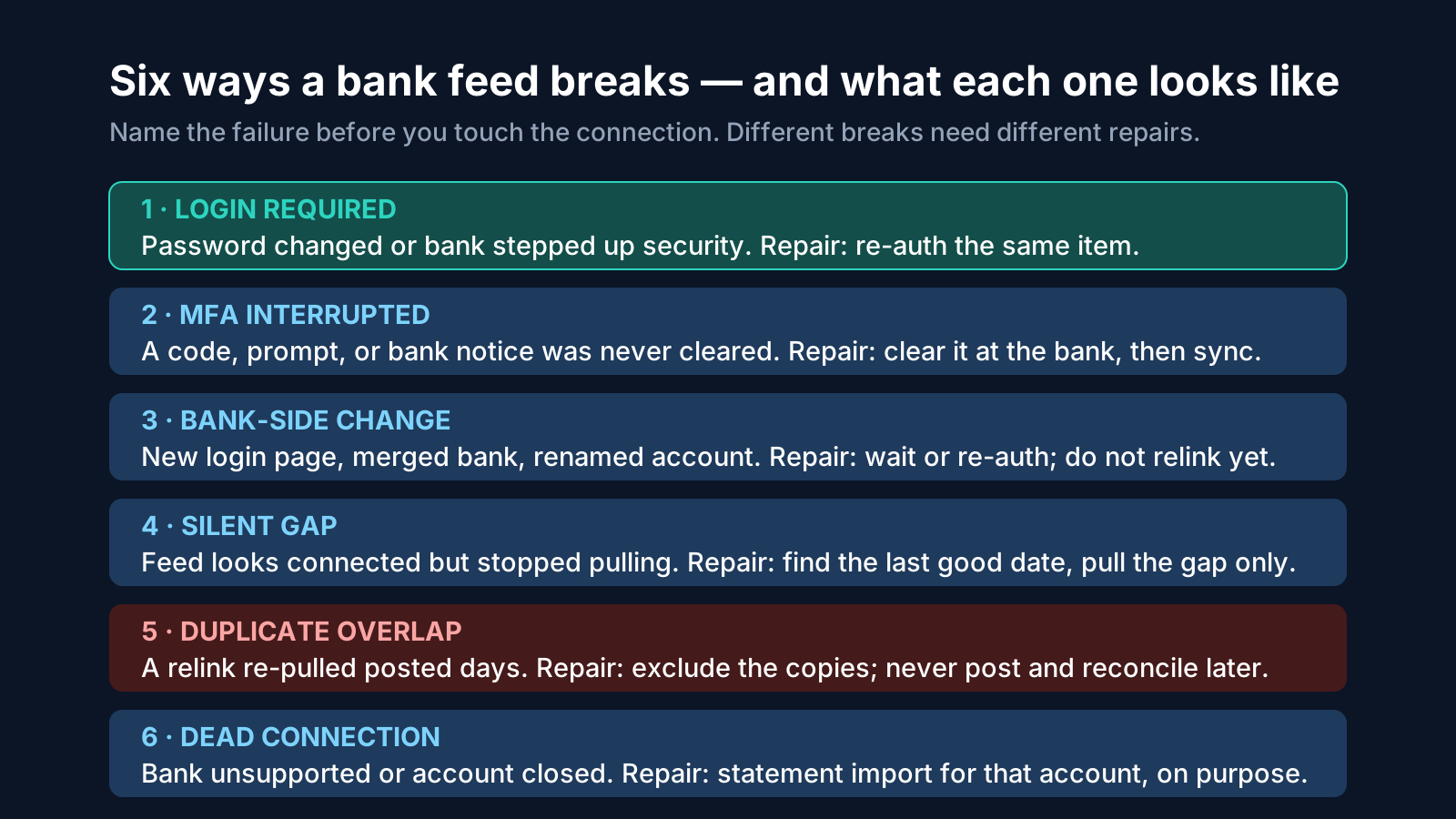
The single most valuable habit in feed work is diagnosing before repairing, because the obvious repair for one mode is the cause of disaster in another.
1. Login required. The aggregator's error for this state in Plaid's system is ITEM_LOGIN_REQUIRED, and it means what it says: the item — the connection — needs the account holder to re-authenticate, usually because credentials changed or the bank stepped up its security requirements. The connection itself still exists. Its history, its account mapping, and its place in the books are intact. It is paused, not dead. The repair is re-authentication of the same connection, covered in the next section.
2. MFA interrupted. The bank asked for a code, a push approval, or an acknowledgment, and nobody completed it — often because the prompt went to the client's phone while they were doing something else. The feed stalls. The repair happens at the bank first: log in directly, clear whatever the bank is asking for, then return to the books and sync. Re-authenticating inside the accounting platform before clearing the bank-side prompt just fails again, and repeated failures can look like something worse.
3. Bank-side change. A redesigned login, a new security vendor, a core conversion, a merger. From the bookkeeper's chair this looks identical to mode 1, but re-authentication may fail repeatedly while the aggregator updates its connector. The discipline here is patience plus documentation: note the date the feed last delivered, tell the client the books are current through that date, and work the account from statements in the interim if the close cannot wait. Do not disconnect in frustration — you will convert a temporary outage into a permanent duplicate problem.
4. The silent gap. The most dangerous mode, because nothing looks broken. The connection shows as linked, no error banner appears, but the last delivered transaction is nine, fifteen, or forty days old. This is discovered, if it is discovered by accident, at reconciliation, when the statement shows activity the books have never seen. The repair is forensic: establish the last good date — the most recent transaction the feed actually delivered — and pull only what follows it. The prevention is the weekly scan described later, which exists specifically to catch this mode while the gap is days, not a month.
5. Duplicate overlap. This one is not a bank failure at all. It is a repair failure: a previous reconnect re-pulled days that were already in the books, and the copies are now sitting in the review queue — or worse, some were posted. The tell is pairs: same date, same amount, same payee, one coded and reconciled, one fresh. The repair is exclusion of the copies, one by one, against the statement. The prevention is everything in the next two sections.
6. The dead connection. The account was closed, the bank dropped aggregator support, or the client moved banks and nobody said so. No amount of re-authentication fixes a connection to an account that no longer exists. The correct move is deliberate, not desperate: close the connection cleanly, import the final statement period manually if needed, reconcile the account to zero or to its closing balance, and connect the new bank as the new account it actually is.
Notice what this taxonomy does to the typical support conversation. "The feed is broken" becomes a question with an answer, and the answer determines whether the client needs to do a two-minute login, the firm needs to wait out a bank conversion, or the bookkeeper needs to do forensic gap work. Firms that make this distinction in their client messages get faster, calmer responses — because the client is being asked for one specific thing, not for help with a vague emergency.
Repair in place: update mode is the whole game
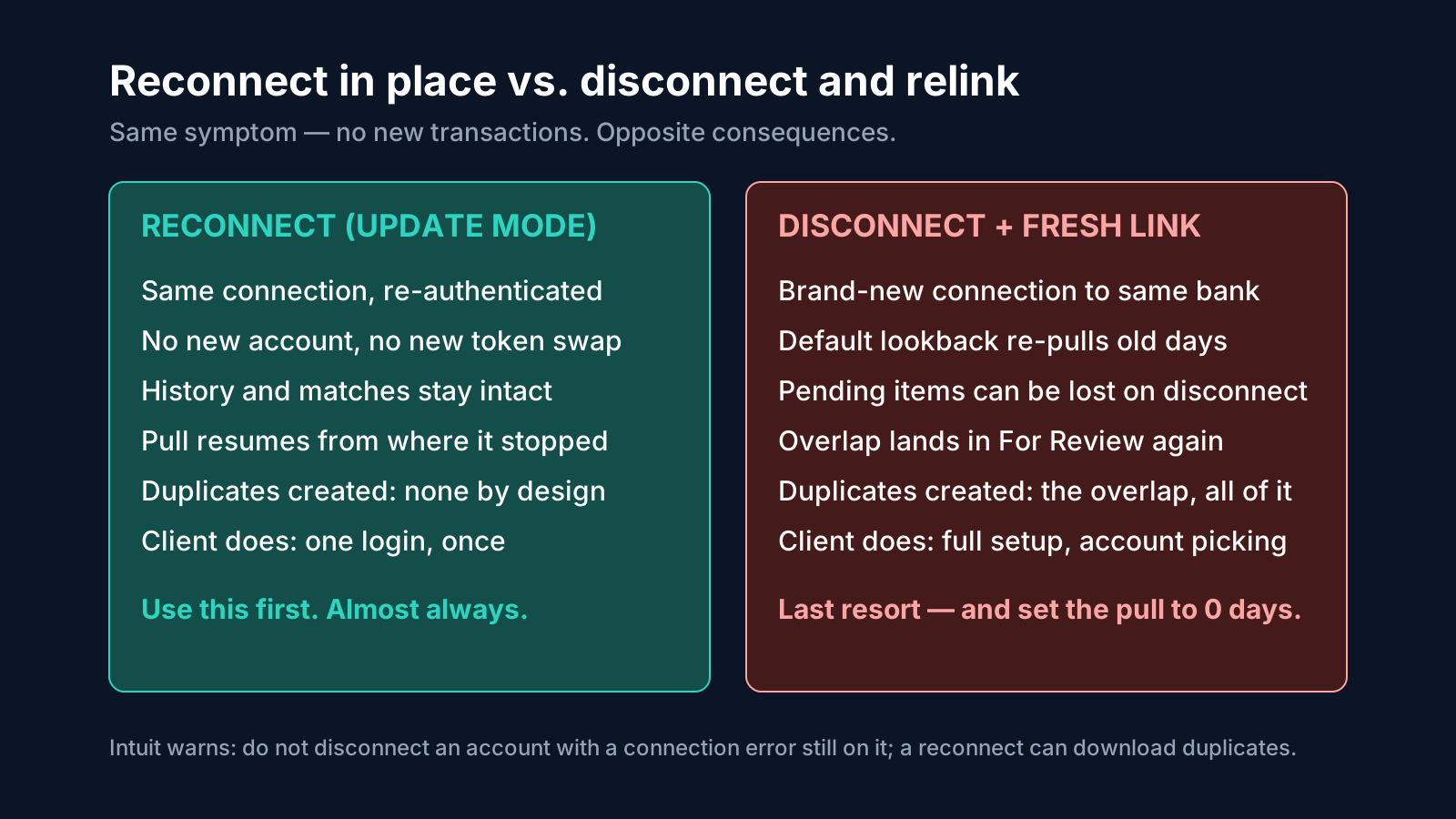
Plaid's connection model makes the right repair pattern explicit, and it generalizes to every aggregator. A connection is an item. When an item falls into the login-required state, Plaid's prescribed fix is Link in update mode: a session created for that existing item, using its existing access token, in which the account holder simply re-authenticates. Critically, update mode creates nothing new. There is no new item, no new token exchange, no re-selection of accounts as if they had never been linked, and — the part that matters for the books — no new historical pull. When the user finishes, sync resumes for the same connection. The feed picks up from where its cursor stopped.
Contrast the path too many bookkeepers take, usually because a platform's interface makes it more visible than the repair path: disconnect the account entirely, then add it again. Intuit's own support documentation for QuickBooks Online warns against exactly this sequence. Its disconnect guidance says, in substance, not to disconnect an account that still carries a connection error, because disconnecting with errors present can cause duplicate transactions to download on reconnect. The same guidance notes two quieter costs of disconnecting: transactions still waiting uncategorized in the pending tab disappear from that queue, and on reconnect, transactions older than 90 days cannot be downloaded from the bank at all — they have to be uploaded manually. So the disconnect-and-relink repair, performed to fix a two-day login problem, can simultaneously delete the visible pending work, flood the queue with up to 90 days of already-posted activity, and strand anything older than 90 days that was genuinely missing.
Intuit's support answers in its community make the duplicate mechanism just as explicit: duplicates usually happen when an account is disconnected and reconnected, because the system re-downloads previous data. The recommended remedy there is the Exclude feature — which is to say, an hour of human cleanup for a problem the repair created. And when Intuit documents a legitimate relink — its guidance for clients whose bank migrated them to a new platform — it instructs the reconnecting user to choose the shortest import period, zero days, precisely so the new connection imports only transactions from that point forward and cannot create duplicates. The platform vendor is telling you, in its own help articles, that the length of the pull is the risk. Set it to zero whenever history is already in the books.
The general rule, portable across QuickBooks, Xero, Wave, LedgerHQ, and anything else that aggregates:
- Re-authenticate first. If the platform offers a reconnect, fix-connection, or re-authorize action for the existing connection, that is the repair. Use it before anything else.
- Edit credentials in place before replacing them. Where the platform lets you update sign-in information on the existing connection, that preserves the connection's identity the same way update mode does.
- Disconnect only when the connection is truly dead — account closed, bank unsupported, wrong account linked — and only after the pending queue for that account has been reviewed, because disconnecting can discard it.
- On any new link, choose the shortest pull the situation allows. If the books are current through a known date, the new pull should start after that date, or start at zero days with the gap filled from a statement file.
- Record the last good date before you touch anything. Every repair decision above depends on knowing it, and it is much harder to reconstruct after a 90-day pull has buried it.
In LedgerHQ, this philosophy is visible in how the product talks about the work. The homepage's firm view asks, among its morning questions, which bank connections need attention — feed health as a standing item to scan, not a surprise to discover at close. Its migration flow uses the line "Reconnect each bank once and keep moving": reconnect, once, as a deliberate act, and then let the activity flow to Tally, which codes transactions, works the reconciliations, and follows up for missing information. That is the correct shape of the work regardless of platform. The reconnect is a small, owned event. It is not a rebuild.
The duplicate math: what one bad relink actually costs
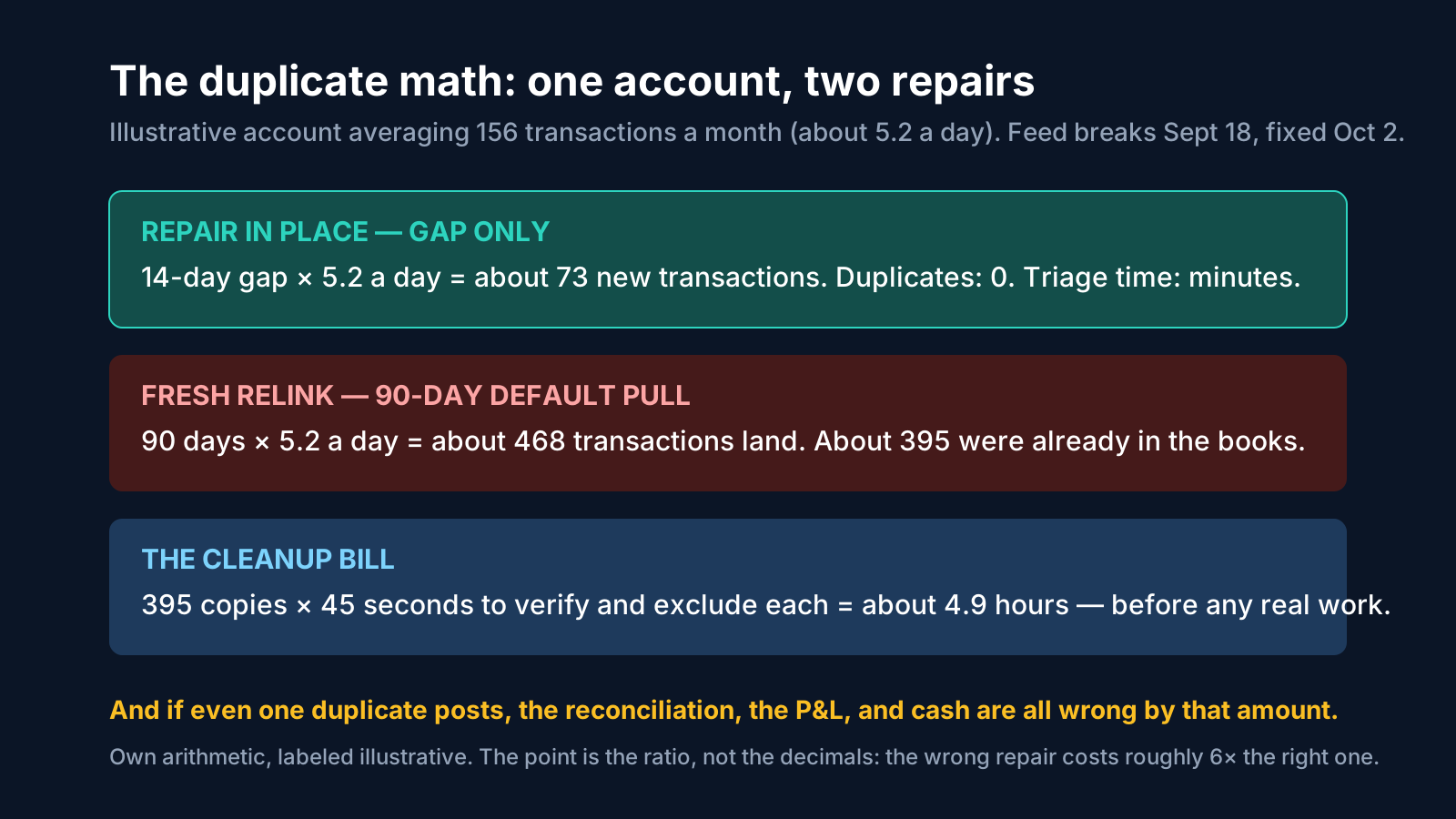
Abstract warnings about duplicates rarely change behavior. Arithmetic does. The following example is illustrative — the numbers are a model, built from a typical small-business operating account — but the ratios are the point, and any bookkeeper can rerun it with a real client's counts.
Take an operating account averaging 156 transactions a month, about 5.2 a day. The feed breaks on September 18, a credential change nobody reported. It is discovered and fixed on October 2. The gap is 14 days.
Repair in place. Re-authentication resumes the same connection. The feed delivers the 14 missing days: about 73 transactions. Duplicates created: zero. New work in the review queue: exactly the work that was actually missing, no more. Time spent on the repair itself, including the client login: minutes.
Disconnect and fresh link. The new connection pulls its default 90-day window: about 468 transactions land in the queue. Of those, roughly 395 cover days already coded and reconciled in July, August, and the first half of September. Each copy has to be identified as a copy — checked against the register or the statement — and excluded. At a brisk 45 seconds per verification, that is about 4.9 hours of pure duplicate triage, performed by a human, on work that was already finished once. And that is the good outcome, the one where every copy is caught in the queue.
The bad outcome is the one where the relink happens on a busy day and some copies get posted — matched hastily, or added by a rule, or bulk-accepted by someone clearing the queue. Now revenue or expenses are overstated by the posted copies, the bank balance in the books no longer agrees with the statement, and the reconciliation for that month cannot be completed until the duplicates are found inside the register, which is slower and riskier work than excluding them from a queue. This is not a hypothetical shape of disaster. In cleanup work, duplicates traced to a reconnected feed are a recurring finding — a teardown of one small agency's uncategorized balance, for example, attributed the single largest chunk of it to duplicates a reconnected feed had double-posted. The feed did not malfunction. The repair did.
Scale the model to a firm and the stakes become a capacity question. Forty clients with three connected accounts each is 120 live connections. Suppose, illustratively, that five percent of connections need re-authentication in a given month — a password rotation here, a stepped-up MFA there. That is six reconnect events a month, every month, forever. Handled early and in place, each is a short client login and a gap of days: routine. Handled late and by relink, each carries the roughly five-hour duplicate tail from the model above: thirty hours a month of self-inflicted cleanup, which is most of a bookkeeper's week, spent re-proving transactions the firm had already proved. The difference between a firm that scales and a firm that drowns is rarely the number of feed breaks. It is which of those two columns its reconnects land in.
Keeping the books moving while a feed is down
A broken feed does not have to mean frozen books. The close calendar does not care that a bank redesigned its login page, and the firms that handle outages well treat the statement — not the feed — as the source of truth the feed merely delivers early.
That ordering is already how good reconciliation works. A feed is a stream of activity; it is not the bank's declaration of what happened. The statement is that declaration: the bank's own record, with the balance it stands behind. When LedgerHQ describes its reconciliation, it describes Tally working from the stored statement, clearing the matching activity, and leaving the remaining difference in plain sight. The feed's job is to make most of that activity arrive on its own. When the feed is down, the statement still exists, and it still proves the month. The work changes shape; it does not stop.
The outage playbook, in order:
Establish and write down the last good date. The most recent date for which feed activity and the bank's records agree. Everything before it is done and must be protected from re-import. Everything after it is the gap, and the gap is the whole job.
Get the statement or a bank export for the gap. A CSV or OFX export from online banking, or the statement itself, covers the missing days deterministically. Import it as a bounded, dated file — a known number of transactions for a known window — rather than as an open-ended reconnection. A file cannot surprise you with 90 days of history; its edges are exactly where you cut them.
Code the gap, mark it, and keep moving. The missing days get coded like any other activity, but the firm should be able to see later that this stretch arrived by file, not feed — a note on the reconciliation or the workpaper is enough. Payroll, rent, and the recurring items do not wait for the aggregator.
When the feed returns, reconnect in place and expect a small overlap at the seam. The day or two around the repair may deliver twice — once by file, once by feed. That is a handful of duplicates, excluded in minutes, and it is exactly why the last good date was written down: the seam is known, so the overlap is bounded and checkable instead of mysterious.
Reconcile to the statement before declaring the account healed. A feed that syncs again is not proof the books are right. A reconciliation that ties to the statement, with a difference of zero, is. Only then does the account go back to routine.
This playbook also reframes the client conversation. Instead of "your bank feed broke, we need your login, your books are on hold," the message becomes "your bank changed its login; your books are current through the 18th and we are keeping them moving from statements; when you have two minutes, this link restores the automatic feed." One of those messages sounds like a firm in control. The other sounds like a firm whose product stops working when a bank changes a web page. Clients can tell the difference, and they remember it at renewal time.
The weekly cadence: make feed health boring
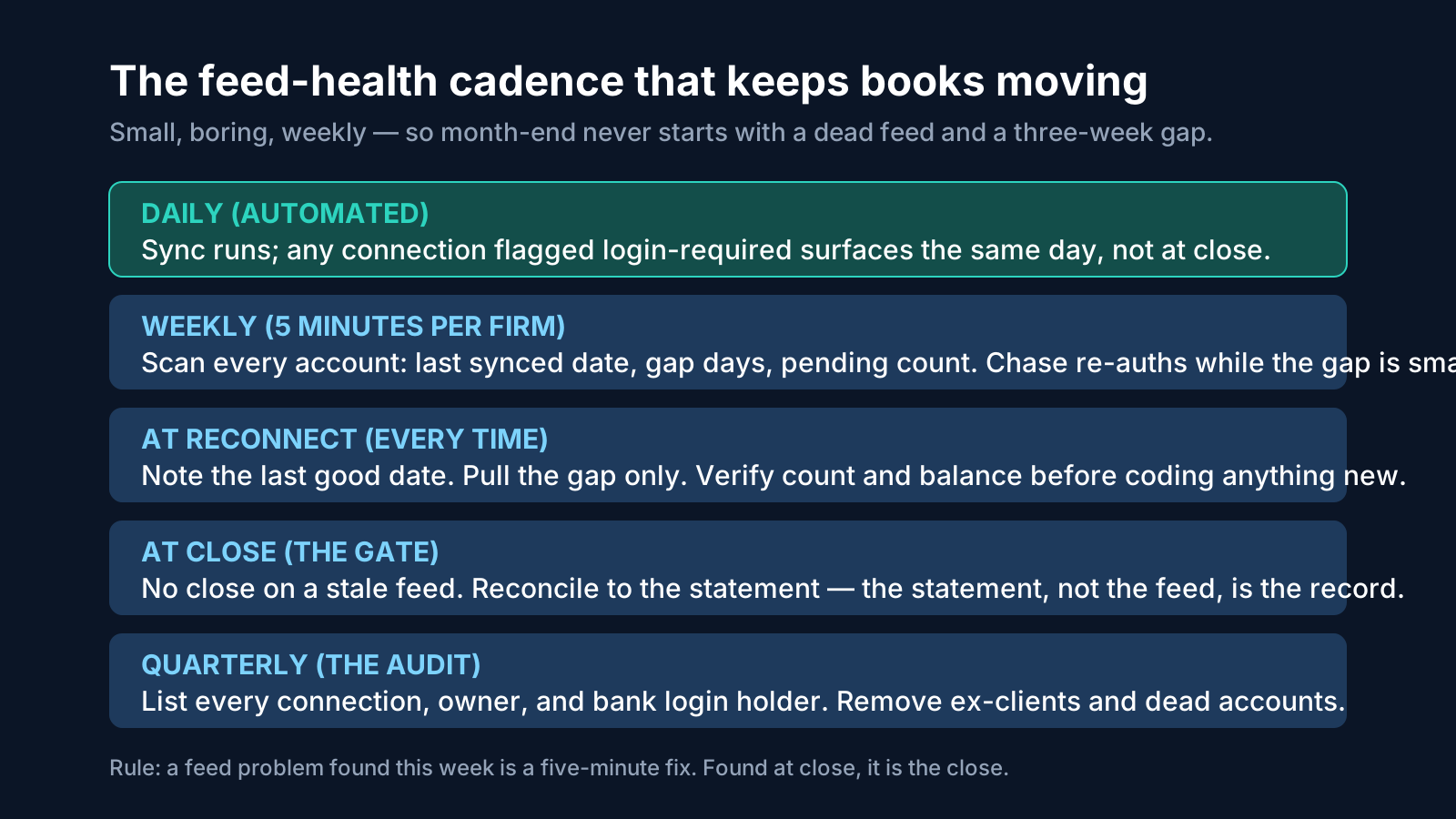
Everything above gets easier when feed problems are found early, and finding them early is a cadence problem, not a talent problem. The close literature explains why this matters so much: in Ledge's month-end close benchmark, reported in 2025, half of finance teams took more than six days to complete month-end reporting, and 70 percent of delays were attributed to data problems and siloed systems — with 95 percent of teams still leaning on spreadsheets somewhere in the process. A wider close survey of 2,300 organizations put the median close at 6.4 days, with the bottom quartile needing ten or more. Broken and stale feeds are exactly the kind of data problem those numbers are made of: small upstream failures that are only discovered when the close is already running, at which point they consume the close itself.
The cadence that prevents it has five beats:
Daily, automated. Syncs run on their own. What the firm needs is for failures to surface the day they happen — a login-required flag raised today is a two-minute client task; the same flag raised at close is a three-week gap.
Weekly, five minutes per firm. A human scans every connected account for three numbers: last synced date, gap in days, and anything pending. This is the scan that catches the silent gap, mode 4, while it is still small. It is also the moment to send the re-authentication requests, batched into one polite message per client rather than a drip of emergencies.
At every reconnect, the ritual. Last good date noted. Repair in place, or shortest-possible pull. First delivery checked: does the new activity start where the old activity stopped, and does the count look like the gap, not like a quarter? This five-minute verification is what stands between a reconnect and a duplicate incident.
At close, the gate. No account closes on a stale feed. If the feed's last delivery does not reach the statement date, the account is not ready, and the reason is feed health, stated plainly, not a vague "bank issue." And the close itself is proven against the statement, never against the feed.
Quarterly, the audit. List every connection the firm maintains: client, bank, account, and who holds the login that can re-authenticate it. Remove connections for departed clients and closed accounts. Confirm that the person who can complete an MFA prompt for each account is still reachable. This audit is unglamorous and it is the difference between a reconnect being a link you send and a reconnect being an archaeological dig through a former office manager's email.
In LedgerHQ this cadence has a natural home, because the firm workspace is built around attention questions — which companies have uncoded transactions, which books need an answer, and, explicitly, which bank connections need attention. Whether the scan lives in a platform view like that or in a simple internal checklist, the content is the same: connections, last synced, gap days, owner of the fix. The firms that run it stop having feed emergencies. They have feed chores, which is a much better thing to have.
What to tell the client, and when
Feed work involves the client at exactly one point — the re-authentication only the account holder can complete — and firms routinely get the worst possible value from that moment. The request goes out late, reads like a technical emergency, competes with everything else in the client's inbox, and sits unanswered while the gap grows. A few rules fix most of it.
Ask early, while the ask is small. A re-authentication requested the day the connection flags is a favor that takes two minutes. The identical request sent during close week arrives as a crisis the firm created by waiting. Clients do not experience these as the same request, and they are right not to.
Say what happened in one plain sentence, and what the books' status is. "Your bank updated its login, so the automatic connection paused. Your books are current through October 12, and we are keeping them current from statements meanwhile." That sentence does three things: it assigns the cause correctly (the bank, not the client and not the firm), it proves the books are not on fire, and it makes the client's part feel proportionate.
Send one link, with one action, and a deadline tied to the close. Not "log in and fix the bank thing" — a specific reconnect link, the name of the account it restores, and "by Thursday so Friday's payroll review is complete." Specific requests get completed. Vague ones get starred and forgotten.
Never ask the client to disconnect anything. Clients following a platform's generic help article can and do disconnect and relink on their own, helpfully creating the duplicate incident the firm then cleans up. The firm's message should say explicitly: use this link, and if the bank offers to set up a new connection instead, stop and tell us first.
Close the loop when it works. "Your connection is restored, activity is flowing again, no action needed." Thirty seconds to send, and it teaches the client that responding to these requests makes them go away — which makes the next one get answered faster.
Frequently asked questions
My feed stopped two weeks ago. Should I disconnect and reconnect it? Almost certainly not. A stopped feed is usually the login-required or MFA mode: the connection exists and needs re-authentication. Use the platform's reconnect or re-authorize action for the existing connection first. Disconnecting is the move Intuit's own support warns can cause duplicates on reconnect, and it can also discard the account's pending items and strand transactions older than 90 days.
The reconnect pulled transactions I already have. What now? Work from the statement. Identify the overlapping window — everything from the start of the re-pull through your last good date — and exclude the copies in the review queue; do not post them and sort it out later. Any copies that already posted have to be removed from the register side, matched against the one true entry the statement shows once. Then reconcile the account to the statement to prove the cleanup is complete, not just plausible.
How do I stop duplicates permanently? You cannot stop reconnects, but duplicates are optional. They come from new pulls overlapping posted history. Repair in place so no new pull happens; when a new pull is unavoidable, start it after the last good date or at zero days forward-only and fill the gap from a statement file; and verify the first delivery after every reconnect before coding anything.
Who should hold the bank login that can re-authenticate? Someone who will still be reachable next quarter — which usually means the business owner or a durable officer, not the bookkeeper and not a departing employee. The firm should know, per account, who that person is; that is what the quarterly connection audit is for. The firm itself should never be collecting or storing clients' bank passwords to "save time" — the token-based connections exist precisely so nobody has to.
A client's bank is simply not supported by our aggregator. Is that a dead end? No, it is mode 6: run that account deliberately on statement import. Plenty of small institutions have thin aggregator coverage. A disciplined statement-import routine — same day each month, reconciled to the statement — beats a flaky connection that silently gaps. What matters is that the choice is deliberate and documented, not discovered.
Are bank feeds getting more reliable, or is this permanent? The direction is genuinely improving. The regulatory push under the CFPB's Section 1033 rule, and the industry's own move to OAuth and API-based connections, both point toward connections that survive password changes and break more recoverably — even though the rule's own timetable is currently contested in court and under agency reconsideration. Plan for feeds that break less often, and keep the repair discipline either way; it costs almost nothing when it is routine.
Does LedgerHQ fix broken feeds automatically? LedgerHQ's stated model, on its homepage, is that bank activity comes in automatically once banks are connected, that the firm view surfaces which bank connections need attention, and that migration means you "reconnect each bank once and keep moving," with Tally then coding, reconciling, and following up. This article does not claim an automatic repair mechanism beyond what the product states publicly — the discipline above (repair in place, gap-only pulls, weekly attention scan) is what any firm should run, and it is the discipline LedgerHQ's reconnect-once framing is built around. LedgerHQ is 20 dollars a month per company with Tally's AI use included, and it is free until January 1, 2027.
The bottom line
Bank feeds break for structural reasons that no bookkeeping firm controls: banks change, credentials rotate, aggregators chase a thousand institutions, and regulation is mid-transition from scraping to APIs. What the firm controls completely is the repair. Repair in place and a break costs minutes and imports nothing extra. Disconnect and relink and the same break costs hours, imports a quarter's worth of duplicates, and can quietly corrupt a reconciliation that was already finished.
So: diagnose the mode before touching the connection. Re-authenticate the existing item whenever the platform offers it. Write down the last good date before every repair and pull the gap only. Keep the books moving from statements while a feed is down, because the statement — not the feed — is the record. Scan connections weekly so gaps are found in days. And audit the whole list quarterly so you always know whose two-minute login stands between a paused feed and a finished close.
Do that, and bank feeds become what they should have been all along: a delivery mechanism that occasionally needs a nudge, inside a bookkeeping process that never stops moving.
Sources
- Plaid, developer documentation — Link update mode and the ITEM_LOGIN_REQUIRED error: re-authentication of an existing item restores the connection without a new item or token exchange; OAuth connections generally remain connected longer. plaid.com/docs (accessed October 2026)
- Intuit QuickBooks Support, "Disconnect accounts connected to online banking" — do not disconnect an account with a connection error present, as a reconnect may download duplicate transactions; disconnecting clears pending items; transactions older than 90 days cannot be re-downloaded on reconnect. quickbooks.intuit.com (accessed October 2026)
- Intuit QuickBooks Community, Intuit staff answer on duplicate transactions after updating a bank connection — duplicates usually follow disconnect and reconnect because previous data is re-downloaded; remedy is Exclude; edit sign-in info in place. quickbooks.intuit.com (accessed October 2026)
- Intuit QuickBooks Support (Canada), CIBC SmartBanking disconnect and reconnect instructions — when reconnecting, choose the shortest period (0 days) to prevent duplicate transactions. quickbooks.intuit.com (accessed October 2026)
- Wave Support, "Transactions are not importing from a bank connection" — causes include updated usernames, uncleared bank notifications, new MFA methods, and unsupported banks; remedies are re-authorization or manual upload. support.waveapps.com (accessed October 2026)
- Consumer Financial Protection Bureau, Personal Financial Data Rights rule (Section 1033), finalized October 2024 — developer-interface data access, movement away from screen scraping, tiered compliance with the largest institutions first and an exemption for institutions under 850 million dollars in assets; subsequent legal challenge and CFPB reconsideration in 2025 as summarized by the Bank Policy Institute and PYMNTS. cfpbjournal.com and bpi.com (accessed October 2026)
- Ledge, Month-End Close Benchmark, as reported by Accountancy Daily — 50 percent of finance teams take more than six days to close; 70 percent of delays attributed to data problems and siloed systems; 95 percent still use spreadsheets. accountancydaily.co (accessed October 2026)
- Close-time survey of 2,300 organizations as reported by Multiview and CFO Magazine — median close of 6.4 days, bottom quartile at 10 or more days, data quality a major determinant. multiviewcorp.com (accessed October 2026)
- LedgerHQ, homepage — bank activity comes in automatically; Tally codes transactions, works reconciliations, follows up for missing information, and prepares the financials; "Reconnect each bank once and keep moving"; the firm view asks which bank connections need attention; reconciliation works from the stored statement; 20 dollars per month per company, Tally included, free until January 1, 2027. ledgerhq.ai (verified October 15, 2026)