
Bookkeeping Insights
Bank Reconciliation Software: What to Look For in a Firm
The best bank reconciliation software reduces manual matching, catches errors before close, and fits how your firm actually works. This article covers three tools worth considering for bookkeeping firms and a decision framework for matching your firm's scale and workflow to the right category of solution. The tools reviewed here are Emagia, Maxima, and Payhawk. […]
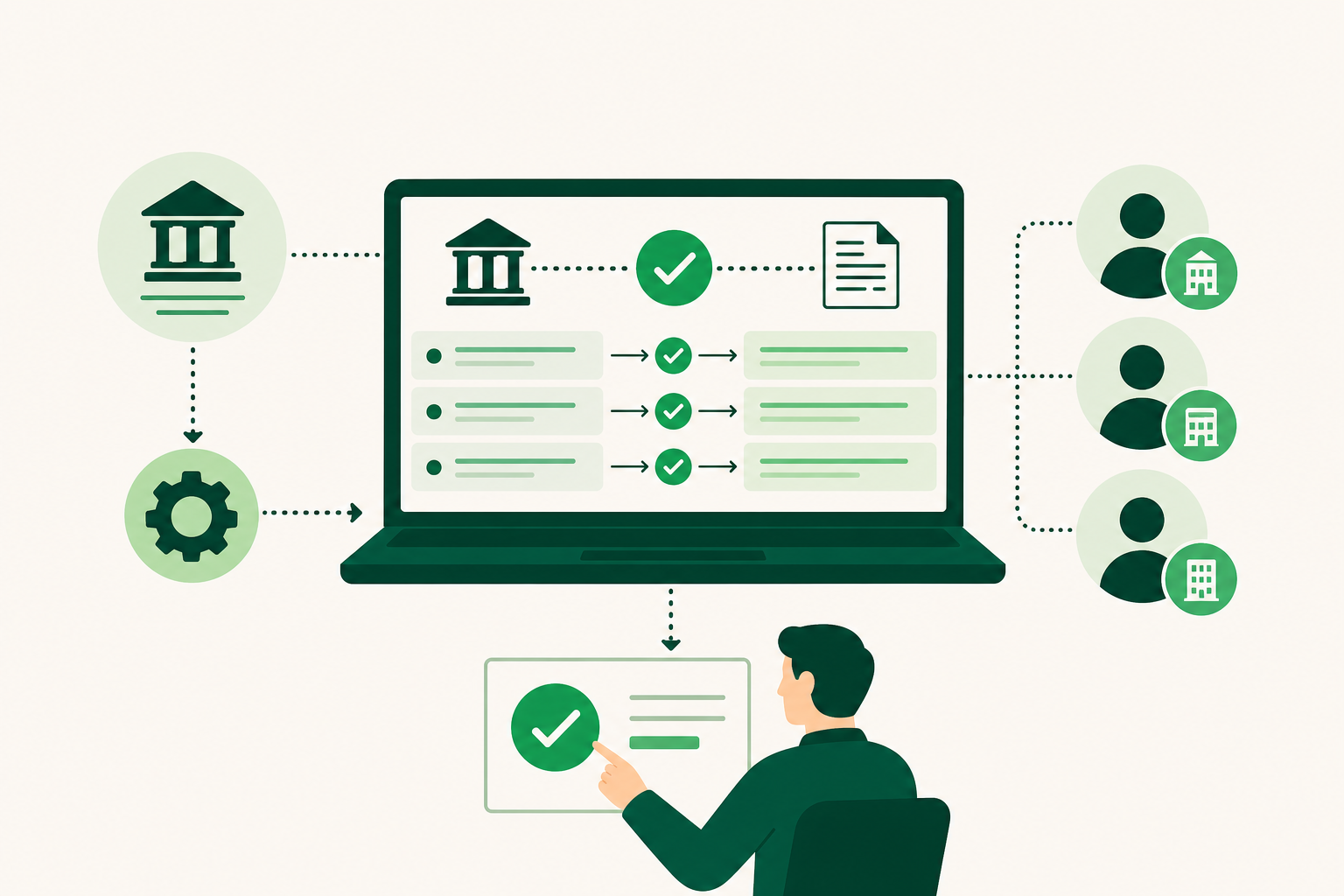
The best bank reconciliation software reduces manual matching, catches errors before close, and fits how your firm actually works. This article covers three tools worth considering for bookkeeping firms and a decision framework for matching your firm's scale and workflow to the right category of solution. The tools reviewed here are Emagia, Maxima, and Payhawk. Each serves a distinct use case, and the right choice depends on your automation needs, ERP integrations, and whether human approval gates matter to your process.
What Is Bank Reconciliation Software and Why Does It Matter?
Bank reconciliation software matches transactions in your internal cash ledger against your bank and card statements, flags discrepancies, and helps you resolve them before you close the books. The core job is catching errors, duplicates, and missing entries that manual review tends to miss.
For a firm managing one entity, a spreadsheet can cover this. A firm with 20 clients averaging 150 transactions per month faces 3,000 items to review if matching is manual. At 2 minutes per item, that is 100 hours per month before anyone touches a judgment call.
Industry estimates, widely cited by sources including SolveXia and the AICPA, suggest AI-assisted reconciliation can reduce time spent on the process by 70% and push error rates below 0.5%. Separate data attributed to SolveXia and Intuit puts average book-close speed 57% faster when AI tools handle the matching. Both figures come from secondary reporting rather than independently audited studies, so treat them as directional rather than precise. The shape of the claim, however, matches what firms report in practice: automation compresses the repetitive work and leaves the judgment calls for a person.
The difference between a firm that scales and one that stalls often comes down to whether reconciliation is a workflow or a bottleneck. Software that automates matching, surfaces exceptions, and integrates with your general ledger turns a daily grind into a reviewable queue.
How Do You Do Bank Reconciliations? The 5-Step Process
Understanding the five steps of reconciliation tells you exactly what software needs to automate or support. A tool that skips step two or forces manual entry at step five is not saving you much.
- Gather your internal cash ledgers and bank statements for the target period. [S1]
- Adjust the bank balance by adding deposits in transit and subtracting outstanding checks. [S2]
- Adjust the book balance by adding interest earned and subtracting bank fees or NSF (non-sufficient funds) charges. [S3]
- Verify that both adjusted balances match to reach a true cash figure. [S4]
- Post journal entries to the general ledger to record the identified adjustments. [S5]
Steps two and three are where most errors hide. Good reconciliation software surfaces timing differences and aging outstanding checks automatically rather than waiting for you to notice.
Step five is where many tools stop short. Flagging a discrepancy is not the same as resolving it. Software that carries an adjustment all the way through to a posted journal entry, with a human approval step before it hits the general ledger, closes the loop. Software that stops at the flag leaves the hardest part to you.
For a deeper look at how this process runs inside a firm, a practical bank reconciliation workflow for accounting firms covers the full sequence from client data intake through finished close.
Key Features to Look For in Financial Reconciliation Software
Good financial reconciliation software does more than match transactions. The features below separate tools that reduce firm workload from tools that shift it.
Automated matching and exception routing. The software should match transactions against bank feeds without manual input and route only unmatched items to a human queue. Anything that requires you to touch every transaction defeats the purpose.
Human-in-the-loop approval gates. Automation should not mean unreviewed postings. An ai reconciliation tool worth using holds proposed journal entries in a review queue until a bookkeeper approves them. This matters for liability and for client trust.
ERP and accounting software integration. The tool needs a live connection to your general ledger, whether that is QuickBooks, Xero, NetSuite, or another platform. A reconciliation tool that exports a CSV for you to import manually is a half-solution.
Multi-entity and multi-client support. A firm managing 20 or more clients needs a tool that handles each entity in its own ledger without requiring you to log in and out of separate environments. Single-entity tools do not scale to firm use.
Audit trail and change history. Every match, override, and posted entry should carry a timestamp and a user record. Regulators and clients both expect this, and it protects you when a discrepancy surfaces months later.
Document capture. The ability to pull transaction detail from receipts, invoices, or statements without manual keying reduces the data-entry burden at the front of the process. This is a capability to confirm with any vendor before you commit, since documentation varies.
Security infrastructure. Look for SOC 2 Type II certification on the platforms your tool runs on, role-based access controls, and encrypted data in transit and at rest. Industry estimates suggest AI-assisted automated reconciliation tools can reduce error rates by 70% or push them below 0.5%, but security gaps introduce a different category of risk entirely.
Focus on workflow fit and integration depth first.
Best Bank Reconciliation Software Options Compared
Three tools cover the main use cases for bookkeeping firms and finance teams evaluating financial reconciliation software. Each targets a different part of the reconciliation problem.
| Tool | Best For | Deployment | Pricing |
|---|---|---|---|
| Emagia | Large enterprise, order-to-cash automation | Cloud | Paid plan |
| Maxima (Max AI Agent) | Month-end close with human approval gates | Cloud | Paid plan |
| Payhawk | Card and expense payment reconciliation | Cloud | Not publicly listed |
1. Emagia
Emagia automates the full order-to-cash cycle, covering credit management, collections, cash application, and cash forecasting through AI agents. Its primary audience is large global enterprises and shared service centers that process high transaction volumes across multiple entities.
For a bookkeeping firm, Emagia fits best when a client operates at enterprise scale and needs reconciliation embedded inside a broader receivables workflow. Per erpresearch.com and cuspera.com, advanced setup and training may be required for complex multi-entity deployments. That implementation overhead makes it a poor fit for small or mid-size firms looking for a quick-to-deploy financial reconciliation tool.
Pricing is available on a paid plan basis. No public per-user or per-transaction figure is listed.
2. Maxima (Max AI Agent)
Maxima automates month-end close tasks: journal entries, balance sheet reconciliations, and variance explanations. Its defining feature is a required human approval gate before any entry posts to the general ledger, which keeps a bookkeeper in control of every change.
Early customers report saving more than 60+ hours per person per month in reconciliation prep time. Maxima raised forty one million dollars in seed and Series A funding through late 2025. That said, long-term performance data outside vendor-reported metrics remains limited, per agent-finder.co and agenticindex.io. Maxima is a single-source listing in this review, so weight the vendor-reported figures accordingly.
For a firm that wants AI to handle the matching and variance work but needs a human to approve before anything posts, Maxima fits that workflow directly. It is a paid plan product; pricing requires direct contact.
3. Payhawk
Payhawk connects corporate cards, expense management, and accounts payable into a single platform with automated payment-to-receipt reconciliation. Its strength is spend-side reconciliation: matching card transactions to receipts and purchase orders without manual entry.
The tool does not cover general ledger close in the same depth as Maxima. Per g2.com and gartner.com, some users report occasional integration issues that can disrupt workflows. Pricing is not publicly listed.
Payhawk suits firms or finance teams where card and expense volume is high and the reconciliation problem is primarily about matching spend to documentation, not closing the books end-to-end.
When Does a Bookkeeper Operating System Make More Sense Than a Bank Reconciliation App?
A standalone bank reconciliation app solves one problem. A bookkeeping firm managing 20 or more clients has a different problem: reconciliation is one step inside a workflow that also includes client onboarding, transaction coding, missing-information follow-up, month-end close, and finished financial statements. When the bottleneck is the whole workflow, a single-task tool moves it rather than removes it.
That is where a bookkeeper operating system fits. LedgerHQ is a bookkeeper operating system that runs a bookkeeping practice end-to-end, with a built-in AI bookkeeper called Tally handling transaction coding, bank reconciliation, missing-information follow-up, and financial statement preparation across every managed company. The platform is designed to keep a bookkeeper in control of every change through a preview-before-posting step.
That matters at scale. Industry estimates suggest AI-assisted reconciliation can compress close time by 57% on average, but that gain only compounds when the surrounding workflow, coding, follow-up, statements, is also automated.
The honest case for a standalone bank reconciliation app is a firm or finance team with a narrow, well-defined reconciliation problem and no need for client management tooling. The case for a bookkeeper operating system is a firm where reconciliation is one node in a larger capacity problem.
For a detailed look at how bank reconciliation fits into a full firm workflow, the pillar page covers the process from feed connection through finished close.
How to Choose the Right Automated Reconciliation Tool for Your Firm
The account reconciliation software market reached USD 3.44 billion in value in 2025, with North America accounting for 38.6% of that share. The range of options reflects distinct use cases, and picking the wrong category costs more than the subscription fee.
Use the table below to match your firm's profile to the right type of tool.
| Firm Profile | Best Tool Type | Example |
|---|---|---|
| Large enterprise or shared service center, high transaction volume, order-to-cash focus | Enterprise AR and cash application platform | Emagia |
| Mid-market firm needing AI-assisted month-end close with human approval gates | AI close automation with human-in-the-loop | Maxima |
| Finance team with high card and expense volume, spend-side reconciliation focus | Corporate card and expense reconciliation | Payhawk |
| Bookkeeping firm managing multiple clients end-to-end, full practice workflow | Bookkeeper operating system | LedgerHQ |
Cost-per-transaction benchmarks are rarely published across this category, which makes direct ROI comparisons difficult. The more reliable filter is workflow fit: identify where your reconciliation process breaks down today, whether that is matching speed, exception routing, approval controls, or post-close statement prep, and match that gap to a tool's primary strength.
Integration depth matters as much as feature lists. A tool that does not connect live to your general ledger adds a manual step that erases much of the automation gain. Confirm the specific integration before you commit, not after.
Prices and plan limits verified as of October 2026.
FAQs
Which AI tool is best for reconciliation?
The answer depends on your use case. Maxima suits firms that want AI to handle journal entries and balance sheet reconciliations with a required human approval step before anything posts. Emagia fits large enterprises focused on order-to-cash automation. Payhawk targets spend-side reconciliation for teams with high card and expense volume. For bookkeeping firms that need reconciliation inside a full practice workflow, a bookkeeper operating system covers more ground than any single-task AI reconciliation tool.
What is the best accounting software for reconciliation?
No single product is best for every firm. Emagia, Maxima, and Payhawk each lead in a specific segment: enterprise receivables, month-end close automation, and card-and-expense matching respectively. The right choice depends on your transaction volume, ERP integrations, and whether you need human approval gates before entries post. Firms managing multiple clients end-to-end may find that a bookkeeper operating system handles reconciliation as part of a broader workflow rather than as a standalone task.
How does human-in-the-loop approval work in reconciliation software?
Human-in-the-loop approval means the software proposes a journal entry or match but holds it in a review queue until a bookkeeper approves it. Nothing posts to the general ledger automatically. Maxima uses this model by design: the AI handles variance explanations and entry drafting, but a human must confirm before the entry is recorded. This preserves the bookkeeper's control over the books and creates a clear audit trail for every posted change.
Can reconciliation software handle multiple entities or clients at once?
Some tools do, and some do not. Emagia is built for multi-entity enterprise environments. Maxima and Payhawk are each built around a defined reconciliation scope, and their multi-entity capabilities are not publicly documented. For bookkeeping firms managing 20 or more clients, the more relevant question is whether the software lets you work across all clients from a single interface without logging in and out of each one. Most standalone bank reconciliation apps do not support that workflow.
What security standards should bank reconciliation software meet?
At minimum, look for SOC 2 Type II certification on the platforms the software runs on, role-based access controls, and encryption for data in transit and at rest. Ask vendors specifically which infrastructure providers they use and whether those providers have completed their own SOC 2 audits. Security documentation varies widely across this category, and generic claims about "enterprise-grade security" are not a substitute for a named, audited certification.
Conclusion
Choosing bank reconciliation software is a firm-level decision, not a feature checklist exercise. Emagia handles enterprise-scale order-to-cash automation. Maxima automates month-end close with a human approval gate before anything posts. Payhawk solves the card-and-expense matching problem for teams with high spend volume. Each is a paid product, and none covers the full firm workflow end-to-end.
Start by identifying where your reconciliation process actually breaks down: matching speed, exception handling, approval controls, or the work that happens after close. Match that gap to the tool category that addresses it directly. If the problem is bigger than reconciliation alone, a bookkeeper operating system may be the more efficient answer than stacking single-task tools.