
Bookkeeping Insights
Chart of Accounts Template: Build One That Scales
What a Chart of Accounts Actually Does The Five Account Types and Why the Order Matters How to Number Accounts for Long-Term Scalability Building a Starter Template by Business Type Service Business Template (Core Accounts) Product-Based Business Additions Common Mistakes That Create Problems Later Too Many Accounts Inconsistent Naming Across Clients Mixing Personal and Business […]
- What a Chart of Accounts Actually Does
- The Five Account Types and Why the Order Matters
- How to Number Accounts for Long-Term Scalability
- Building a Starter Template by Business Type
- Common Mistakes That Create Problems Later
- Maintaining the Chart Across Multiple Clients
- How LedgerHQ Handles Chart of Accounts at Scale
- FAQs
- Build It Once, Scale It Across Every Client
A well-structured chart of accounts template is one of the most consequential decisions a bookkeeping firm makes—and one of the most frequently rushed. Get it right once and transaction coding moves faster, financial statements read cleanly, and new clients slot in without a rebuild. Get it wrong and you spend months untangling misclassified expenses, duplicate accounts, and reports that confuse the business owners you're trying to serve.
This guide walks through how to design a chart of accounts template that holds up across your current client roster and doesn't buckle when you add ten more companies next year.
What a Chart of Accounts Actually Does
The chart of accounts is the master list of every account used to record financial activity in a business. Every transaction that enters the books gets coded to one of those accounts. The structure of that list determines whether your income statements, balance sheets, and cash flow statements are genuinely useful—or just technically correct.
For a firm managing multiple clients, the chart of accounts serves a second purpose: it becomes your coding map. When Tally or any other tool codes a transaction automatically, it matches against the accounts in that list. A clean, logical chart produces fewer exceptions. A bloated or inconsistent one creates more manual review, every month, for every client.
The Five Account Types and Why the Order Matters
Every chart of accounts organizes accounts into five types, in a specific sequence. That order isn't arbitrary—it mirrors how financial statements are structured.
- Assets — What the business owns or is owed. Current assets (cash, accounts receivable, prepaid expenses) come first, followed by fixed assets (equipment, property), then other assets.
- Liabilities — What the business owes. Current liabilities (accounts payable, credit cards, accrued expenses) first, then long-term liabilities (loans, deferred revenue).
- Equity — Owner's capital, retained earnings, and draws or distributions.
- Income — Revenue accounts, broken down by product line, service type, or revenue stream as the business requires.
- Expenses — Operating costs, organized by category.
This sequence maps directly to the balance sheet (assets, liabilities, equity) and the income statement (income, expenses). Build a template with this structure and the financial statements that come out the other end are readable without rearranging anything.
How to Number Accounts for Long-Term Scalability
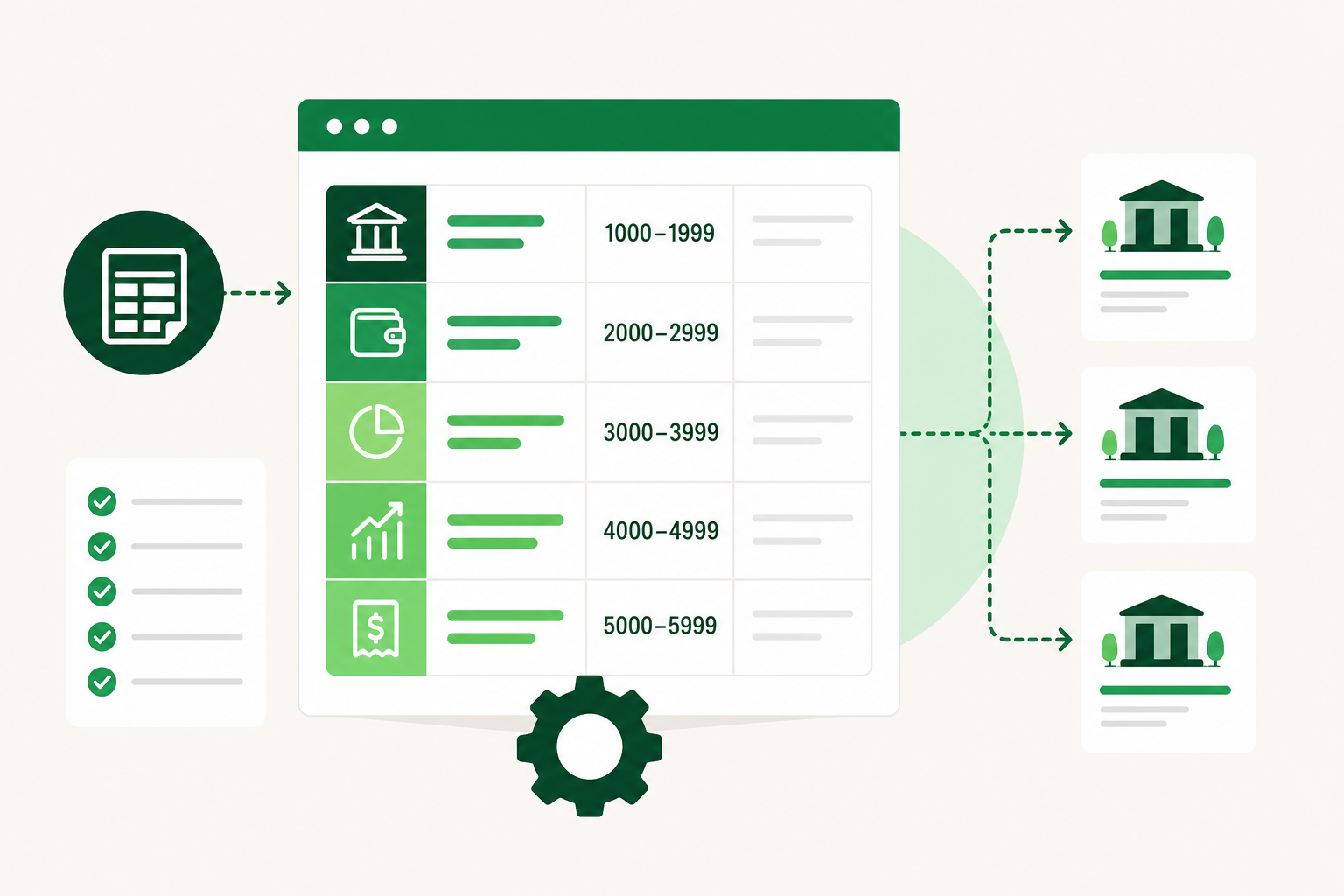
Account numbering is where most template problems start. A flat list with sequential numbers leaves no room to insert new accounts logically later. A proper numbering scheme uses ranges that reflect account type and leave gaps for growth.
A practical starting framework:
| Range | Account Type |
|---|---|
| 1000–1999 | Assets |
| 2000–2999 | Liabilities |
| 3000–3999 | Equity |
| 4000–4999 | Income |
| 5000–5999 | Cost of Goods Sold |
| 6000–6999 | Operating Expenses |
| 7000–7999 | Other Income |
| 8000–8999 | Other Expenses |
Within each range, number accounts in increments of 10 rather than 1. That way you can insert a new account between 6010 and 6020 without renumbering everything around it. It sounds minor until you're six months in and a client adds a new expense category.
Sub-accounts use a decimal or extended format: 6010 becomes 6010.1, 6010.2, and so on. Use them sparingly. They add granularity but also add complexity to every report and every coding decision.
Building a Starter Template by Business Type
No single chart of accounts works for every business. A service firm has almost no inventory. A retail business needs cost of goods sold broken out by product category. A real estate investor needs separate accounts for each property. The template you build should reflect the most common client types in your practice.
Service Business Template (Core Accounts)
Assets
- 1010 Checking Account
- 1020 Savings Account
- 1100 Accounts Receivable
- 1200 Prepaid Expenses
- 1500 Equipment
- 1510 Accumulated Depreciation
Liabilities
- 2010 Accounts Payable
- 2020 Credit Card Payable
- 2100 Accrued Liabilities
- 2200 Loans Payable
Equity
- 3010 Owner's Capital
- 3020 Owner's Draw
- 3900 Retained Earnings
Income
- 4010 Service Revenue
- 4020 Consulting Revenue
- 4900 Other Income
Expenses
- 6010 Payroll and Wages
- 6020 Rent and Occupancy
- 6030 Software Subscriptions
- 6040 Marketing and Advertising
- 6050 Professional Fees
- 6060 Insurance
- 6070 Office Supplies
- 6080 Travel and Meals
- 6090 Utilities
- 6100 Bank Fees
- 6200 Depreciation Expense
This is a starting point, not a finished product. Every client will need adjustments. The goal of a template is to reduce setup time for each new engagement—not to eliminate judgment entirely.
Product-Based Business Additions
When a client sells physical products, add a 5000-range for cost of goods sold:
- 5010 Cost of Goods Sold
- 5020 Freight and Shipping Costs
- 5030 Inventory Adjustments
Track inventory as an asset at 1300 Inventory, and reconcile it against the COGS accounts at month-end.
Common Mistakes That Create Problems Later
Too Many Accounts
The most common mistake is adding an account for every possible scenario. A chart with 400 line items is harder to code against, harder to reconcile, and produces financial statements that need translation before a business owner can read them.
Aim for the minimum number of accounts that produces meaningful reporting. If two accounts would always move together and never need to be reported separately, they probably belong as one.
Inconsistent Naming Across Clients
If you manage fifteen clients and each one uses a different name for the same type of account, you've created a firm-wide training problem. Every new bookkeeper or AI tool you bring in has to learn fifteen different naming conventions.
Standardize account names across your client base wherever the underlying business type is similar. "Software Subscriptions" should be called that on every service-business client—not "SaaS Tools" on one and "Technology Expenses" on another.
Mixing Personal and Business Expenses in the Chart
This shows up most often with sole proprietors and small LLCs. The chart of accounts should reflect the business only. Personal expenses that accidentally hit the business account get coded to an owner's draw or equity account, not to an operating expense. Build that expectation into the template from the start.
No Account for Uncategorized Items
Add a holding account—something like 9999 Uncategorized Expenses—so items that can't be coded immediately have somewhere to land without contaminating your operating expense totals. The goal is to clear it to zero before month-end close, but having it means nothing gets left in a gray area that distorts the reports.
Maintaining the Chart Across Multiple Clients
For a bookkeeping firm, the real challenge isn't building one chart of accounts. It's keeping a consistent structure across a growing client roster while still accommodating differences between industries and business models.
A few practices that help:
Keep a master template file. When you refine the template for one client, update the master. New clients start from the latest version, not from wherever the last engagement ended up.
Document why accounts exist. A short note next to each account explaining what it captures prevents the slow drift where the same account gets used for different things by different people over time.
Review the chart at onboarding, not mid-year. The best time to clean up a client's chart of accounts is before you start coding transactions—not after six months of data has accumulated in the wrong places.
Inactivate rather than delete. If an account is no longer needed, mark it inactive so it disappears from coding dropdowns. Deleting accounts with history creates reconciliation problems.
How LedgerHQ Handles Chart of Accounts at Scale
When you migrate a client from QuickBooks into LedgerHQ, the platform imports the existing chart of accounts and full journal history with a preview-before-posting step. Nothing hits the ledger without your approval—which means the chart you've already built for a client comes with them, intact, rather than requiring a rebuild from scratch.
Tally, the AI bookkeeper built into LedgerHQ, codes transactions against the chart of accounts you've established. Familiar transactions are handled automatically. Exceptions surface for your review. The cleaner and more consistent your chart, the more accurately Tally can work—and the fewer items land in your queue each month.
Muse, the second AI layer, lets you query and direct work across all your managed companies without opening each one individually. Want to see which clients have uncategorized items sitting in that 9999 account before month-end close? Muse surfaces that across your entire firm in a single view.
FAQs
What is a chart of accounts template?
A chart of accounts template is a pre-built list of account names, numbers, and types used as a starting point when setting up the books for a new business. It reduces setup time and keeps naming and structure consistent across clients.
How many accounts should a small business have?
Most small service businesses run cleanly with 30 to 60 accounts. Product-based businesses may need more to track inventory and cost of goods sold accurately. Beyond what you actually need, more accounts add complexity without adding insight.
Should I use the same chart of accounts for every client?
Use a consistent template as a starting point, then adjust for each client's industry and reporting needs. The goal is standardized structure and naming—not identical account lists regardless of business type.
What numbering system works best for a chart of accounts?
A range-based system with assets in the 1000s, liabilities in the 2000s, equity in the 3000s, income in the 4000s, and expenses in the 5000s through 8000s is the most common and most portable approach. Number within each range in increments of 10 to leave room for additions.
How do I handle a client who already has a messy chart of accounts?
The cleanest fix is a chart of accounts cleanup at the start of a new engagement, before any new transactions are coded. Map old accounts to new ones, reclassify historical transactions in bulk where necessary, and inactivate the accounts you're retiring. Doing this mid-year is harder, but still better than carrying the problem forward.
Can AI tools code transactions accurately against any chart of accounts?
AI transaction coding works best against a clean, consistent chart with clear account names. Ambiguous names, duplicate accounts, or accounts used for multiple purposes reduce coding accuracy and push more exceptions into the human review queue.
What's the difference between a chart of accounts and a general ledger?
The chart of accounts is the list of accounts. The general ledger is the record of every transaction posted to those accounts. The chart defines the structure; the ledger holds the history.
Build It Once, Scale It Across Every Client
A scalable chart of accounts template is one of the highest-leverage things you can build for your firm. The time you invest upfront—on numbering, naming, structure, and documentation—pays back every time you onboard a new client or bring a new team member up to speed.
If you're managing multiple clients and want a system where the chart of accounts imports cleanly, transactions code automatically against it, and exceptions surface without opening every file individually, take a closer look at what LedgerHQ is built to do.