
Bookkeeping Insights
How to Automate Bookkeeping Without Losing Client Control
title: How to Automate Bookkeeping Without Losing Client Control description: A step-by-step guide to automating bank feeds, categorization, and reconciliation while keeping human oversight on every j
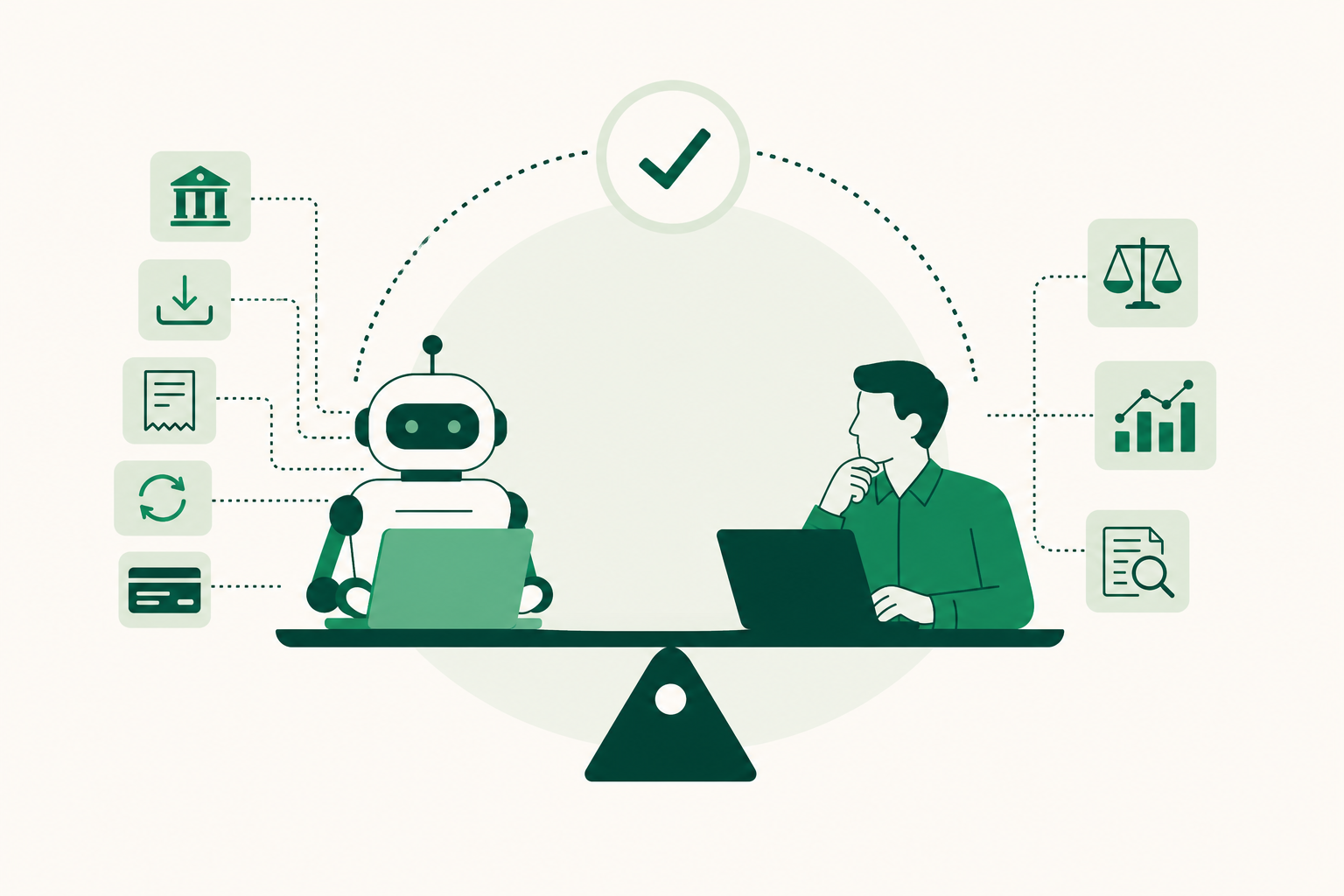
title: How to Automate Bookkeeping Without Losing Client Control
description: A step-by-step guide to automating bank feeds, categorization, and reconciliation while keeping human oversight on every judgment call.
date: 2025-07-14
updated: 2025-07-14
author: LedgerHQ
category: Bookkeeping Automation
How to Automate Bookkeeping Without Losing Client Control
Automating bookkeeping means connecting live bank feeds, setting categorization rules, and scheduling reconciliations so repetitive data entry runs itself. Research shows 60 to 80% of bookkeeping time goes to tasks like these. The key is pairing each automated layer with a clear exception and approval process so you stay in control of every judgment call.
How to Automate Bookkeeping: What It Actually Covers
Bookkeeping automation covers the high-volume, rules-based work that fills most of a bookkeeper's day: pulling transactions from bank and card feeds, applying categorization rules, matching cleared items against the general ledger, generating invoices on a schedule, and chasing missing receipts. It does not cover interpreting what those numbers mean or the decisions that follow.
The scope breaks down into four core areas.
Bank and card feeds. A direct digital connection pulls every transaction from a bank account, credit card, or payment processor into your accounting software automatically. No CSV exports, no manual entry. The feed is just the start of the workflow, not the end of it.
Transaction categorization. Rules-based engines match transactions to accounts using vendor names, amounts, and patterns. A payroll run from the same processor every two weeks gets coded to the same account every time. Novel or ambiguous transactions drop into an exception queue for human review.
Bank reconciliation. Once transactions are coded, the software compares the book balance against the bank statement balance and flags the difference. Deposits in transit and outstanding checks are identified automatically; the bookkeeper confirms or adjusts.
Invoicing and accounts receivable. Recurring invoices go out on a set schedule. Payment reminders trigger automatically at defined intervals. The bookkeeper sets the rules once and reviews exceptions.
What automation does not cover: tax treatment decisions, one-off journal entries, revenue recognition judgment calls, and anything that requires reading a contract or asking a client a question. Those stay with you. Research shows 60 to 80% of bookkeeping time goes to the tasks automation can handle, which means the judgment-heavy work is a smaller but more consequential share of the day.
Which Tasks Are Safe to Automate (and Which Ones Aren’t)?
Sort tasks by two variables: how predictable the transaction is, and how much damage a wrong classification causes. High-volume, predictable tasks are safe to automate. Low-volume, judgment-heavy tasks are not. PwC data from 2026 found that finance teams using AI agents can see up to 90% time savings in critical workflows when repetitive volume is handled by rules.
The table below gives you a working framework.
| Task | Automate? | Why |
|---|---|---|
| Bank feed import | Yes | Purely mechanical; no judgment required |
| Recurring vendor payments | Yes | Same vendor, same account, every period |
| Payroll journal entries (standard) | Yes | Fixed structure, consistent source |
| Credit card reconciliation | Yes | High volume, predictable matching |
| Invoicing on a set schedule | Yes | Rules-based; no client negotiation involved |
| Receipt capture and OCR extraction | Yes | Data extraction, not classification judgment |
| Sales tax / GST coding | No | Rate and nexus depend on facts; errors carry penalties |
| Inter-company transactions | No | Eliminations require entity-level judgment |
| Accruals and deferrals | No | Period-end timing is a judgment call |
| One-off or unusual expenses | No | Context determines classification |
| Revenue recognition | No | Contract terms drive the accounting |
| Audit adjustments | No | Requires professional sign-off |
The honest case for automation is not that it eliminates bookkeeper judgment. It is that it removes the work that does not need judgment, so the bookkeeper can spend time on the work that does.
The risk runs the other way when you automate tasks that look routine but carry hidden complexity. Sales tax is the most common example. A transaction that looks like a straightforward product sale may involve multiple jurisdictions, exemption certificates, or a taxable service component. Letting a categorization rule handle it without review is how errors compound quietly across hundreds of transactions. Sales tax error rates can reach 1 to 8% of total tax liability when coding is unsupervised.
A practical rule: if you would need to think for more than five seconds before coding a transaction manually, it does not belong in an automation rule.
Step 1: Audit and Clean Up Your Chart of Accounts
Before you connect a single feed or write a single rule, clean the chart of accounts. Automation amplifies whatever structure it finds. A clean chart produces consistent, reportable data. A messy one produces consistent errors at scale.
Work through these steps before you turn anything on:
- Export your current chart of accounts to a spreadsheet. You need to see the full list in one place before you can evaluate it.
- Identify duplicates. Look for accounts that serve the same purpose under different names: "Office Supplies," "Office Supply Expense," and "Supplies – Office" should be one account.
- Flag unused accounts. Any account with no activity in the past 24 months is a candidate for archiving. Unused accounts create noise in rules-based matching.
- Check account types. Confirm that every account is assigned the correct type (asset, liability, equity, income, expense). A miscategorized account type will cause reconciliation failures that are hard to trace.
- Standardize naming conventions. Decide on a format and apply it consistently. Inconsistent names break rules that match on text strings.
- Document the final structure. Write down what each account is for and what transaction types belong in it. This becomes the reference your automation rules are built against.
If you are migrating from QuickBooks Online or another platform, run this audit on the source chart before you import. Importing a messy chart of accounts moves the problem rather than solving it. Cleanup is faster before the migration than after.
Step 2: Connect Bank Feeds and Set Categorization Rules
Live bank feeds eliminate the manual data-entry step entirely. Instead of downloading CSV files or keying transactions by hand, a direct digital connection pulls every transaction from your bank accounts, credit cards, and payment processors into your accounting software as it clears. Internal 2025 benchmarks from Xero indicate their AI achieves an 89% straight-through automation rate for bank reconciliations once feeds are live, which gives you a sense of what a well-configured feed connection can handle at volume.
Three cloud platforms support this workflow well.
QuickBooks Online connects directly to bank and card feeds and applies AI-powered categorization rules based on vendor name, amount, and transaction pattern. It supports batch invoicing and protects data with 256-bit encryption and multi-factor authentication. For bulk cleanup work, its Spreadsheet Sync feature lets you review and edit transactions in Excel before posting. Pricing is subscription-based.
Xero offers live bank feeds alongside automated coding rules and JAX, its AI assistant, for auto-reconciliation and debtor chasing. Per digit.business, Xero's automation can match 60 to 70% of predictable transactions without manual input. Pricing is also subscription-based.
Dext (formerly Receipt Bank) handles the supplier and expense side. It uses optical character recognition to extract vendor names, amounts, and tax components from receipts and invoices, then pushes that structured data into QuickBooks Online or Xero. It replaces manual data entry for the paper and email documents that bank feeds do not capture. Pricing is subscription-based.
Once feeds are live, build categorization rules in this order:
- Start with your highest-volume recurring vendors: payroll processor, rent, utilities, software subscriptions.
- Write rules that match on vendor name and, where useful, amount range.
- Assign each rule to a specific chart-of-accounts category you cleaned in Step 1.
- Set all unmatched transactions to route to a review queue, not to a default "miscellaneous" account.
- Test each rule against 30 days of historical transactions before you rely on it for live data.
For a deeper look at structuring these rules, how to automate bank-feed coding covers the rule-building logic in detail.
Step 3: Build Approval Workflows and an Exception Process
Automation without a defined exception process is not a system. It is a queue that grows until someone notices a problem. The approval workflow keeps human judgment in the loop without requiring a human to touch every transaction. A 2026 study of G2 reviews found that 70% of users who feel positively about automation associate it with improved financial visibility, and that visibility comes from knowing which transactions were handled automatically and which ones were flagged for review.
Set up the control layer in two parts.
Dollar-threshold approvals. Define a threshold above which any transaction requires a human review before it posts. The right number depends on your client's average transaction size, but a common starting point is any single transaction above a defined dollar threshold or any categorization that hits an account not used in the prior 90 days. Transactions below the threshold that match an existing rule post automatically. Transactions above it land in an approval queue.
The exception queue. Every automated system produces exceptions. Build a named, visible queue for:
- Failed imports (bank connection dropped, feed returned an error)
- Unmatched transactions (no rule applies, vendor is new or ambiguous)
- Duplicate flags (same amount, same vendor, same date appearing twice)
- High-risk account postings (owner draws, loans, inter-company transfers)
- Any transaction your rules engine marked as low-confidence
Review the exception queue on a set schedule, daily during the first month, then weekly once the rules are stable. Do not let it accumulate. An unreviewed exception queue defeats the purpose of the approval workflow.
For a practical look at how this fits into a full month-end process, see a practical bank reconciliation workflow.
One more control worth building: a monthly rules audit. Spend 20 minutes each month reviewing which rules fired most often and whether any produced miscategorizations. Rules that misfire more than twice in a month should be tightened or removed.
How Should You Handle Sales Tax in an Automated Workflow?
Map sales tax codes manually before any rules go live. This is the one area where unsupervised automation creates the most risk, because a wrong tax code compounds quietly across hundreds of transactions before anyone notices.
Sales tax treatment depends on facts a rules engine cannot read: the jurisdiction where the sale occurred, whether the buyer holds an exemption certificate, whether the product is taxable in that state, and whether a service component changes the treatment. A categorization rule sees a dollar amount and a vendor name. It cannot see any of that.
Before you activate rules for any client with sales tax exposure, work through these steps manually:
- Identify every revenue stream and confirm the tax treatment for each in the relevant jurisdiction.
- Map the correct tax code to each product or service type in your accounting software.
- Flag any transaction type that involves multiple jurisdictions or potential exemptions as a mandatory human review item, not an automation candidate.
Check whether your accounting software supports tax code mapping at the product and service level. If it does, use that feature. Do not rely on a general categorization rule to assign tax codes correctly.
A registered tax professional or, where applicable, a registered BAS agent should review tax coding before the first period closes. Automation can apply the codes you set, but setting them correctly is not an automation task.
Is a Bookkeeper Operating System the Right Next Step for Your Firm?
Software-only automation handles feeds, rules, and reconciliation well. What it does not do is run the firm workflow around those tasks: onboarding new clients, sending engagement letters, chasing missing information, preparing finished financial statements, and keeping every managed company moving through month-end close at the same time. The coordination work between automation tools eventually becomes its own job.
That is where a bookkeeper operating system fits. Rather than connecting separate tools for feeds, rules, reconciliation, and client communication, a single platform runs the full practice workflow end-to-end.
LedgerHQ is a bookkeeper operating system built for firms that want automation and retained control across every client company. Its built-in AI bookkeeper, Tally, handles transaction coding, bank reconciliation, missing-information follow-up, and financial statement preparation. Bank and card feeds connect through Plaid. QuickBooks migrations include chart-of-accounts and journal history import with a preview-before-posting step, so nothing posts without a human sign-off. The platform lets a bookkeeper manage and review work across all managed companies from a single interface.
For firms evaluating whether this model fits their practice, the AI bookkeeper overview covers the full workflow in detail.
Pricing is straightforward: LedgerHQ with Tally costs $0 per month. LedgerHQ and LedgerHQ Pro each cost $20 per month. The right choice depends on how much of the firm workflow you want the platform to carry.
Prices and plan limits verified as of October 2026.
FAQs
Can I use AI to do my bookkeeping as a non-accountant?
AI tools can handle transaction coding, bank feed imports, and basic reconciliation without accounting training. What they cannot do is make judgment calls about tax treatment, revenue recognition, or unusual transactions. For a small business owner with straightforward finances, AI-assisted bookkeeping software can manage most of the routine work. For anything involving payroll, sales tax, or accrual accounting, a trained bookkeeper should still review the output before any period closes.
Is AI replacing bookkeeping jobs entirely?
No. AI is replacing the repetitive, rules-based portion of bookkeeping work: transaction entry, receipt matching, standard reconciliations. The judgment-heavy work remains: reviewing exceptions, advising clients, handling tax-sensitive classifications, and preparing finished financials a business owner can actually use. Bookkeepers who shift their time from data entry to review and advisory work are more valuable, not less, as automation handles the volume.
How secure is automated bookkeeping when connected to my bank accounts?
The security depends on the tools in the chain. QuickBooks Online uses 256-bit encryption and multi-factor authentication. Connection layers like Plaid, which LedgerHQ uses for bank and card feeds, should be evaluated for their own security certifications before you connect. The weakest point in most setups is credential management, not the software itself. Use unique, strong passwords for every connected account, enable multi-factor authentication everywhere it is available, and review connected app permissions at least once a quarter.
Is it safe to connect AI tools to my financial accounts?
Read-only bank feed connections carry low risk because they pull data without the ability to move money. The risk increases when a tool has write access to post transactions or initiate payments. Before connecting any tool, confirm whether it has read-only or read-write access, check whether the provider has completed an independent security audit, and review what data the tool stores and for how long. Limiting write access to tools you have specifically vetted is the practical control here.
Is bookkeeping still worth paying for in 2026?
Yes, for most businesses. Automation reduces the time a bookkeeper spends on data entry, but it does not eliminate the need for someone who understands what the numbers mean. A bookkeeper who reviews exceptions, catches misclassifications before they compound, and delivers finished financials on time is still doing work that software cannot do on its own. The value has shifted from volume processing toward accuracy, judgment, and timely reporting, which is a better use of a bookkeeper's skills anyway.
Conclusion
Automating bookkeeping is not about removing the bookkeeper. It is about removing the work that does not need one. Bank feeds, categorization rules, and scheduled reconciliations handle the volume. The bookkeeper handles the exceptions, the judgment calls, and the finished financials a client can act on.
Start with the chart of accounts cleanup before you connect anything. Get the foundation right, then build feeds and rules on top of it. Review your exception queue on a fixed schedule from day one, and treat the approval workflow as a permanent part of the system, not a temporary check. Those two controls are what stop automation from drifting into quiet errors over time.