
Bookkeeping Insights
How to Do Bank Reconciliation Step by Step in 2026
Bank reconciliation is the process of matching your internal cash ledger against your bank statement to confirm every transaction is recorded correctly. Gather both documents, compare transactions line by line, identify outstanding items, apply the adjusting formula to both balances, and post any correcting journal entries until the two sides agree. This guide covers the […]
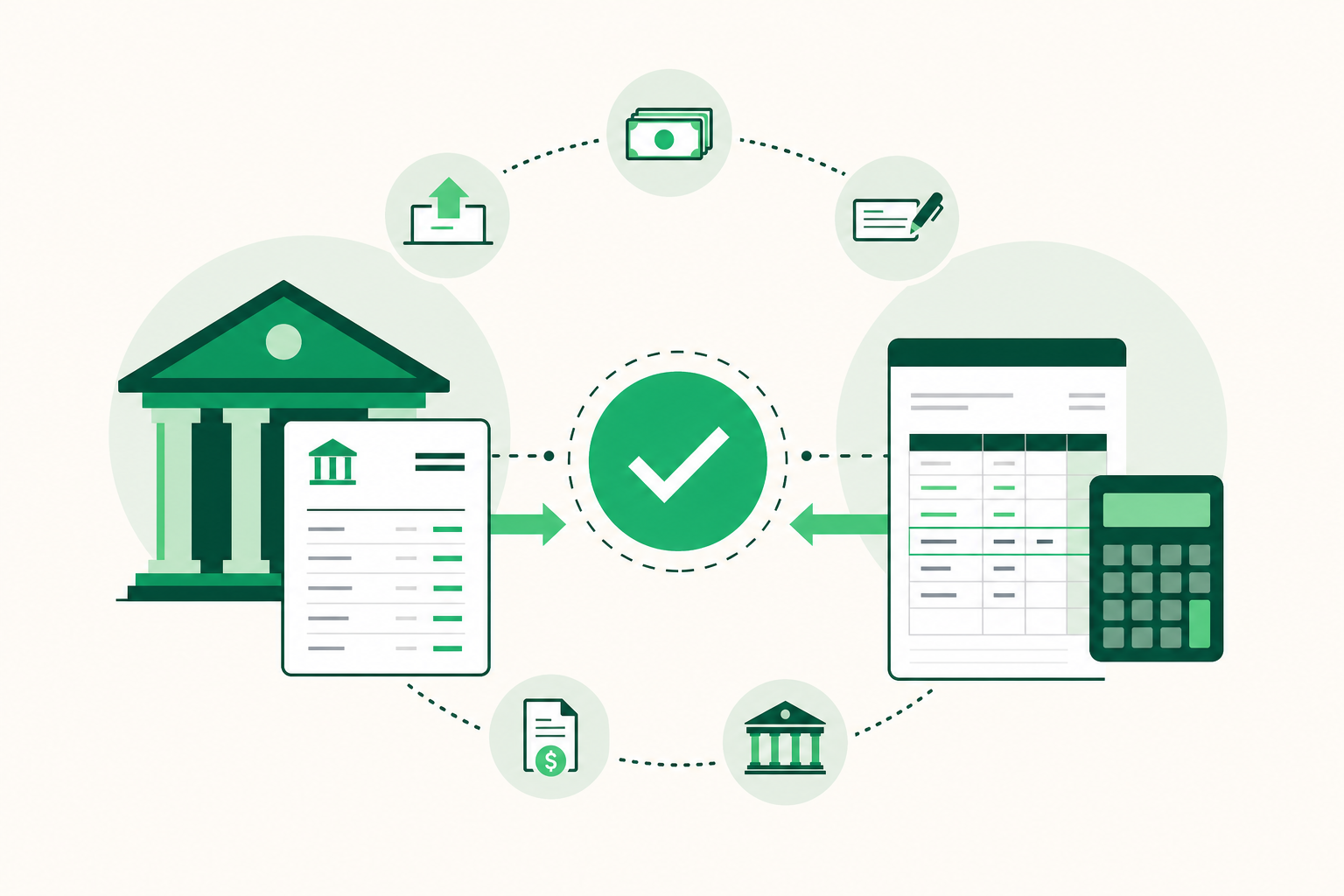
Bank reconciliation is the process of matching your internal cash ledger against your bank statement to confirm every transaction is recorded correctly. Gather both documents, compare transactions line by line, identify outstanding items, apply the adjusting formula to both balances, and post any correcting journal entries until the two sides agree.
This guide covers the full six-step process, the exact adjusting formula, a worked numerical example, and an Excel setup you can use today. It also covers the reconciling items that trip up most bookkeepers and the point at which manual reconciliation starts costing more than it saves.
What Is Bank Reconciliation and Why Does It Matter?
Bank reconciliation is a control procedure that compares your company's internal cash records to the bank's records for the same period. The goal is to confirm that every deposit, payment, and fee appears in both places and to explain any difference that remains.
The process catches three categories of problems: errors in your own books, errors made by the bank, and unauthorized transactions. Without it, a misposted payment or a fraudulent charge can sit unnoticed for months.
The fraud risk is real and quantifiable. According to the Association of Certified Fraud Examiners, as cited by bookkeepingflow.com in 2026, the average fraud scheme goes undetected for 12 months. That same data shows small businesses suffer a median loss of $150,000 per fraud case. Regular reconciliation shortens that detection window because it forces a line-by-line comparison every period.
Tax compliance is a second reason to reconcile consistently. Your income statements and balance sheets feed directly into your tax filings. If your cash balance is wrong, your reported income may be wrong too. Correcting that after the fact is far more expensive than catching it at month-end.
For bookkeeping firms, reconciliation is also a deliverable. Clients expect finished financials that tie to the bank. A reconciliation that closes cleanly is evidence the books are accurate.
Monthly reconciliation is the standard for most businesses. High-volume operations, such as retailers or businesses with many daily card transactions, often reconcile weekly. The right frequency depends on transaction volume and the cost of letting errors compound.
The process applies to every bank account and credit card account a business holds. Each account gets its own reconciliation, working from the same principle: the adjusted bank balance must equal the adjusted book balance at the end of the period.
What Is the Bank Reconciliation Formula?
The bank reconciliation formula adjusts both the bank balance and the book balance to arrive at the same corrected cash figure. Neither side starts at the right number, so you work both sides toward a match.
Adjusted bank balance:
Bank statement ending balance
- Deposits in transit
− Outstanding checks
± Bank errors
= Adjusted bank balance
Adjusted book balance:
General ledger cash balance
- Interest earned (credited by bank, not yet recorded)
− Bank service charges
− NSF check charges
± Book errors
= Adjusted book balance
When both sides are correct, adjusted bank balance equals adjusted book balance. That single figure is the true cash balance for the period.
Each line in the formula corresponds to a category of reconciling item.
Deposits in transit are amounts your books show as received but the bank has not yet posted. You recorded the deposit; the bank will record it in the next statement cycle. Add these to the bank balance.
Outstanding checks are checks you have written and recorded in your ledger but the payee has not yet cashed. The bank does not show them yet. Subtract these from the bank balance.
Bank service charges and fees appear on the bank statement but not in your ledger until you record them. Subtract these from the book balance.
NSF (non-sufficient funds) checks occur when a customer's deposited check bounces. The bank reverses the deposit; your books still show it. Subtract the returned amount from the book balance.
Interest income is the opposite: the bank credits it before you record it. Add it to the book balance.
Errors on either side require their own adjustments. A bank error (rare but possible) adjusts the bank side. A book error adjusts the book side.
The formula looks simple, but the discipline is in the detail. Every reconciling item needs a source document: a check number, a deposit slip, a bank notice, or a fee schedule. If you cannot tie an item to a document, you have not finished the reconciliation.
One practical note: the formula assumes you are working from the ending balance of a completed bank statement. If you are reconciling mid-month from a real-time bank feed, use the balance as of the cutoff date you choose, and apply the same logic.
How to Do Bank Reconciliation: The 6-Step Process
The six steps below follow the order you actually perform them. Complete each step before moving to the next. Skipping ahead creates gaps that are harder to trace later.
-
Gather the necessary financial documents, including the bank statement and the internal cash ledger for the specific period.
Pull the bank statement for the period you are reconciling, typically a calendar month. Download or print it so you can mark transactions as you work. Open the general ledger or accounting software and filter the cash account to the same date range. If you use a bank feed, confirm it has pulled all transactions through the statement end date before you start.
Also collect any supporting documents you may need: check registers, deposit slips, wire confirmations, and any bank notices about fees or returned items.
-
Verify that the opening balance of the current period matches the closing balance of the previous reconciled period.
Compare the opening balance on the bank statement to the ending balance from last month's reconciliation. Do the same for the book balance. If either opening balance does not match, stop and resolve the discrepancy before continuing. A mismatch here means last month's reconciliation was incomplete, or a transaction was posted to the wrong period after it closed.
This step takes two minutes but prevents compounding errors across months.
-
Compare the bank statement transactions line-by-line against internal records, checking off matches and noting discrepancies.
Work through every transaction on the bank statement and find its match in the ledger. Mark matched items on both sides. When you find a transaction on the bank statement with no ledger match, flag it. When you find a ledger transaction with no bank match, flag it separately.
Sort by date and amount to speed up matching. Most accounting software and spreadsheet templates let you use a checkmark column or color coding. By the end of this step you should have two lists: matched items and unmatched items to investigate.
-
Identify and list outstanding transactions, such as checks issued but not yet cashed or deposits recorded but not yet processed by the bank.
Review your unmatched items and classify each one. Checks you wrote that have not cleared are outstanding checks. Deposits you recorded that are not on the bank statement yet are deposits in transit. These are timing differences, not errors, and they belong in the formula.
Any item that does not fit a timing explanation needs further investigation. A transaction on the bank statement you cannot match to any ledger entry may be a bank fee, an unauthorized charge, or a bank error. A ledger entry with no bank match that is not a timing difference may be a duplicate posting or a voided check that was re-entered.
-
Adjust the bank statement balance by adding deposits in transit and subtracting outstanding checks.
Apply the bank-side formula from the previous section. List each deposit in transit with its date and amount. List each outstanding check with its check number, payee, and amount. Calculate the adjusted bank balance. Keep this as a running total you can tie back to your work.
According to research published in the Modern Economics & Management Forum, US financial service providers using manual reconciliation face an average error rate above 3%. Careful documentation at this step, one item per line with a source reference, is how you keep your own error rate well below that.
Then adjust the book balance using the book-side formula: add interest income, subtract bank fees and NSF charges, and correct any book errors you identified in step 3.
-
Record adjusting journal entries in the general ledger for all items that were only on the bank statement.
Every item that required a book-side adjustment in step 5 needs a journal entry. Bank service charges get debited to an expense account and credited to cash. Interest income gets debited to cash and credited to interest income. NSF checks get reversed: debit accounts receivable (or the original expense), credit cash.
Post each entry with a reference to the reconciliation period and the bank statement line it corresponds to. After posting, recheck the book balance. If the adjusted bank balance and the adjusted book balance now match, the reconciliation is complete. Save or file the completed statement with all supporting documents attached.
Bank Reconciliation Example: A Worked Statement
A bank reconciliation statement shows both the bank-side and book-side adjustments on one document, ending with a single matching figure. The example below uses realistic numbers so you can see exactly how the formula applies.
Scenario: Maple Street Bookkeeping is reconciling its operating account for the month of May 2026.
| Item | Amount |
|---|---|
| These figures are illustrative example values used to demonstrate the formula. |
| Item | Amount |
|---|---|
| Bank statement ending balance | $14,820.00 (illustrative) |
| Add: Deposits in transit | $2,150.00 (illustrative) |
| Less: Outstanding checks (#1042, #1047, #1051) | ($3,390.00) (illustrative) |
| Less: Bank error (duplicate debit posted by bank) | ($200.00) (illustrative) |
| Adjusted bank balance | $13,380.00 (illustrative) |
| Item | Amount |
|---|---|
| General ledger cash balance | $13,705.00 (illustrative) |
| Add: Interest earned (credited by bank, not yet recorded) | $45.00 (illustrative) |
| Less: Bank service charge | ($85.00) (illustrative) |
| Less: NSF check returned (customer payment reversed) | ($285.00) (illustrative) |
| Adjusted book balance | $13,380.00 (illustrative) |
Both sides reach the same adjusted balance. The reconciliation is complete.
Now walk through what each line represents.
Deposits in transit ($2,150.00, illustrative): Maple Street recorded two client payments on May 30. The bank statement closes May 31, but neither deposit appears because the bank processed them on June 1. These are timing differences. Add them to the bank balance.
Outstanding checks ($3,390.00, illustrative): Three checks were written and recorded in the ledger during May. Check #1042 went to a vendor who has not yet deposited it. Checks #1047 and #1051 were mailed near month-end. All three appear in the ledger but not on the bank statement. Subtract the total from the bank balance.
Bank error ($200.00, illustrative): The bank posted a $200 debit twice for the same ACH payment. Maple Street's ledger shows the correct single charge. The bank confirmed the duplicate and will reverse it in June. Subtract the duplicate amount from the bank balance for this period and note it in the reconciliation file for follow-up.
Interest earned ($45.00, illustrative): The bank credited $45 in interest on May 31. Maple Street had not yet recorded it. Add it to the book balance, then post a journal entry: debit cash for that amount, credit interest income.
Bank service charge ($85.00, illustrative): The monthly account fee appeared on the statement but was not in the ledger. Subtract it from the book balance and post a journal entry: debit bank charges expense, credit cash.
NSF check ($285.00, illustrative): A customer's check for $285 was deposited in May and recorded as revenue. The bank reversed it on May 28 because the customer's account had insufficient funds. Subtract the amount from the book balance and post a reversal: debit accounts receivable, credit cash. Then follow up with the customer.
This is what a completed bank reconciliation statement looks like. Every line ties to a document: a deposit slip, a check register entry, a bank notice, or a fee schedule. If you cannot source a line, the reconciliation is not finished.
How to Do a Bank Reconciliation in Excel
Excel works well for small firms or clients not yet on accounting software. The key is a fixed structure so the same layout works every month.
-
Create a new workbook with two sheets: "Reconciliation" and "Supporting Detail."
The Reconciliation sheet holds the bank-side and book-side adjustments and the final match. The Supporting Detail sheet holds your line-by-line transaction comparison. Keeping them separate makes the final document cleaner and the working data easier to audit.
-
Set up the Reconciliation sheet with two columns: one for the bank side, one for the book side.
Label column B "Bank Balance Adjustments" and column C "Book Balance Adjustments." In row 3, enter the bank statement ending balance in B3 and the general ledger cash balance in C3. Use hard-coded values here, not formulas, so the source figures are always visible.
-
Add labeled rows for each reconciling item.
Below the opening balances, add a row for each adjustment type: deposits in transit, outstanding checks, bank errors (bank side); interest income, bank fees, NSF charges, book errors (book side). Enter the adjustment amounts as positive or negative values matching the formula from the earlier section. Keep each item on its own row so you can trace it.
-
Enter SUM formulas to calculate adjusted balances.
In the last row of each column, use
=SUM(B3:B10)(or whatever your range is) to calculate the adjusted bank balance and adjusted book balance. Label these cells clearly: "Adjusted Bank Balance" and "Adjusted Book Balance." -
Add a match-check cell.
In a prominent cell, enter
=B_adjusted - C_adjusted(using your actual cell references). If the result is zero, the reconciliation balances. If it is not zero, the difference tells you exactly how much is still unresolved. Color this cell red for nonzero and green for zero using conditional formatting so the status is visible at a glance. -
Use the Supporting Detail sheet for your transaction comparison.
Set up four columns: Date, Description, Bank Amount, Ledger Amount. Paste or type every transaction from the bank statement and match it to the ledger. Use a fifth column labeled "Status" with values like "Matched," "Outstanding Check," "Deposit in Transit," or "Investigate." Filter by Status to isolate unresolved items quickly.
A general benchmark worth noting: research involving UK payments businesses found that companies spend more than 700 hours annually on data preparation for reconciliation alone, and 82% of those surveyed struggled to deliver reports on time because of reconciliation bottlenecks. A clean Excel template does not eliminate that time, but it removes the setup work each month and makes the process repeatable. A consistent template with a built-in match-check cell catches problems before they delay reporting.
Save each month's file with the period in the filename, for example "Reconciliation_May2026.xlsx," and store it with the bank statement PDF and any supporting documents.
Common Reconciling Items and How to Handle Them
Most bank reconciliation differences come from a short list of recurring items. Knowing the correct treatment for each one saves time and prevents misclassification.
Deposits in transit. You recorded a deposit; the bank has not posted it yet. Add to the bank balance. If a deposit in transit from last month still has not cleared, contact the bank. A deposit that never posts may indicate a recording error or a lost deposit slip.
Outstanding checks. You issued and recorded a check; the payee has not cashed it. Subtract from the bank balance. Checks outstanding for more than 90 days should be investigated. Some states require you to report uncashed checks as unclaimed property after a defined period.
Bank service charges and fees. These appear on the statement without prior notice. Subtract from the book balance and post a journal entry each period. Review the fee schedule annually to catch new charges.
NSF (non-sufficient funds) checks. A customer's deposited check bounced. The bank reverses the deposit; your books still show it as income. Subtract from the book balance, reverse the original revenue entry, and move the amount to accounts receivable. Follow up with the customer on a replacement payment.
Interest income. The bank credits interest before you record it. Add to the book balance and post a journal entry crediting interest income.
Bank errors. Rare, but they happen. A duplicate debit, a misapplied payment, or a transposition error on the bank's side requires a bank-side adjustment and a written dispute with the bank. Document the error and track it until the bank issues a correction.
Payment processor batches. If your client uses Stripe, Square, or a similar processor, the bank statement shows a single daily or weekly net deposit rather than individual transactions. Your ledger may have each sale recorded separately. Reconcile by matching the batch total to the processor's settlement report, then tie that report to the bank deposit. This is one of the more time-consuming modern complexities in high-volume bookkeeping.
Digital wallet and peer-to-peer payments. Venmo, PayPal, and similar platforms often hold funds before transferring them to the bank. Treat the platform balance as a separate account, reconcile it independently, and record the transfer to the bank account when it clears.
Each of these items needs a source document before you close the reconciliation. A well-organized file, one document per reconciling item, is the evidence that the books are correct.
When Should You Consider Automating Bank Reconciliation?
Manual reconciliation works when transaction volume is low and the process takes an hour or two each month. As volume grows, the math changes quickly.
Research published in the Modern Economics & Management Forum found that US financial service providers using manual reconciliation face an average error rate above 3%, while implementing AI for reconciliation drops that rate to 0.4%. For a bookkeeping firm managing dozens of client accounts, that error rate compounds into significant rework, client corrections, and delayed closes.
Time is the other pressure point. Research involving UK payments businesses found that companies spend more than 700 hours annually on data preparation for reconciliation alone, and 82% [F5, F6] of those surveyed struggled to deliver reports on time because of reconciliation bottlenecks. These are general benchmarks from a payments-industry context, not US-specific figures, but the pattern holds: reconciliation overhead scales with transaction volume, and manual processes hit a ceiling.
The right moment to consider automation is when reconciliation regularly delays your month-end close, when you are managing more than a handful of client accounts, or when the time you spend correcting errors exceeds the time you spend on the reconciliation itself.
LedgerHQ is a bookkeeper operating system with a built-in AI bookkeeper called Tally that handles transaction coding, bank reconciliation, and financial statement preparation across managed companies.
FAQs
How often should a business perform bank reconciliation?
Most businesses reconcile monthly, timed to the bank statement cycle. High-volume operations, such as retail businesses with daily card transactions or firms processing large numbers of ACH payments, often reconcile weekly. The right frequency depends on transaction volume and how quickly errors or unauthorized charges need to be caught. Letting reconciliation slip to quarterly raises the cost of finding and fixing problems.
What is the difference between a bank error and a book error in reconciliation?
A bank error is a mistake the bank made: a duplicate debit, a misapplied payment, or a transposition in the amount posted. It adjusts the bank side of the formula and requires a written dispute with the bank. A book error is a mistake in your own ledger: a transposed amount, a duplicate entry, or a payment posted to the wrong account. It adjusts the book side and requires a correcting journal entry.
Can bank reconciliation help with IRS tax compliance?
Yes. Your tax filings depend on accurate income and expense figures, which depend on an accurate cash balance. A reconciled set of books confirms that every deposit and payment is recorded correctly and in the right period. Discrepancies caught during reconciliation, such as a misposted payment or an unrecorded bank fee, can change your reported income. Finding and correcting those at month-end is far less costly than amending a return or responding to an IRS inquiry after filing.
What happens if you cannot get the bank and book balances to agree?
Start by checking your arithmetic on both sides of the formula. Then verify that the opening balances matched before you began. Look for transposition errors, which often appear as differences divisible by 9. Check for duplicate entries or a transaction posted to the wrong account. If you still cannot find the difference, work backward through the transaction list in smaller date ranges to isolate where the discrepancy first appears. Never close a reconciliation with a forced entry or a suspense account balance you cannot explain.
How long should you keep completed bank reconciliation statements?
The general standard for US businesses is seven years, which aligns with the IRS statute of limitations for audits in cases of substantial underreporting. Keep the reconciliation statement together with the bank statement, the general ledger export, and all supporting documents for each reconciling item. Digital storage with consistent file naming, such as "Reconciliation_May2026," makes retrieval straightforward if records are requested.
Conclusion
Bank reconciliation is a monthly control that confirms your cash records match the bank's records, catches errors and unauthorized transactions early, and keeps your financial statements accurate enough to rely on for tax filings and client deliverables. The process follows six steps: gather documents, verify opening balances, match transactions line by line, identify outstanding items, apply the two-sided adjusting formula, and post correcting journal entries until both sides agree.
Start with the worked example and the Excel template structure from this guide. Build the reconciliation habit at the same point each month, immediately after the bank statement closes, so timing differences are fresh and supporting documents are easy to find. If you manage multiple client accounts and reconciliation is regularly delaying your close, that is the signal to evaluate whether a connected bank feed and automated matching would recover more time than they cost.