
Bookkeeping Insights
Financial Reporting Software: What Accounting Firms Need
title: "Financial Reporting Software: What Accounting Firms Need" description: "A practical guide for accounting firms evaluating financial reporting software, covering compliance tools, advisory BI p
title: "Financial Reporting Software: What Accounting Firms Need"
description: "A practical guide for accounting firms evaluating financial reporting software, covering compliance tools, advisory BI platforms, and the firm profiles each one fits."
date: 2025-07-14
updated: 2025-07-14
author: LedgerHQ
category: accounting-software
Financial Reporting Software: What Accounting Firms Need
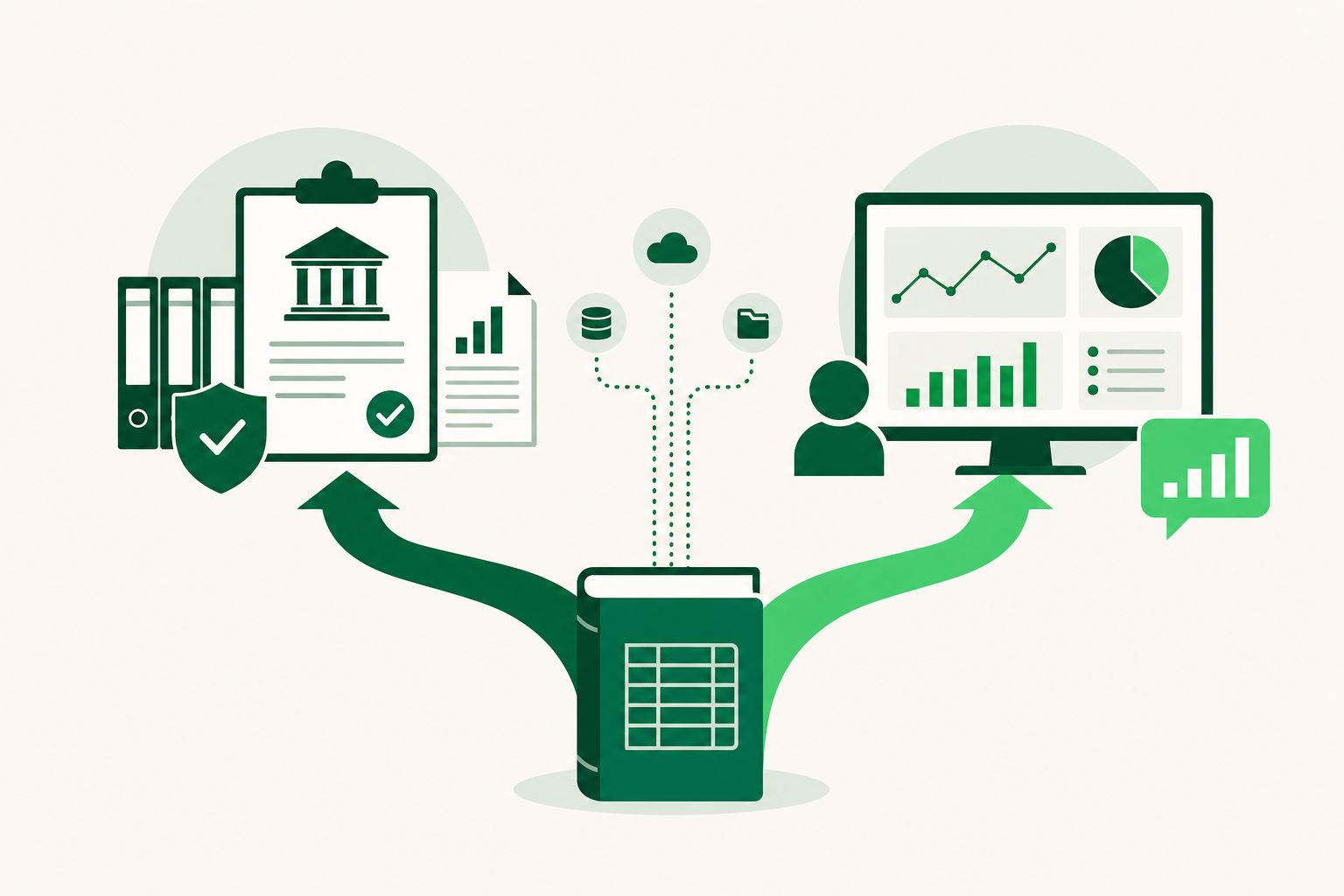
Financial reporting software for accounting firms falls into two camps: compliance tools that produce audit-ready statements and BI platforms that turn ledger data into advisory insights. The right choice depends on your firm's workflow, client mix, and whether you need SEC-grade governance, real-time dashboards, or end-to-end bookkeeping automation. This guide covers three tools and maps each one to the firm profile it fits.
How to Choose Financial Reporting Software for Your Firm
Start with your firm's actual work before you look at any feature list. Three steps narrow the field quickly.
Step one: identify what your firm actually needs. List the workflows that eat the most time, client onboarding, tax filing, statement preparation, or client follow-up. Note which integrations are non-negotiable. A firm running 40 QuickBooks Online clients has different requirements than one doing statutory filings for a handful of public-company clients.
Step two: choose your deployment model. Cloud-based software lets your team work from anywhere and keeps updates automatic. Desktop tools can offer more control over data residency but add IT overhead. For most bookkeeping firms, cloud is the practical default.
Step three: verify US compliance coverage. If your firm handles e-filing, payroll tax forms, or any SEC reporting, confirm the software supports current requirements before you commit. Compliance features go stale; check the vendor's update cadence, not just the feature list.
Two market signals are worth keeping in mind. Research from Toolradar's 2026 report shows that 73% of accounting software products are paid-only, so free tiers are rare and worth scrutinizing when they appear. Separately, an Intuit QuickBooks survey found that 46% of accounting professionals use AI on a daily basis, which means AI-assisted features are now a baseline expectation rather than a premium differentiator.
The decision framework is not complicated: identify your needs, confirm your deployment preference, and verify compliance coverage. Everything after that is matching those answers to the tools below, using your firm's actual client work as the filter.
Compliance vs. Advisory Reporting: Which Workflow Does Your Firm Run?
The two categories of financial reporting software serve different purposes, and confusing them is the most common selection mistake.
Compliance reporting tools produce documents that satisfy an external standard: audited financial statements, SEC filings, XBRL-tagged reports, statutory accounts. The audience is regulators, auditors, or lenders. Accuracy and auditability matter more than speed or visual appeal. Firms that need this category are typically serving public companies, PE-backed businesses, or any client with a formal audit requirement.
Advisory reporting tools take the same underlying ledger data and turn it into something a business owner can act on: trend dashboards, goal-tracking views, cash flow projections, variance analysis. The audience is the client, not a regulator. Speed and clarity matter more than XBRL tagging. Firms in this category are usually offering fractional CFO or controller services alongside bookkeeping.
North America held a 38.2% share of global financial reporting software market revenue in 2025, per MarketIntelo's 2026 report. That concentration means most of the tools you will evaluate are built with US workflows in mind, but it also means the market is crowded and the marketing language blurs the line between compliance and advisory products.
The honest test: look at the reports your firm delivered last month. If most of them were audit packages, tax workpapers, or SEC filings, you are in the compliance camp. If most were management dashboards or advisory decks, you are in the advisory camp. A firm doing both needs either two tools or one platform that handles both, which is rarer than vendors suggest.
For a broader look at how these reporting workflows fit into full accounting practice management, the pillar resource covers the end-to-end picture.
1. Workiva: Governed Reporting for Audit-Ready and SEC Compliance Work
Workiva is a governed cloud platform that unifies finance, risk, and sustainability data for audit-ready reporting and SEC compliance. It is built for firms and finance teams that produce documents where a single data error has legal or regulatory consequences.
The core capability is data linkage. When a number changes in the underlying source, Workiva updates every instance of that number across every connected document automatically. For a firm managing a 10-K filing or a sustainability disclosure with dozens of cross-referenced figures, that linkage eliminates a category of error that manual review cannot reliably catch.
Workiva also handles complex XBRL (eXtensible Business Reporting Language) tagging and statutory requirements, which are mandatory for SEC filers. Its "Designed Reporting" feature produces high-fidelity branded documents, the kind that go to board members or regulators, not just internal review. That matters for firms whose deliverables need to look as precise as they are.
The firm profile that fits Workiva is narrow but clear: public company audit support, SEC filing preparation, or any engagement where a regulator or auditor will scrutinize the output. Workiva's pricing is not publicly listed, so you will need to request a quote. That alone signals it is positioned for enterprise and mid-market compliance work, not a solo bookkeeper managing 30 small-business clients.
Workiva does not claim to replace a general ledger or run bookkeeping workflows. It sits downstream of your data sources and governs what happens to that data on its way to a finished, auditable document. For firms that need that governance layer, it is purpose-built. For firms that primarily need client-facing advisory dashboards, it is the wrong starting point.
2. SplashBI: Real-Time Dashboards and Ad-Hoc Financial Reporting
SplashBI connects to multiple data sources to deliver real-time dashboards, ad-hoc reporting, and data visualization across a firm's client portfolio. It runs in the cloud and is built for teams that need to pull financial data from more than one system and present it quickly.
The core strength is multi-source connectivity. If your firm pulls data from different general ledgers, ERPs, or data warehouses, SplashBI can surface that data in a single dashboard without requiring a manual export step. Ad-hoc reporting means a staff member can build a custom view on the fly rather than waiting for a developer to configure a new report template. For advisory-focused firms that field varied client questions, that flexibility has real value.
The honest case against SplashBI is also clear. Navigation can be clunky in some versions, and the learning curve is steep for non-technical users, per reviews on itqlick.com and getapp.com. The platform also depends on a correctly configured data warehouse to function well. A firm without that infrastructure in place will spend time on setup before it sees any reporting output.
SplashBI runs on a paid plan, and pricing is available on request. The firm profile that fits it best is a mid-size or larger advisory practice with technical staff, an existing data infrastructure, and clients who expect polished, real-time dashboards rather than static PDF reports. A solo bookkeeper or a small firm without a data warehouse will likely find the setup cost exceeds the benefit.
3. CFOly: AI-Driven Insights and Goal Tracking for Advisory Firms
CFOly converts QuickBooks Online data into AI-driven insights, goal-tracking dashboards, and advisory-ready views for firms offering fractional CFO or controller services. It runs in the cloud and is designed specifically for QuickBooks Online users, which narrows its fit but sharpens its execution within that lane.
The practical workflow is straightforward. CFOly pulls data from a client's QuickBooks Online file and surfaces trends, variances, and goal progress in a format a business owner can read without an accounting background. That shifts the advisory meeting from "here is your profit and loss" to "here is where you are against your targets and why." For firms trying to move up the value chain from compliance work to advisory services, that framing change is the point.
CFOly is focused on advisory capacity rather than traditional long-form reporting packages. It does not produce audit-ready statements or handle XBRL tagging. If a client needs a formal audit package or statutory filing, CFOly is not the tool for that engagement.
One due-diligence item firms should address directly: CFOly's SOC 2 (System and Organization Controls 2) compliance status is not publicly confirmed in available research. Before connecting client financial data to any cloud platform, ask the vendor for their current security certifications and audit reports. That question applies to any emerging advisory tool, not just CFOly. CFOly runs on a paid plan.
The firm profile that fits CFOly is an advisory bookkeeper or fractional CFO practice running QuickBooks Online across its client base, with clients who want forward-looking dashboards rather than historical statements.
What Financial Reporting Software Misses: The Bookkeeping Layer
Every tool covered above assumes the underlying data is clean, coded, and reconciled before reporting begins. That assumption is where most small and mid-size bookkeeping firms hit a wall.
Workiva governs what happens to data on its way to a finished document. SplashBI visualizes data from a connected warehouse. CFOly turns QuickBooks Online data into advisory dashboards. None of them close the books. None of them code transactions, follow up with clients for missing receipts, or handle bank reconciliation. That work still happens upstream, and for most bookkeeping firms it is the majority of the labor.
This is the gap that accounting workflow automation tools address at the practice level, not just the reporting layer. According to an Intuit QuickBooks survey, 46% of accounting professionals use AI on a daily basis. The demand is there, but the reporting tools above do not deliver it at the bookkeeping layer.
LedgerHQ is a bookkeeper operating system built to run a bookkeeping practice end-to-end. Its built-in AI bookkeeper, Tally, handles transaction coding, bank reconciliation, missing-information follow-up, and financial statement preparation across every managed company. The finished output, including income statements, balance sheets, and cash flow statements, comes out of the same system that did the underlying work, not a separate reporting layer bolted on afterward.
That matters for firms evaluating financial reporting software. If your firm's bottleneck is the close process rather than the presentation layer, adding a BI tool or a governed reporting platform does not fix it. The reporting output is only as clean as the bookkeeping that produced it. LedgerHQ's pricing starts at $0 per month with Tally included, which makes it a practical starting point for firms that need to automate the work before they can report on it.
Financial Reporting Software Comparison: Which Tool Fits Your Firm?
The three tools above serve distinct firm profiles. Matching on primary use case and deployment readiness matters more than feature count alone.
According to GII Research's 2026 report, the financial reporting software market is estimated to expand by USD 32.19 billion by 2032. That growth means more entrants and more marketing noise, which makes a clear decision filter more useful than ever. Global Growth Insights separately reported the market at USD 15.96 billion in 2024, a different base figure from a different research firm, but both point in the same direction: this is a large, competitive market and vendor claims deserve scrutiny.
| Tool | Primary Use Case | Deployment | Best Fit Firm Type | Pricing |
|---|---|---|---|---|
| Workiva | Audit-ready and SEC compliance reporting | Cloud | Mid-market to enterprise firms with public company or regulated clients | Pricing not publicly listed; request a quote |
| SplashBI | Real-time dashboards and ad-hoc reporting | Cloud | Mid-size advisory practices with existing data infrastructure and technical staff | Paid plan; pricing on request |
| CFOly | AI-driven advisory insights for QuickBooks Online users | Cloud | Advisory bookkeepers and fractional CFO practices on QuickBooks Online | Paid plan; pricing on request |
A few decision rules follow from the table. If your clients include SEC filers or audit-required entities, Workiva is the only option here built for that work. If your firm runs multi-source data and needs flexible dashboards, SplashBI fits, provided you have the technical setup to support it. If your practice is QuickBooks Online-based and advisory-focused, CFOly is the narrowest fit and the fastest to implement.
None of these tools replace the bookkeeping layer. For firms that need to automate the close before they can report on it, that gap remains the first problem to solve. You can see how financial statements and reporting come out of an automated close process on the LedgerHQ features page.
Prices and plan limits verified as of October 2026.
FAQs
How do you decide between Workiva, SplashBI, and CFOly?
Start with your client base. If your clients include SEC filers or entities that require a formal audit, Workiva is the only tool here built for that work. If your firm runs data from multiple systems and needs flexible dashboards, SplashBI fits, provided you have the technical setup to support it. If your practice is QuickBooks Online-based and advisory-focused, CFOly is the fastest to implement. The comparison table in the section above maps each tool to its firm profile and deployment requirements.
Can AI tools like ChatGPT reliably analyze financial statements?
General-purpose AI tools can summarize and explain financial statements, but they are not designed for the precision accounting work requires. They do not connect to live ledger data, cannot verify figures against source transactions, and have no audit trail. For client-facing advisory work, that is a significant gap. Purpose-built tools like CFOly that connect directly to QuickBooks Online data are a more reliable starting point for AI-assisted financial analysis because the data source is controlled and the output is tied to actual transactions.
What integrations should financial reporting software have for a US accounting firm?
At minimum, the software should connect to the general ledger your clients use most. For most US bookkeeping firms, that means QuickBooks Online. Beyond that, bank feed connectivity, payroll system integration, and the ability to export to Excel or PDF are practical requirements. If your firm handles SEC filings, XBRL export is non-negotiable. NetSuite connectivity is worth asking about if you serve mid-market clients, but confirm it directly with the vendor rather than assuming it from marketing materials.
Is cloud-based financial reporting software secure enough for client data?
Most established cloud platforms meet a reasonable security baseline, but "cloud-based" is not itself a security certification. The relevant standard for US accounting software is SOC 2 Type II (System and Organization Controls 2), which requires an independent auditor to verify that a vendor's security controls work over time, not just on paper. Before connecting client financial data to any platform, ask the vendor for their current SOC 2 Type II report or equivalent. This applies to every tool in this article, including newer advisory platforms where certification status may not be publicly confirmed.
How do mid-market reporting tools differ from enterprise platforms like Workiva?
The core difference is governance depth. Enterprise platforms like Workiva are built for environments where a data error carries legal or regulatory consequences, so they include features like automated cross-document data linkage, XBRL tagging, and full audit trails. Mid-market tools prioritize speed and usability over that level of control. They are easier to set up and faster to produce output from, but they do not provide the same auditability. For a firm whose clients include SEC filers or formally audited entities, that governance gap matters. For a firm serving small businesses with advisory dashboards, it usually does not.
Conclusion
Financial reporting software splits into two categories that serve genuinely different firm needs. Compliance tools like Workiva are built for audit-ready and SEC-grade work where data governance and XBRL tagging are requirements. Advisory tools like SplashBI and CFOly are built for firms turning ledger data into client-facing dashboards and insights. Picking from the wrong category adds friction rather than removing it.
Before you evaluate any specific tool, confirm which category describes most of your current client work. Then check whether your bookkeeping layer is clean enough to feed into a reporting tool, because none of the platforms above do that upstream work for you. If the close process is still the bottleneck, solving that first will make any reporting tool you choose more useful.