Understand what is waiting in Fast Coding
Read the Fast Coding queue and open one company’s bank-feed work.
Read The Company Queue
Open Fast Coding from the Firm section of the left navigation.
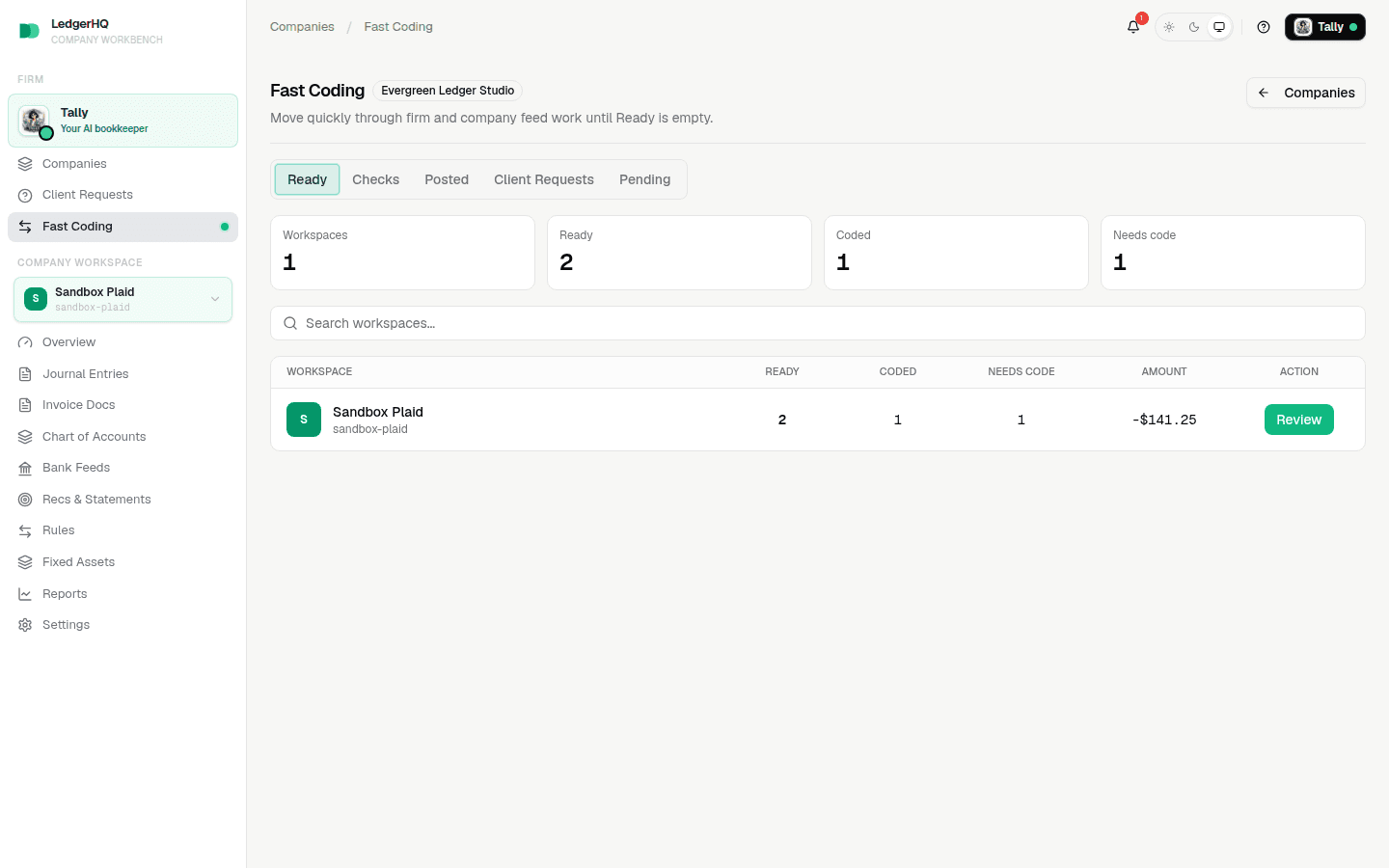
Use the counts this way:
- Ready is the total number of settled, unposted rows available for work.
- Coded rows already have an accounting account and can be reviewed for posting.
- Needs code rows do not yet have an account or another complete treatment.
The queue excludes activity that is pending at the bank, already posted, or excluded. A company disappears from Ready after its active work is cleared.
A coded row may have been handled by a person, a bank rule, or a suggestion. “Coded” means the row is prepared for review; it does not mean you should post it without checking the description, amount, account, and any warning.
Open One Company
Click the company name, Code, or Review. The drawer shows its counts and individual bank rows without losing your place in the firm queue.
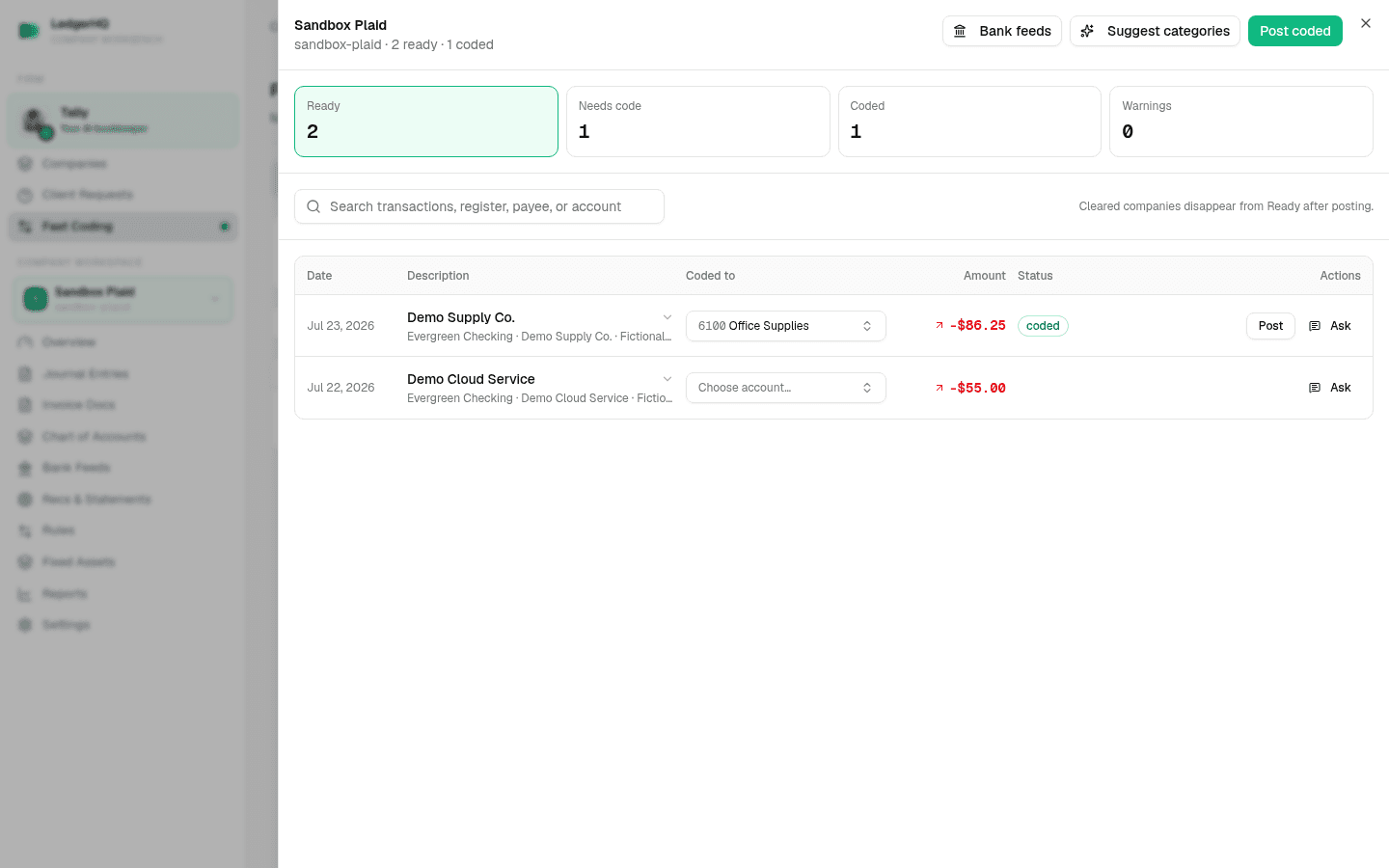
Use the four drawer filters to narrow the work:
- Ready shows the active rows.
- Needs code shows rows that still need an account.
- Coded shows rows prepared for posting.
- Warnings shows rows that need extra review.
Choose Bank feeds when you need the company’s full account-card and feed context. Use Code one bank transaction to assign an account without posting. Before posting a row or batch, compare your posting options.
When every eligible coded row for one company has been reviewed, follow Use Post coded in Fast Coding before starting the company-wide action.
If a transaction looks like a transfer, credit-card payment, loan movement, or owner contribution, do not force it into an expense category just to clear the queue. Leave it unposted and create a support ticket with the company, account, date, amount, and description when the treatment is unclear.