Configuring Tally settings
Configure Tally's duties, authority, schedule, communication handling, included usage, and company boundaries.
Tally Settings
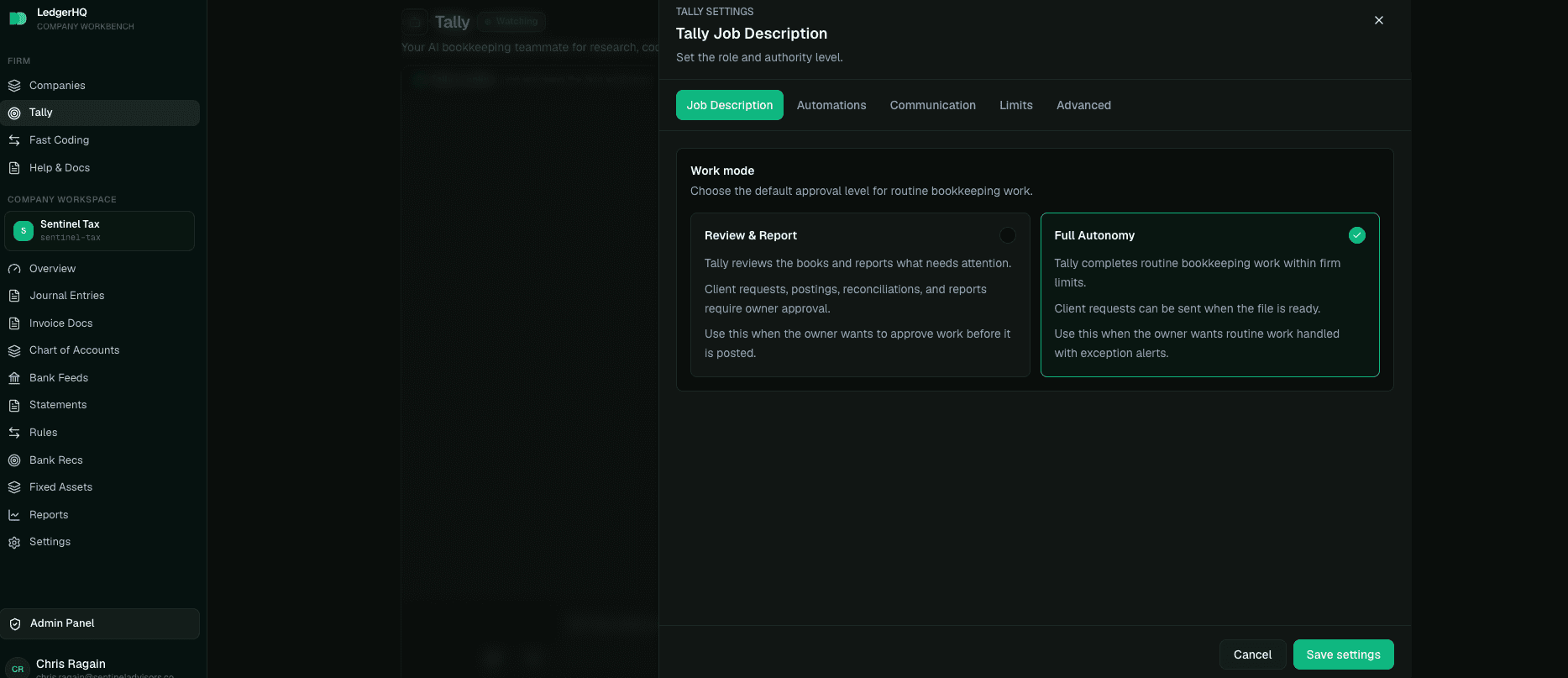
Tally settings are firm-scoped. They cover:
- duties Tally should perform;
- authority for each type of action;
- schedule and operating cadence;
- communication preferences;
- included monthly usage;
- company boundaries, including paused companies;
- any standing instructions that should guide future work.
These settings are stored as Tally memory and can be edited later from Tally settings. Saving them updates the relevant authority and automation settings so the visible configuration and the actual worker behavior stay aligned.
Duty Modes
Tally duties generally use three practical modes:
- Off: Tally should not create queue items, jobs, or client requests for that duty.
- Watch and suggest: Tally may inspect, prepare, explain, and stage work, but a person reviews the important action.
- Do autonomously: Tally may perform safe supported work when the duty, authority, scope, and service validation allow it.
Autonomous does not mean unlimited. It still respects account scope, period locks, approval rules, materiality limits, pending-bank holds, warnings, company boundaries, and irreversible-action hard floors.
Duties Tally Can Supervise
Current duties include bank feed review, uncoded transaction review, statement tracking, client requests for missing documents, reconciliation review, report delivery, month-end close support, cleanup work, and custom tasks or instructions.
Some duties are mostly watch-and-suggest by nature. For example, large cleanup projects, uncertain reconciliations, and period-close decisions often require human judgment even when Tally can prepare most of the evidence.
Company Boundaries
Tally settings can pause companies from scheduled scans. Use this when a company is not ready for automation, has unusual cleanup in progress, is leaving the firm, or should be supervised manually for a period.
Paused companies are excluded from scheduled queue scans and Tally-generated work. A user can still ask about a paused company directly, but Tally should recognize the boundary and avoid treating that company as part of routine scheduled work.
Schedule And Communication
The schedule tells Tally when to look for work and how often to prepare items for review. The current model is intentionally supervision-first: Activity is where users inspect what happened, and the main chat opens ready for a prompt instead of forcing a daily briefing.
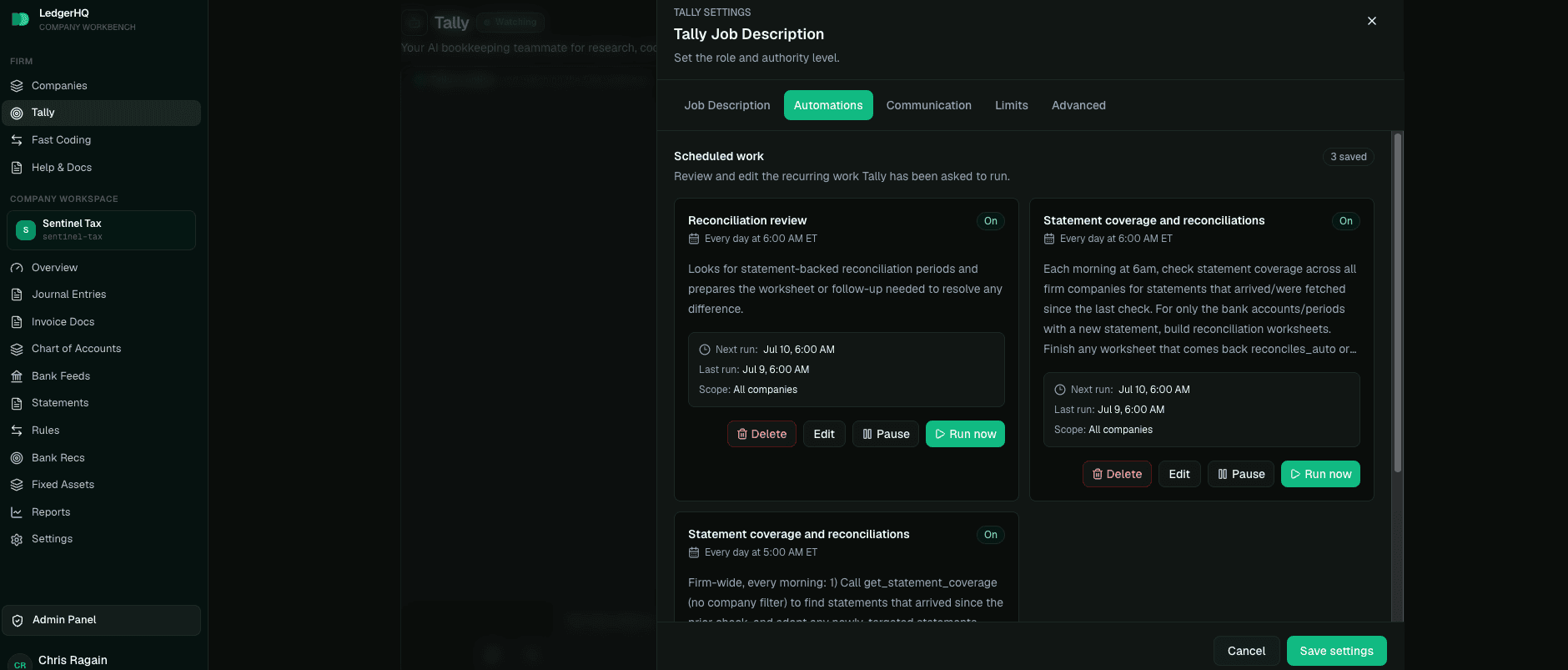
Communication settings should match the firm's operating style. A firm that wants Tally to quietly prepare work should use conservative modes and review Activity. A firm that wants more help can give Tally permission to create requests, prepare close worksheets, or draft report deliveries when supported.
Choose the message handler who receives client-message decision packets.
The notification policy controls whether routed messages email immediately or
follow a quieter summary pattern. A normal reply to a decision packet is
relayed to the company owner through LedgerHQ; a first-line @tally reply is an
instruction for Tally.
Included Usage
Tally is fully managed by LedgerHQ. LedgerHQ runs and funds Tally's AI model — there are no AI accounts to create, no provider keys to connect, and no models to choose. Each active managed company adds $5 of included Tally usage per month, pooled across the firm.
If a month's included usage is fully consumed, Tally pauses until the monthly reset. Completed work stays safe, and Tally picks back up automatically when the new month begins. The Automation tab of the profile dialog shows this month's usage.
Do not paste bank credentials, Stripe secrets, or LedgerHQ tokens into Tally chat. Use the app's settings flow for secrets.
When To Reconfigure Tally
Revisit Tally settings when the firm adds many companies, starts using statement coverage, changes close expectations, changes who approves work, or notices that Tally is either too quiet or too active. The best configuration is not the most automated one. It is the one that matches the firm's risk tolerance and review habits.
Tally AI bookkeeper
Understand Tally conversations, Activity, files, guided startup, safety controls, and guarded bookkeeping actions.
Give Tally your other apps with Zapier
Connect a Zapier MCP server in Tally Settings so Tally can read Gmail, Google Drive, Slack, and thousands of other apps, and direct a message at one app with the slash menu.