Post one coded transaction
Post one reviewed bank row and verify the resulting ledger activity.
Post The Row
- Open the company in Fast Coding or Bank Feeds.
- Confirm the row’s date, description, amount, bank account, and Coded to account.
- Click Post on that row.
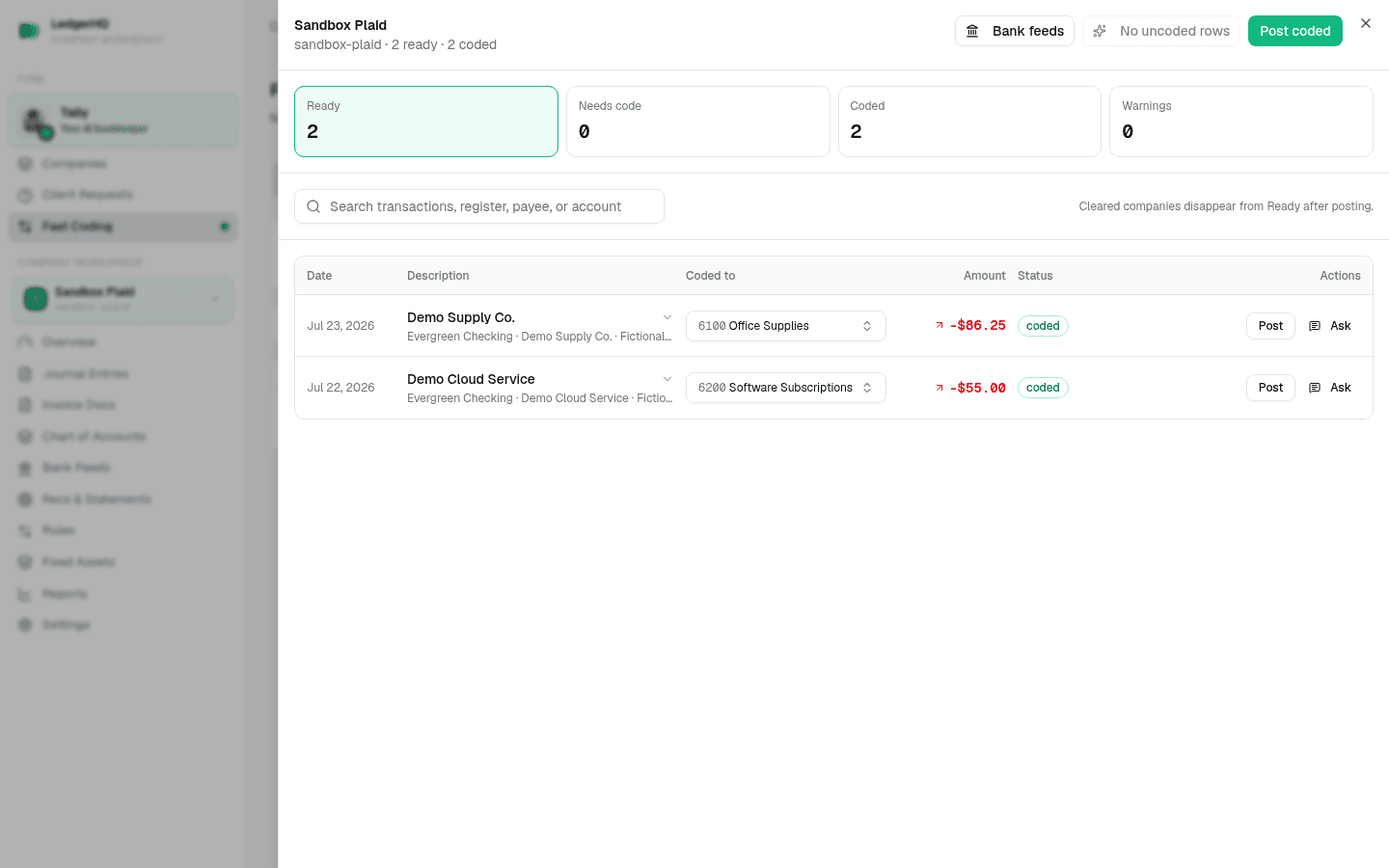
A normal warning-free row posts without another confirmation. If the row has a warning, LedgerHQ asks This transaction has warnings. Post anyway? Stop and review the evidence before continuing.
Rows identified as transfer pairs use Post pair or the corresponding transfer workflow instead. Do not post each side separately as income or expense.
Verify The Result
After a successful post, LedgerHQ shows Posted to the ledger. Open Posted in Fast Coding, or open the account register, and confirm the company, description, account, amount, and posting source.
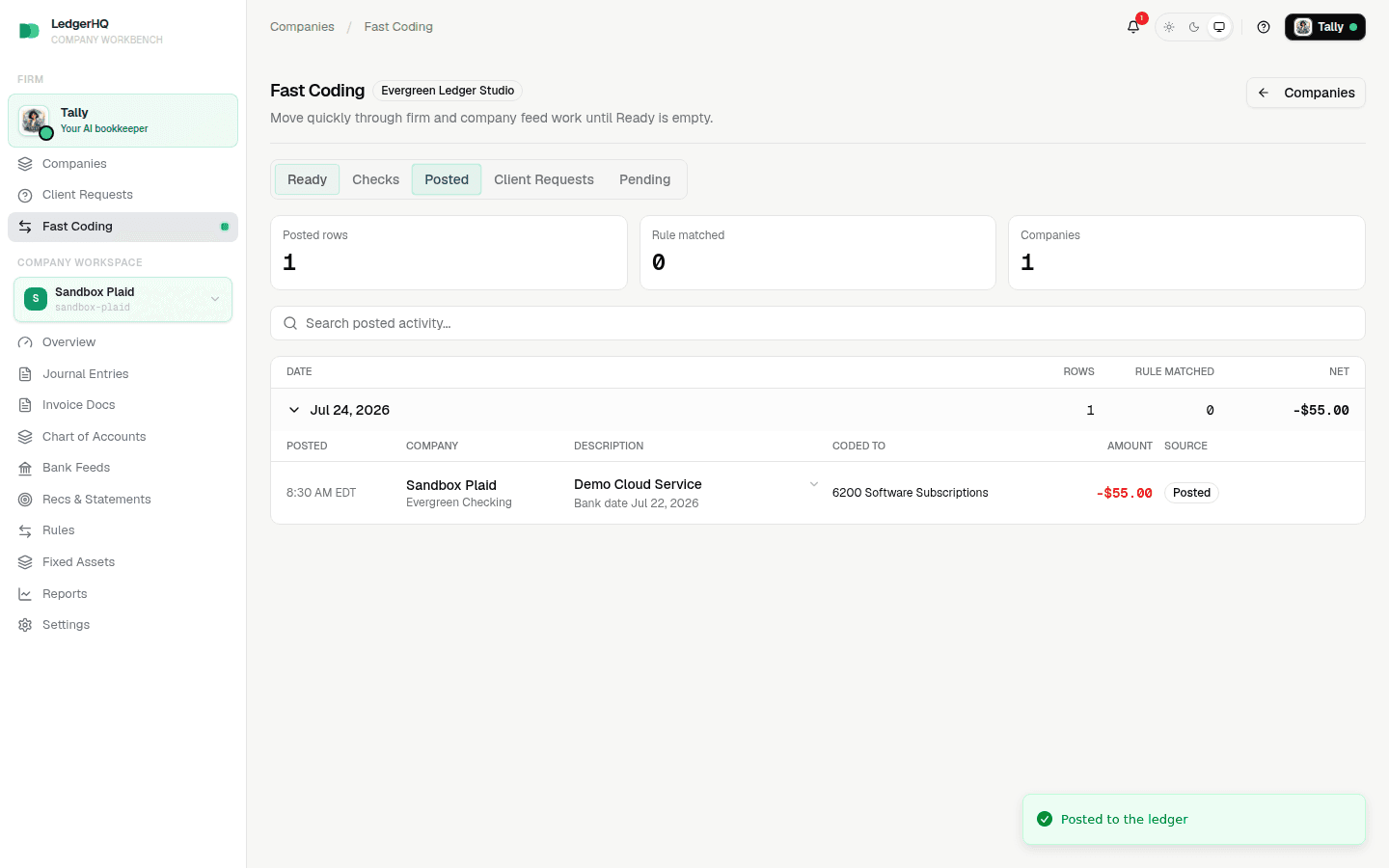
The posting creates the ledger entry and can affect reports and reconciliation.
It also saves a bank rule, so the same merchant codes itself next time. This happens on every posting path, including this one — posting a single row is not a one-off. LedgerHQ skips the rule only when an existing rule already matches the row, the row has no account, or there is nothing stable to match on. See How your bank rules get made and maintained.
Correct A Mistake
Use Undo a posted bank transaction to remove an incorrect feed-owned posting and return the row to Ready with its coding retained. Do not add a separate offsetting entry.
If Undo is blocked, create a support ticket with the company, bank account, transaction date, amount, and description. For wider actions, review Understand your posting options first.