Move a company from QuickBooks in the right order
Use one cutoff, one final QuickBooks export, and one clear start for live LedgerHQ posting.
Follow The Migration Order
QuickBooks owns activity through the cutoff date; LedgerHQ owns activity after it. Do not post live feed rows until the final QuickBooks import has been reviewed.
- Create the LedgerHQ company and choose a cutoff date, usually month-end.
- Start the bank-connection request early if owner access may take time.
- Keep QuickBooks as the working books through the cutoff.
- Finish and review all QuickBooks activity through that date.
- Export the final QuickBooks Chart of Accounts and Journal report from the same company and at the same point in time.
- Open Settings > Import & Export in the correct LedgerHQ company.
- Select both CSV files, choose Check Files, and resolve every missing account or unbalanced-entry error.
- Import once, then verify accounts, journal history, reports, registers, and reconciliation readiness.
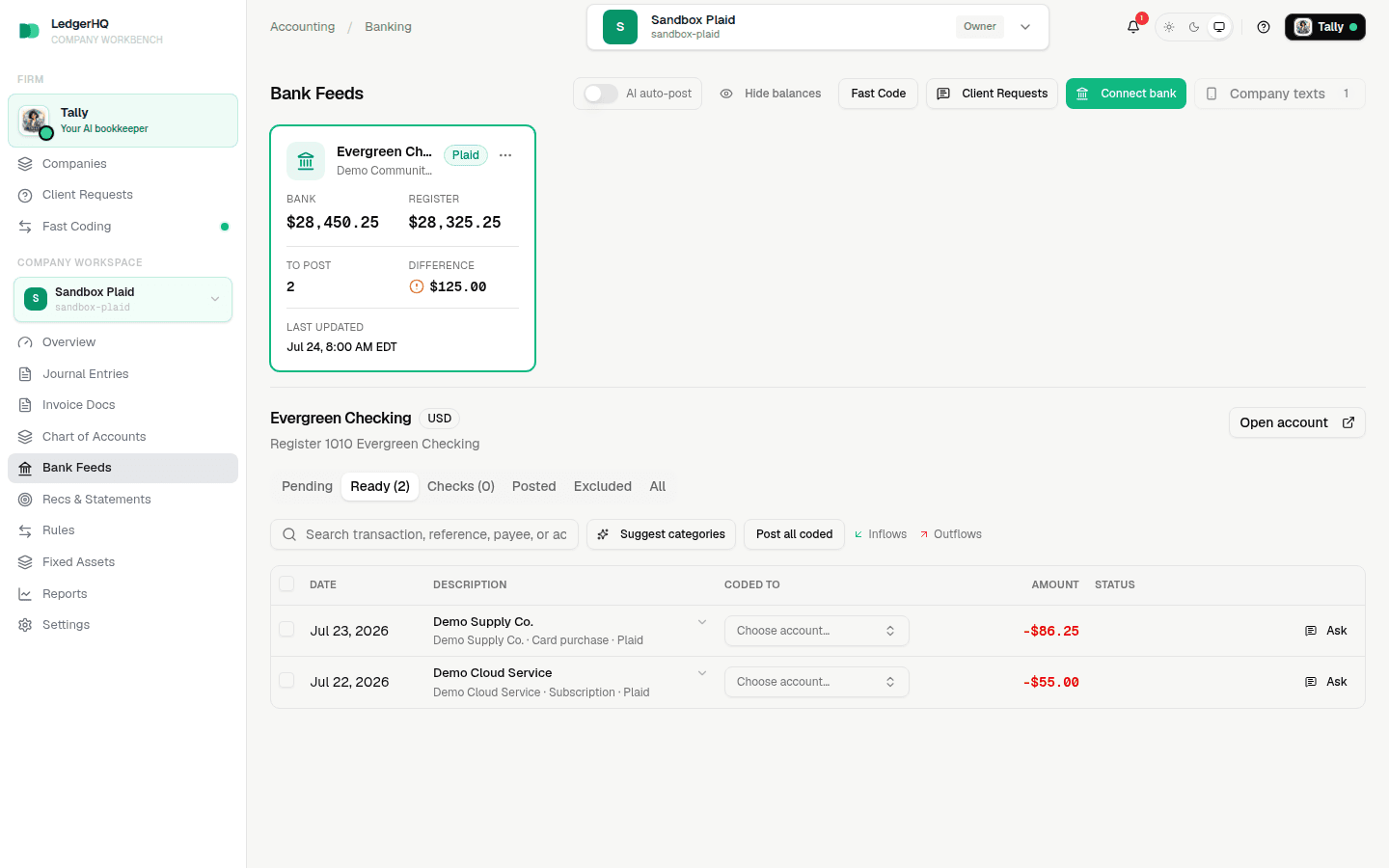
- Open Bank Feeds, confirm the connected accounts and mappings, and begin posting only activity that belongs after the cutoff.
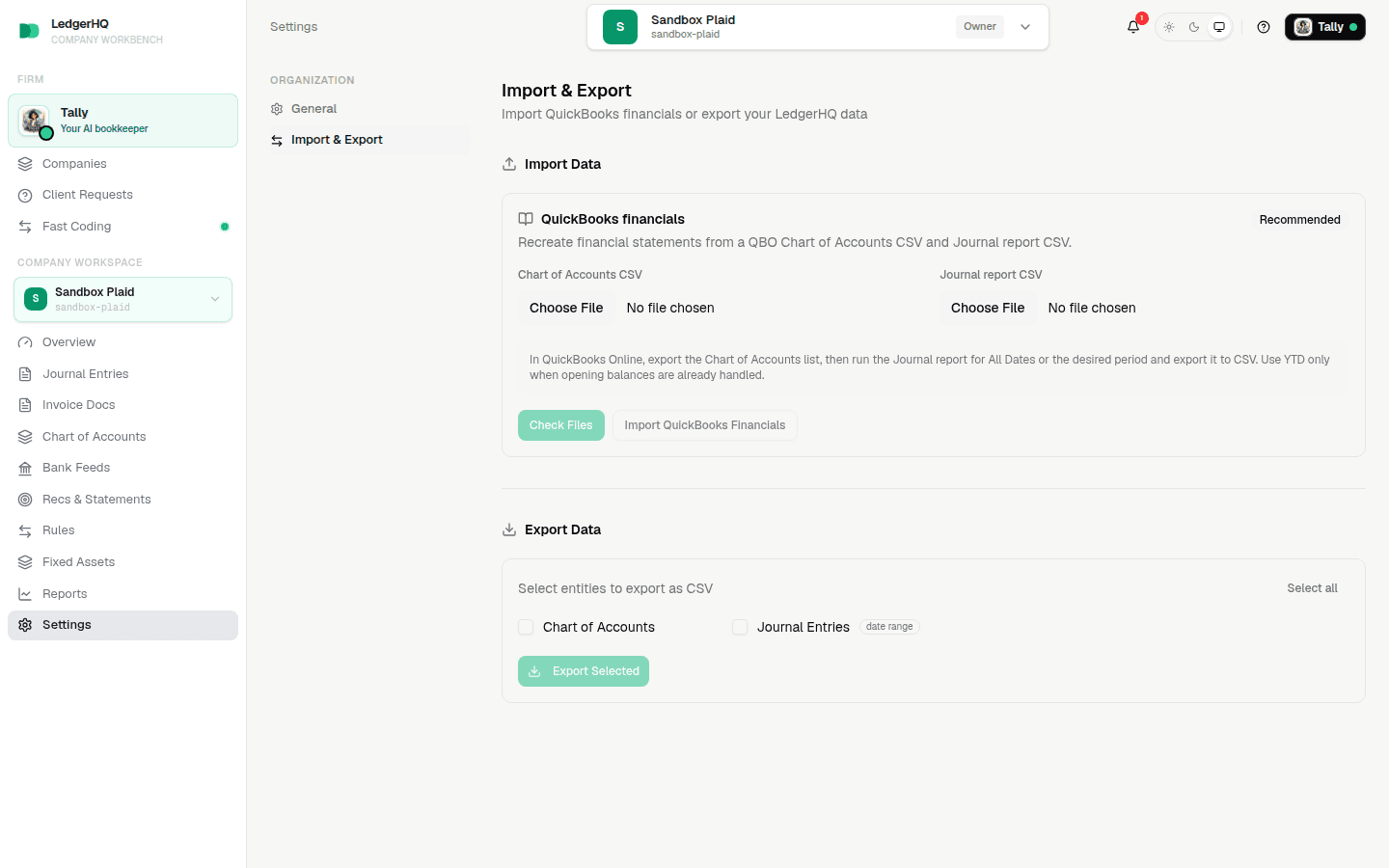
A replacement import can remove existing LedgerHQ journal activity. Leave synced bank rows unposted until the final import is complete and accepted.
Connect Banks Without Starting The New Books
Bank access is often the slowest human step, so it is reasonable to send the connection request before the final export. The connection only establishes Plaid access and account mappings. It does not move QuickBooks balances, reconciliations, rules, or historical ledger detail.
If transactions arrive during setup, leave them in Bank Feeds. After the import, compare their dates with the cutoff and watch for overlap before coding or posting.
If Bank Access Is Delayed
Do not keep changing the cutoff silently. Choose one of two clear paths:
- wait for bank access, then take fresh QuickBooks exports at the agreed cutoff; or
- complete the import now, document the cutoff, and connect Plaid later without posting overlapping dates.
The company is ready for live LedgerHQ work only when the final import is accepted, the core reports are reasonable, bank and card registers exist, and the team agrees which date starts the LedgerHQ books.