Prepare for your first reconciliation
Make sure the statement, register, and starting point are ready before you begin a bank reconciliation.
Before You Begin
Most reconciliations do not need this. When a verified statement covers the period and its activity is posted, Tally reconciles the account for you. Use the steps below when Tally hands a period back, or when you are setting up an account for the first time.
Have the statement end date, opening balance, and ending balance available. Confirm that you selected the correct LedgerHQ register and that bank-feed rows through the statement date are posted. Pending or uncoded feed rows do not become reconciliation candidates.
Check The Account
- Open Bank Recs.
- Find the account and read its status:
- Needs starting point means the account does not yet have a confirmed reconciliation baseline.
- Ready for next rec means posted, unreconciled activity is waiting.
- In progress means a reconciliation already exists; click Continue rec instead of starting another.
- Click the Unreconciled count to inspect open items, or click Register for the full account history.
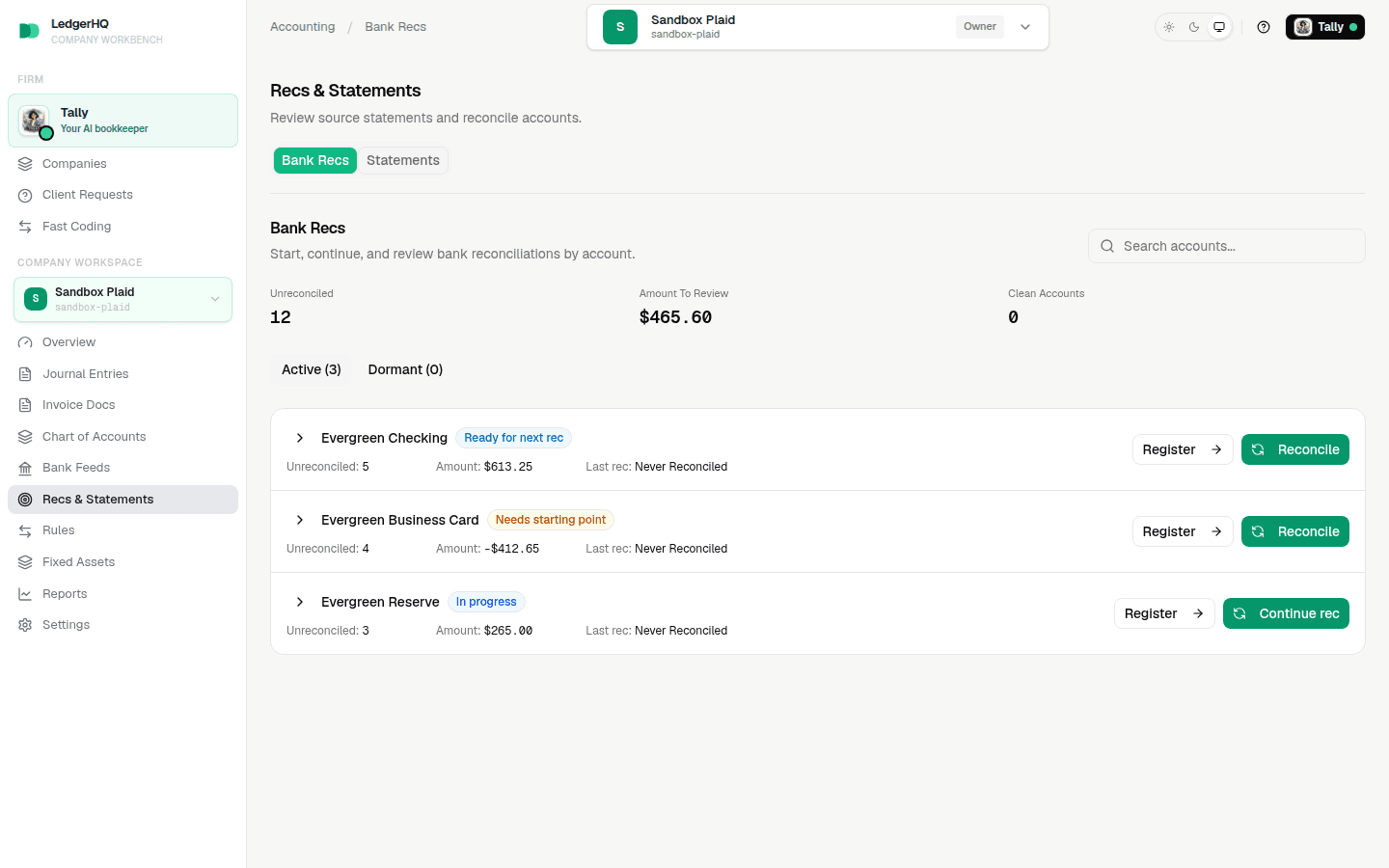
Decide Whether To Set A Starting Point
If the company already reconciled this account before moving to LedgerHQ, click Reconcile, then use Set starting point. Enter the last reconciled statement date and ending balance. Add checks or deposits that were still outstanding on that date so they carry forward instead of being treated as cleared.
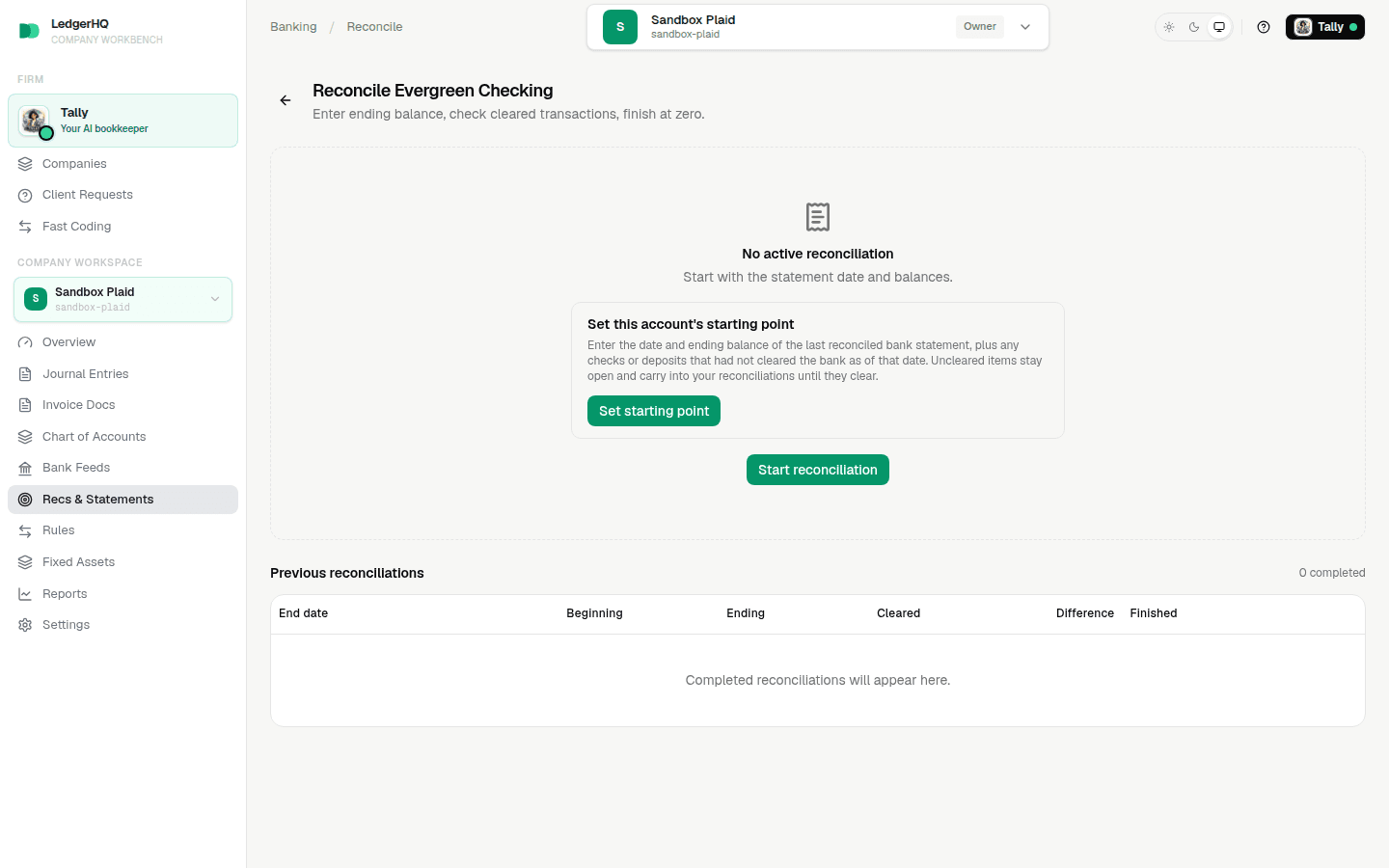
If this is the account's first-ever reconciliation, you can skip the prior baseline and enter the statement opening balance when you start the reconciliation.
Before continuing, also confirm that the period is not locked. If the register is missing a transaction, return to Bank Feeds or Journal Entries and correct the books before trying to force the reconciliation to balance.
Next, start the bank reconciliation. For the complete sequence, see Bank reconciliation.