Tally AI bookkeeper
Understand Tally conversations, Activity, files, guided startup, safety controls, and guarded bookkeeping actions.
Full-Page Tally And The Drawer
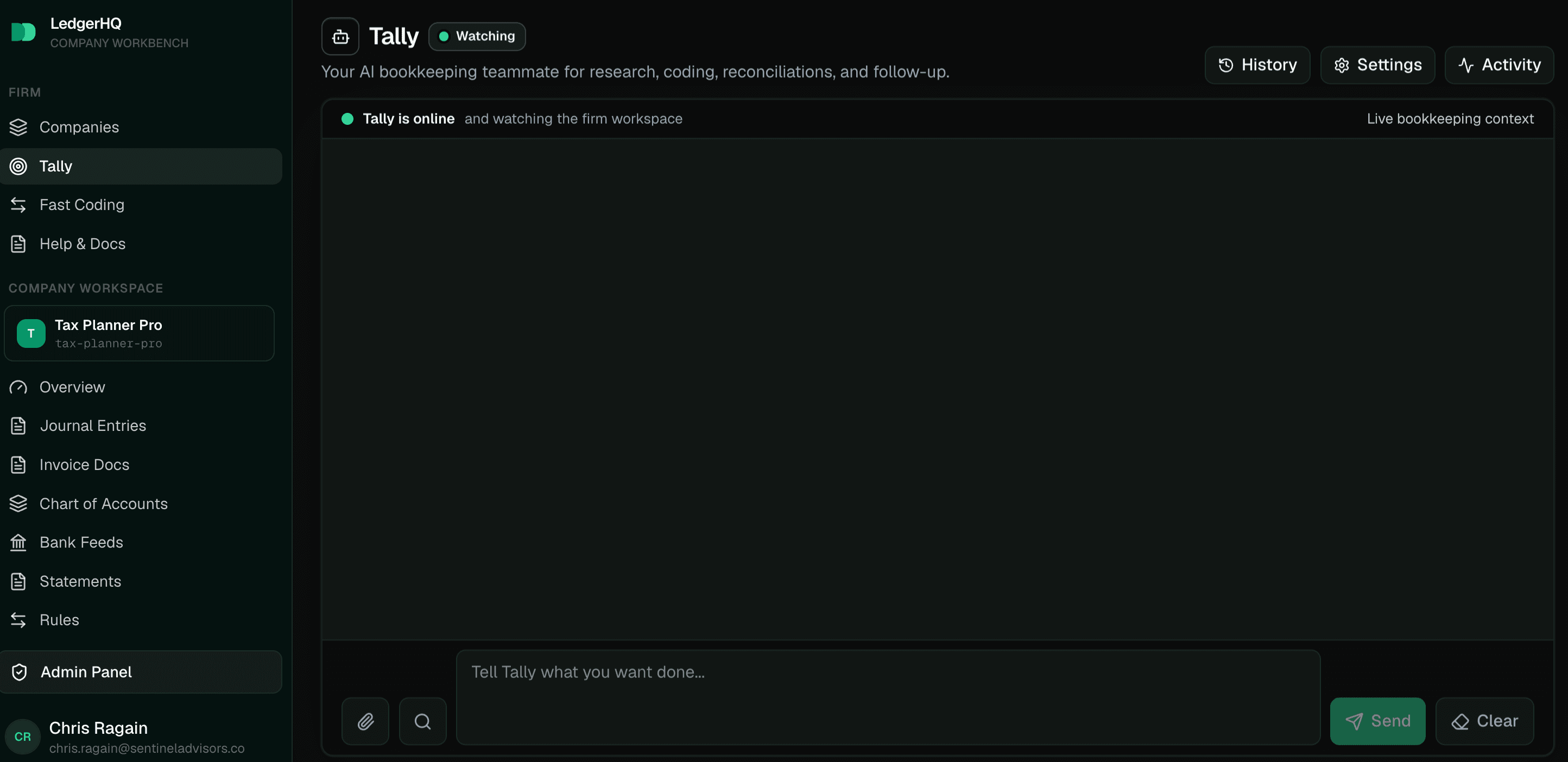
Use the full-page Tally workspace when the firm wants to supervise work across companies, review Activity, configure Tally, inspect history, or approve prepared actions. The full-page workspace is firm-scoped. It is the best place for broad questions like "What needs attention across the firm?", "Review what posted this week", or "Help me get this company ready for close."
The drawer is for context while users work elsewhere in LedgerHQ. A firm user who opens the drawer from a company page gets a company-scoped Tally conversation. That helps Tally answer questions about the page the user is already looking at. Tally bookkeeping is available to active firm staff when the firm has the LedgerHQ + Tally package.
The drawer and full page are connected conceptually, but they serve different moments. Use the drawer to ask "What am I looking at?" or "Why is this row not ready?" Use the full page to supervise work, check Activity, attach evidence, or make decisions.
The Main Conversation
The main /tally chat opens blank and ready. It no longer creates an automatic
morning proposal, daily briefing, or spinner just because the user opens the
page. Ask Tally what you need, or use Activity to review work that has already
happened.
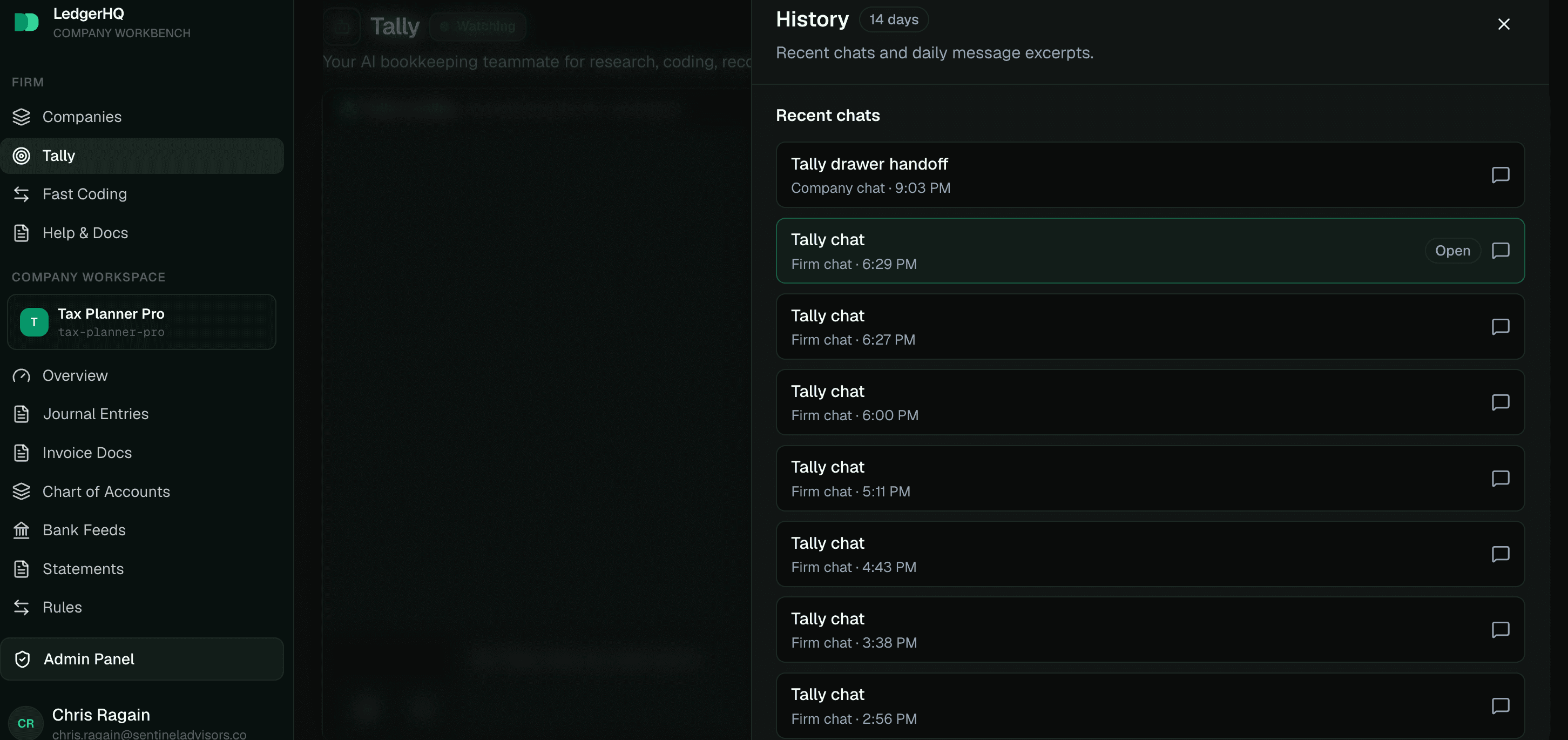
Tally uses one persistent firm-scoped conversation by default. The Clear action resets the visible chat when the user wants a clean start. Older conversation rows remain stored for audit/history, but the live chat and model turn only load the recent conversation window so day-to-day work does not become noisy or overly expensive.
The History drawer shows compact recent daily logs. Use it when the user wants to look back at what was discussed without loading older messages into the active conversation.
The composer shows the managed Tally model label. Tally is fully managed by LedgerHQ — there is no provider to connect and no model to switch.
Users can send another message while Tally is working. That interjection joins the active turn so the user can correct scope or add information without waiting for a long task to finish.
Jobs, Automations, And Actions
Tally uses several layers:
- Conversation is the chat thread where users ask questions, give instructions, attach evidence, and receive answers.
- Jobs are durable pieces of work, such as a cleanup sweep, statement review, reconciliation worksheet, or month-end close check.
- Automations are scheduled or condition-based routines that create jobs when the company's queue says work is due.
- Actions are the concrete things Tally prepares or performs, such as coding a row, sending a request, posting a scheduled journal entry, or marking a close ready.
- Approvals are the human decision layer for work that needs review before Tally can continue.
This structure keeps Tally inspectable. A chat answer can be informal, but a job, automation run, approval, and action leave a durable trail.
What Tally Can Work On
Tally can help with current LedgerHQ bookkeeping surfaces: bank feed review, category suggestions, recent coded/posting review, transaction searches, statement coverage, client requests, bank reconciliation, scheduled journal entries, month-end close, reports, fixed assets, core journal entries, and selected guarded accounting actions.
Tally can also create or update support tickets, search the Help docs, inspect allowed firm/company context, and use uploaded evidence when the user provides it.
Tally can guide a new-book startup from bank files, statements, spreadsheets, QuickBooks exports, or other balanced accounting history. The startup remains open through researched decision batches and a revision-specific financial approval. See Start new books with Tally.
Tally should not promise unsupported modules or hidden broad-suite workflows. If a user asks about something outside the current LedgerHQ bookkeeping surface, Tally should say what LedgerHQ supports today and create a support ticket or feature request when appropriate.
Activity Is The Supervision View
Activity is where users review Tally's work and waiting items. It shows current activity, waiting-on-you items, automation cards, run history, and actions that need attention. If the main chat is the conversation, Activity is the operating board.
Use Activity when a user wants to know:
- which jobs ran today;
- which automations are paused or failing;
- what needs approval;
- which companies are waiting on documents, coding, reconciliation, or close;
- whether Tally already attempted a task.
Safety Boundaries
Tally is designed to help with accounting work without hiding the important controls from the user. Book-changing work must pass the configured duty mode, company scope, authority level, approval rules, period locks, and service-level validation. Large, ambiguous, externally visible, destructive, sensitive, or billing/integration-changing work should require explicit user intent or a confirmation step.
The Tally options menu includes Report a problem. The report captures the conversation and recent change evidence for support and recovery review. A service stop or release rollback is used for an operational incident that must halt execution.
If Tally says it prepared work, review the action or approval card before you assume the books changed. If Tally says work completed, it should be able to point to the company, record, job, or activity trail that proves it.
Brand a company's invoices
Set the logo, colors, and customer-facing contact details that appear on a company's invoice PDFs, payment pages, client portal, and invoice emails.
Configuring Tally settings
Configure Tally's duties, authority, schedule, communication handling, included usage, and company boundaries.