Finish a bank reconciliation
Review the checked transactions, finish at zero difference, and verify the completed reconciliation record.
Review And Finish
This is the manual finish. A period Tally reconciled from a verified statement is already finished and appears in Previous reconciliations — see Let Tally reconcile from statements.
- Confirm the statement ending date and displayed beginning and ending balances.
- Review the Checked total and the number of checked transactions.
- Search the list once more for any statement item that should be checked or any outstanding item that should remain unchecked.
- Confirm that Difference is
$0.00. LedgerHQ keeps Finish rec unavailable while the difference is nonzero. - Click Finish rec.
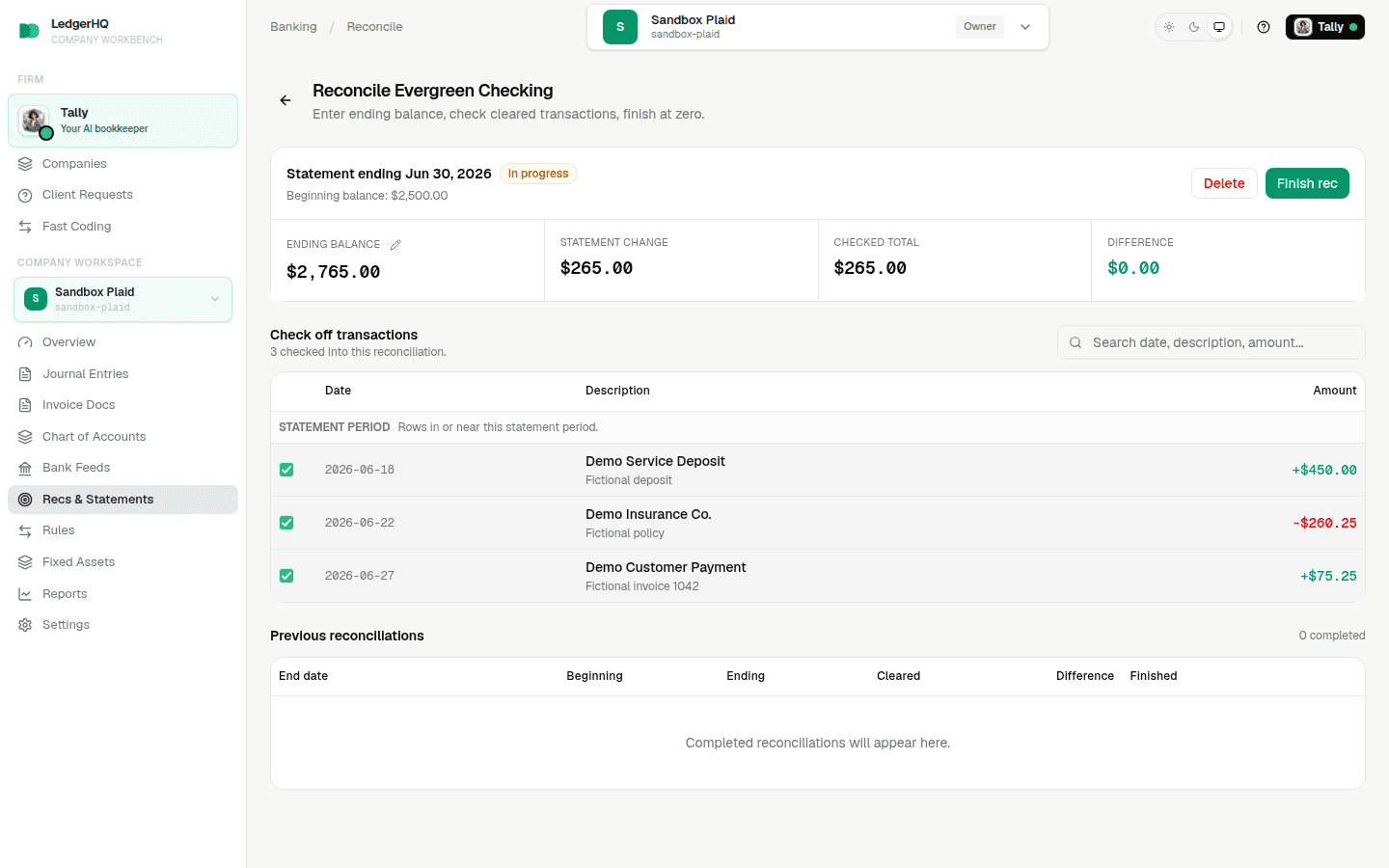
LedgerHQ moves the period into Previous reconciliations and records a completed snapshot of the beginning balance, ending balance, cleared total, checked transactions, any accepted discrepancy entries, and finish details.
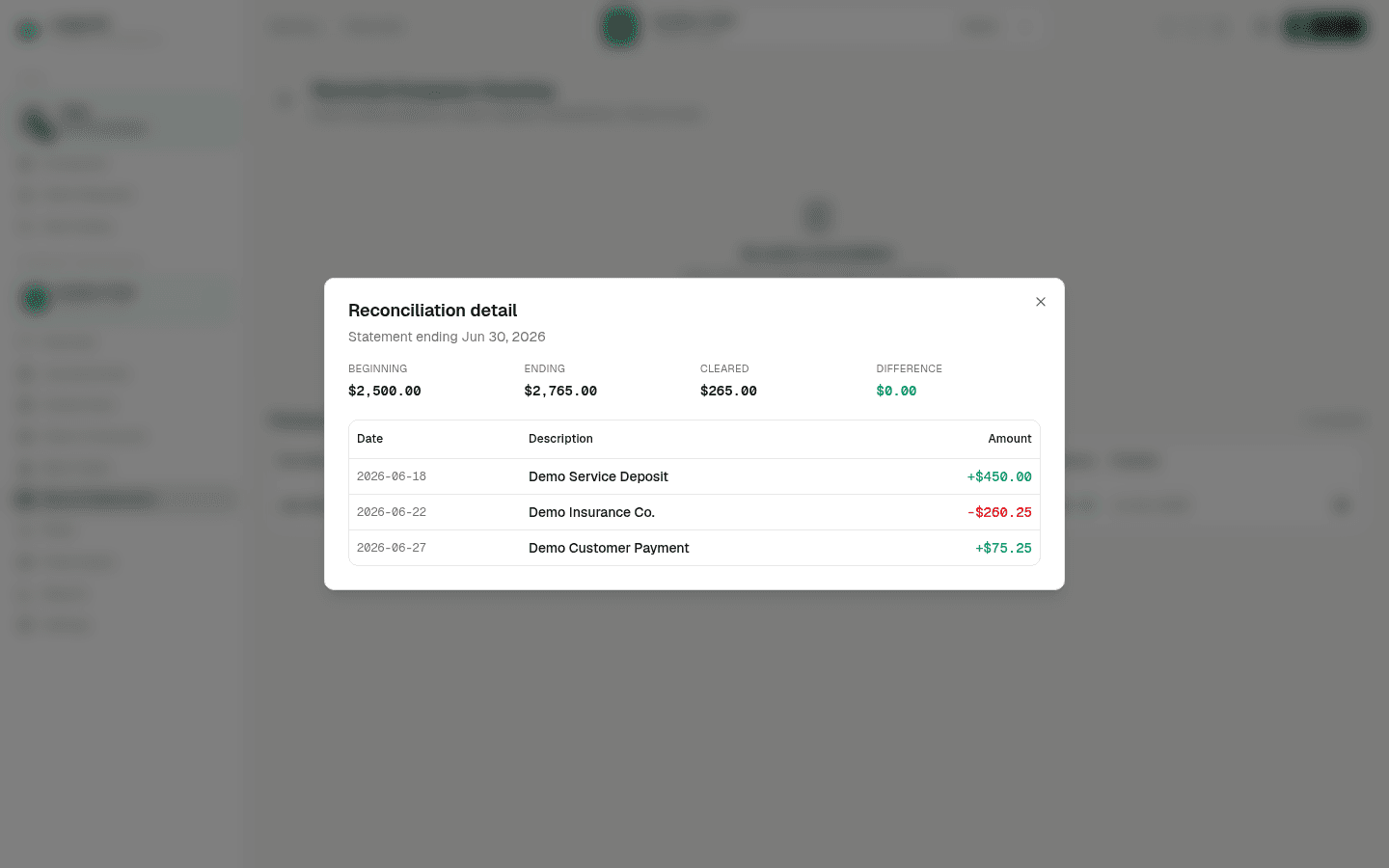
Open the completed reconciliation and verify that the ending balance and Difference match the statement. Transactions that were not checked remain unreconciled and can carry into a later period.
Correct A Mistake
Do not change register history merely to make a completed reconciliation look right. If the wrong account, period, balance, or transaction set was completed, create a support ticket with the company, account, statement end date, and exact mistake so the completed record can be reviewed through the supported repair path.
If the button is still unavailable, use Investigate a reconciliation difference. For the complete workflow, return to Bank reconciliation.