Understand your posting options
Choose between posting one row, selected rows, coded rows, rules, and automatic posting.
Manual Posting Controls
Coding prepares a bank row; posting creates ledger activity. Choose the smallest scope that matches the work you have reviewed.
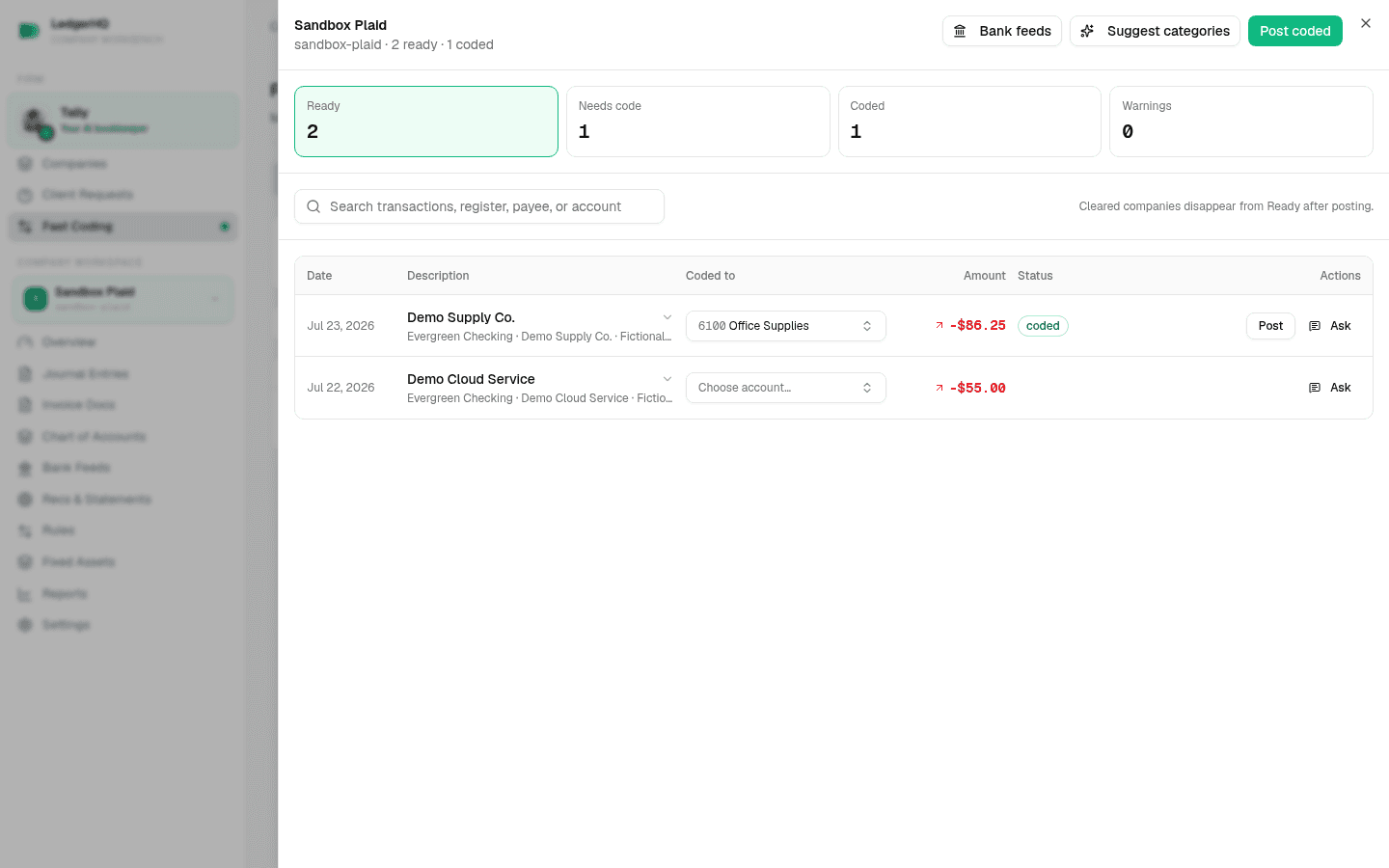
- Post affects one coded row. Use it when you want the narrowest possible action and then verify the result in Posted or the account register.
- Post selected affects only the checked rows in the Bank Feeds account you are viewing. It posts immediately with no confirmation, then reports Posted n of m.
- Post all coded works from the selected Bank Feeds account and posts every eligible coded, warning-free row on that register — not just the rows matching your current filter or search. It asks first only when visible coded rows may duplicate imported register activity.
- Post coded in Fast Coding affects every eligible coded row for the opened company—not only the current filter or rows you personally coded. Its confirmation gives the exact count.
Of the four, only Post coded always tells you how many rows it is about to affect. Post all coded posts an entire register without a count unless it suspects duplicates. Check the Ready list before you use it.
Every one of these saves a bank rule for what it posts, so the same merchant codes itself next time — the single-row Post button included. See How your bank rules get made and maintained.
Rules And Automatic Posting
A saved bank rule applies its defined treatment to future matching rows. A rule configured to post automatically can post a clean match when its account still matches and no warning blocks the action.
The firm’s AI auto-post setting is separate. When it is on, high-confidence researched suggestions may post automatically; lower-confidence suggestions remain available for review.
Review automated results in Posted, the account register, or Fast Coding’s posted activity. Rule and AI automation do not change the recovery path: use Undo on an incorrect feed-owned posting. Do not create a separate offsetting entry. See Undo a posted bank transaction.
For a single row, continue with Post one coded transaction. For the company-wide action, use Post coded in Fast Coding and read the exact-count confirmation before continuing.